 Carna
I cannot sign in
Reset your password, or check you are using the way you signed up.
Forgotten password #
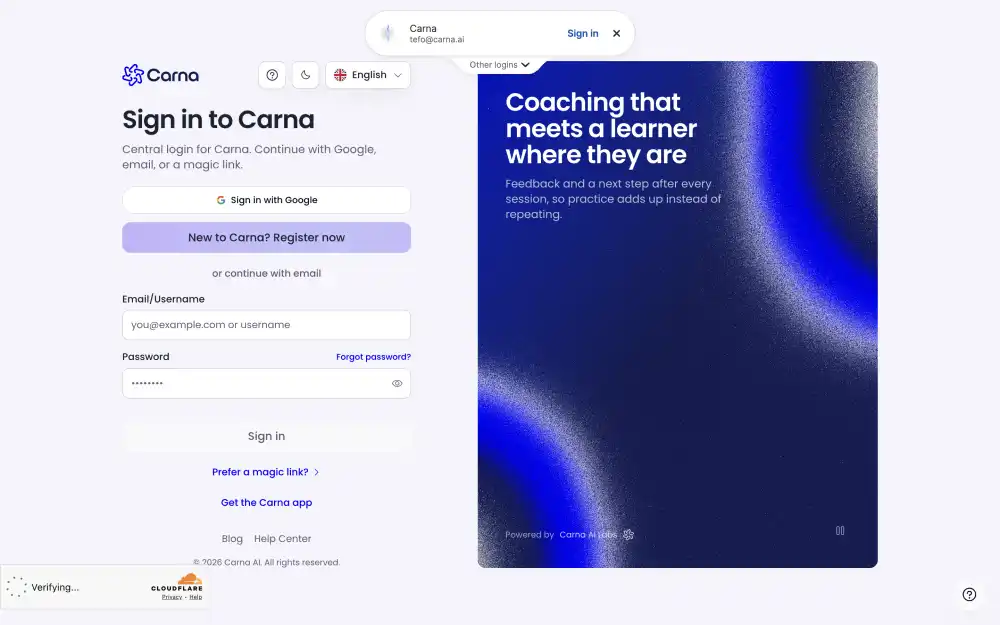
On the sign-in screen press Forgot password, give the email address you signed up with, and a reset link comes to that address. Open it and choose a new password.
The reset mail goes only to the address on the account. If you have two addresses and are not sure which one you used, try both — nothing bad happens if one of them has no account.
You may have signed up a different way #
If you created your account with a social sign-in, there is no password to reset. Use the same button you used the first time. Signing in with an email and password to an account that was made with a social login will not find it.
Your school may have made the account for you #
If a teacher or an administrator added you, your sign-in details came from them. Ask them which address they used — it is often a school address rather than a personal one.
It says my email is not confirmed #
See The email link says expired or not valid.
Still locked out #
Write to us from the address you think the account uses, and say what the screen tells you. We cannot send you a password, but we can tell you whether an account on that address exists.