 Carna
Change your name, picture, email or password
All of it lives in Account settings. Changing your email needs one extra step.
Open Settings from your account menu. Everything below is on that one page.
Name and picture #
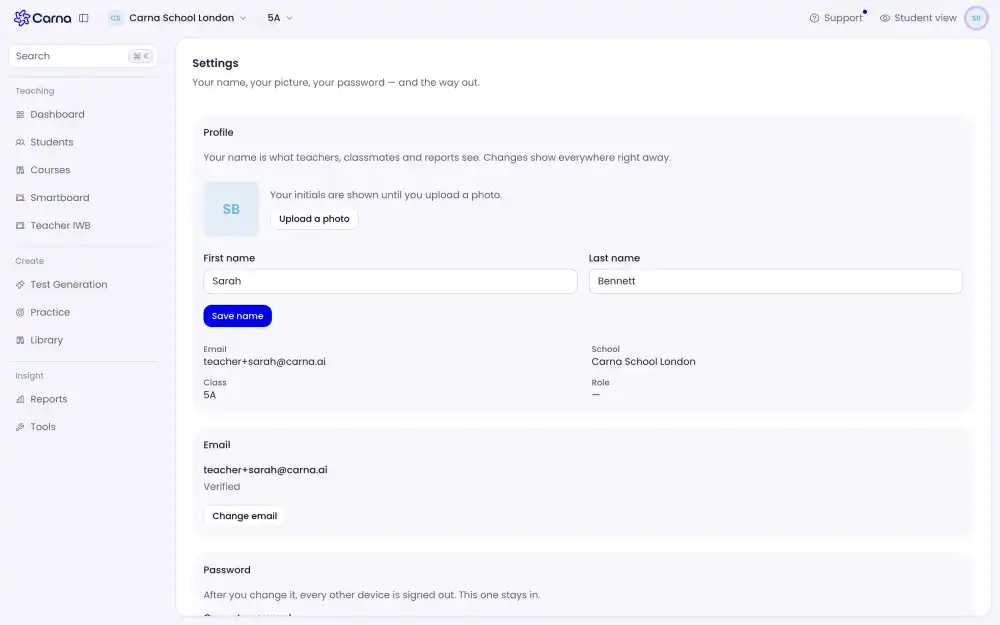
Your name is what your teacher and your classmates see, so keep it the name they would look for on a list. The picture is optional — you can add one, change it, or leave it empty for good.
Email address #
You can change the address on your account, and Carna then sends a confirmation to the new address. The change is not finished until you open that mail and press the link. Until you do, the old address is still the one that works.
This is deliberate: without it, one typo would lock you out of your own account.
Password #
Set a new one in the password section. You will be asked for the current one first.
If you signed up with a social login you will not have a password to change — you sign in with that button instead.
Language #
See Change the language Carna uses.
What you cannot change yourself #
Your date of birth is used to pick your level, and your role — learner, teacher, administrator — belongs to your school. If either is wrong, ask your teacher or your school's administrator; they can correct it.