 Carna
Change the language Carna uses
The interface language is yours and follows your account, not the device.
Open Settings and pick your language there. The choice is saved to your account, so it follows you to any computer or phone you sign in on.
Interface language, not lesson language #
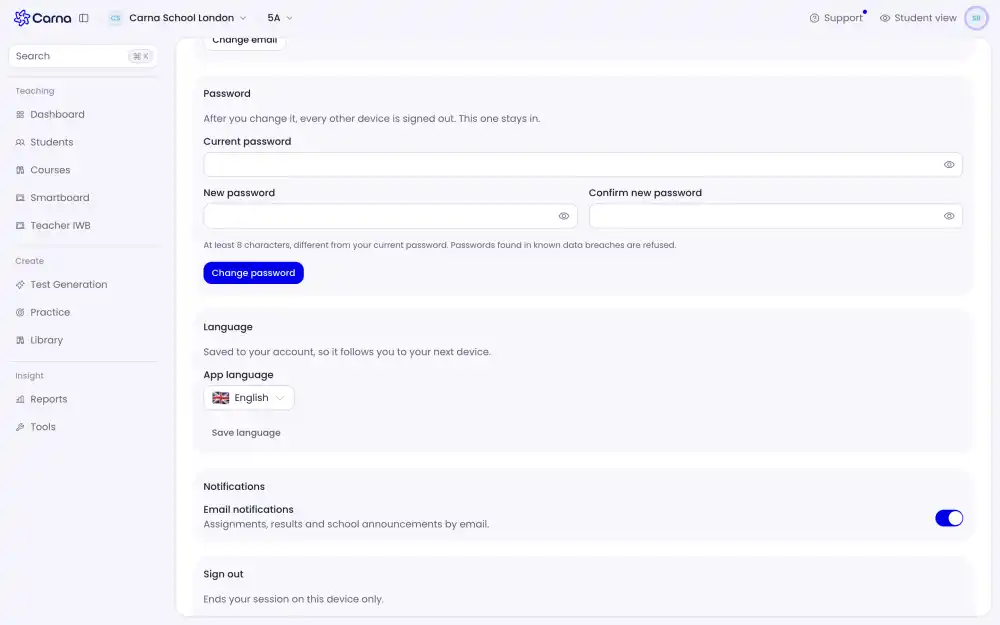
This setting changes the buttons, the menus and the messages around your lessons. It does not change what you are learning — you are learning English either way.
If a page comes back in the wrong language #
Sign out and back in once. The setting is read when your session starts, so a page that was already open before you changed it can stay on the old language until it reloads.
Signed-out pages #
Before you sign in, Carna uses the language in the web address and your browser's own preference. Your saved choice applies from the moment you are signed in.