 Carna
Create your Carna account
Sign up, confirm your email, and tell Carna how you will use it.
Everyone starts the same way, and then the sign-up splits into three. Which one you pick decides what you see next, and you are only asked once.
1. Sign up #
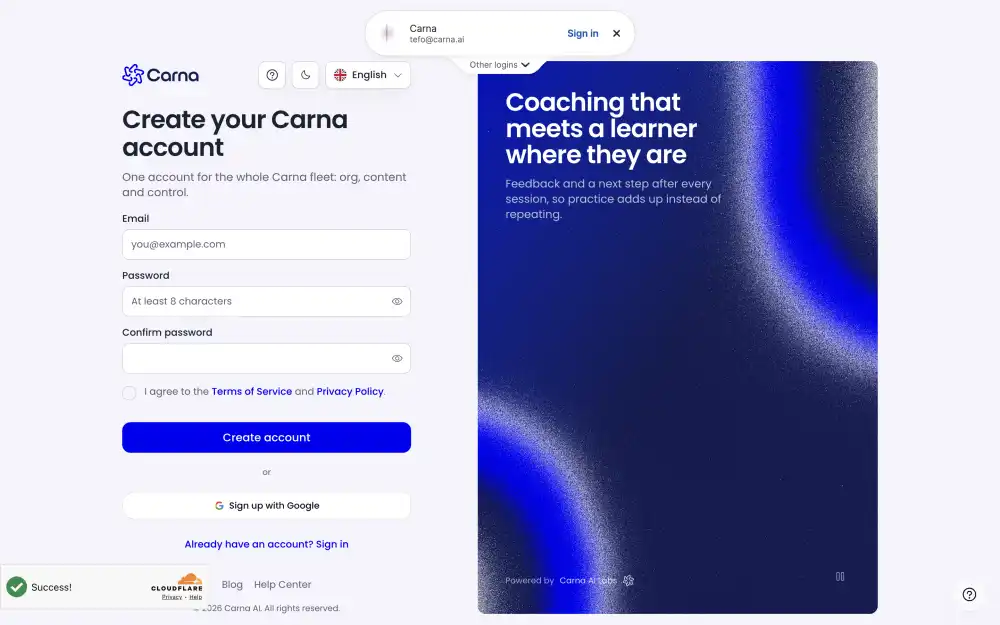
Go to the sign-up screen and register with your email address and a password. You can also use a social sign-in if one is offered on the screen.
2. Confirm your email #
Carna sends you a verification mail. Open it and press the link.
The link does expire. If you open an old one you will see a message saying the link has expired or is not valid, and the same screen offers to send you a new mail. This is normal — a link that sat in an inbox for a week is not a fault.
If you open the link in a different browser, one where you are not signed in, the screen also gives you the way back to sign in first.
3. Tell Carna how you will use it #
After your email is confirmed you are asked one question, once:
- Join your school with a code — you are a student or a teacher and somebody gave you a code. This is what most people choose.
- On my own — you want to learn by yourself, without a school.
- Apply for an organisation — you want to set up a school or a company on Carna.
Each answer goes somewhere different, and each one has its own article:
If you were added by your school #
You will not see that question at all. An account created for you — by a bulk import, by an invite, or by a teacher using Add teacher — already has your name, your school and your role, so Carna takes you straight into the product.