 Carna
Adding people with invites
Create a code for a group, hand it out, turn it off when the intake is done.
An invite is a code you create once and give to a group of people. It is the admin's tool; a teacher's class code is the smaller version of the same idea.
Where it is #
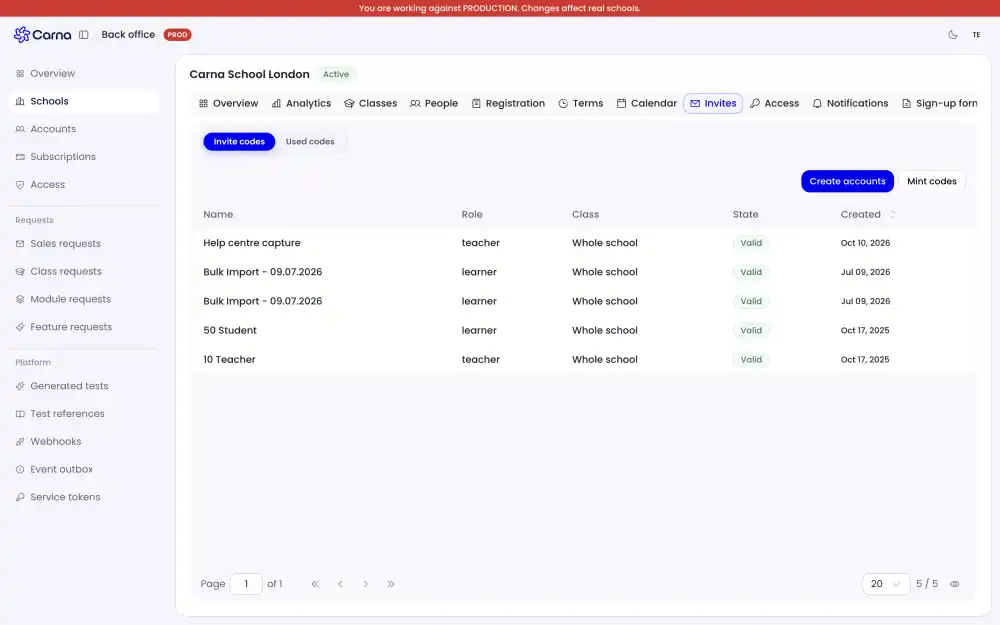
On the Students page, in the Invites tab. It is admin-only — a teacher has no such tab, and a teacher who follows a link to it lands back on the student list.
What you can do there #
- See every invite your school has, and its state.
- Create a new one, choosing the role the people joining will get.
- Turn one off when you are done with it.
Turning an invite off matters #
A code that is still live is still usable by anyone who has it — a forwarded email, a photo of a whiteboard, a message passed on. When an intake is finished, deactivate the code. That is the whole purpose of the control, and it is the one admins skip.
About the codes themselves #
Codes never contain 0, O, 1, I or l, so there is nothing to misread when one is written down. They are case sensitive: tell people to type the capitals exactly as given.
An invite for a whole school is longer than a single class's code. Do not tell people to expect a particular number of characters.
What this page does not do #
It does not send the invite for you and it does not print credentials. You create the code and share it however suits your school.
When somebody cannot get in #
Send them to My class code is not accepted before you make them a new code — nine times in ten it is a capital letter.