 Carna
Adding and removing teachers
Teachers are their own list, and a class can have more than one.
Where teachers live #
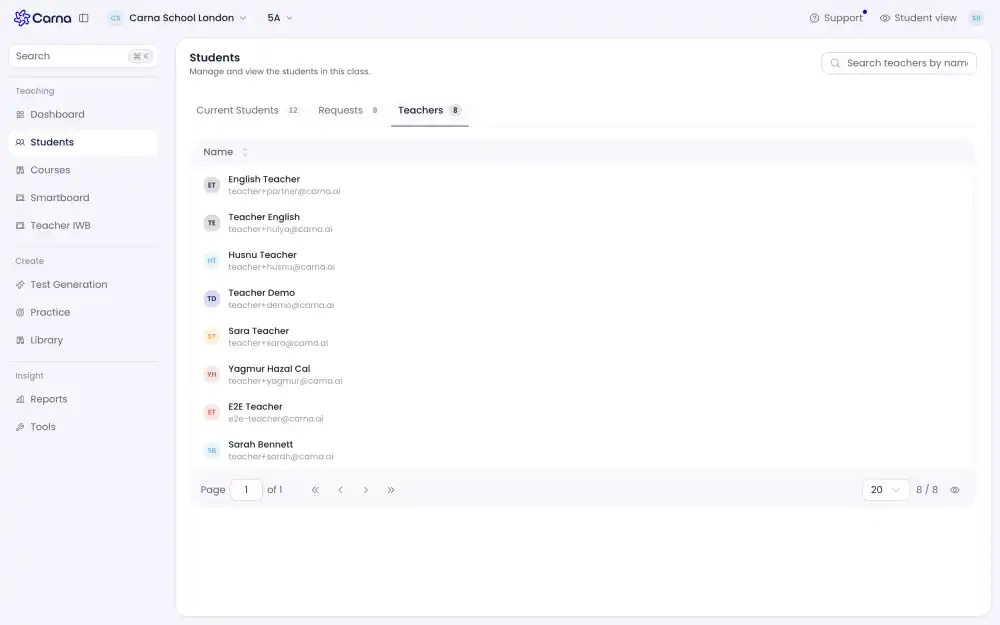
On the Students page there is a separate Teachers tab. It is a different set of people from the student list, which is why it is its own tab rather than a filter on one list.
A class can have more than one teacher #
Useful for a shared group, for cover, or for a trainee alongside the usual teacher. Adding a second teacher does not take the class away from the first.
Taking a teacher off #
The same three endings apply as for students, and the difference matters:
- Remove — they come off this class.
- Conclude — a normal ending, such as the end of a term. The record stays, marked as finished.
- Delete — irreversible, and the only one marked as destructive. Use it for a row that should not exist, never for somebody who has simply stopped teaching the group.
When in doubt, Conclude.
A teacher who was added for you #
If you created a teacher's account — by an import, an invite, or by adding them directly — they do not get asked the sign-up questions. The account already knows their name, their school and their role, so they go straight into the app.
A teacher who looks like a student #
Their role is wrong. Fix the role rather than making a second account. See Roles: who can do what.