 Carna
Getting your students into the class
Most school students are sent a username and a password and need no code. Codes are minted by your administrator, not by you.
There are two ways a student ends up on your class list, and neither of them starts with you.
1. The school sent them a username and a password #
This is how most school students get in. They go to www.carna.app, sign in with what the school sent them — without registering — and the class opens by itself.
Creating a fresh account instead of signing in is the mistake they will make. A new account has no school attached, so it looks empty and the homework is nowhere. Say that out loud when you hand the details round.
If a student never received theirs, they go to the school office, not to support: the credentials are sent to the school first.
2. A class invite code #
Teachers cannot mint codes. There is no Invites tab on your Students page — that belongs to your school's Carna administrator, who creates a batch of codes and gives them out.
Your part is to pass the code on and to approve the people it brings in.
When you share it, tell them it is case sensitive. a and A are different codes, and a capital typed as lowercase is the single most common reason a student says the code does not work.
You do not need to warn them about zeros and ones: Carna never puts 0, O, 1, I or l in a code, exactly so a code read off a whiteboard cannot be misread.
The student's side of it is written up in Join your school or class — a good link to paste into a class message.
Approving them #
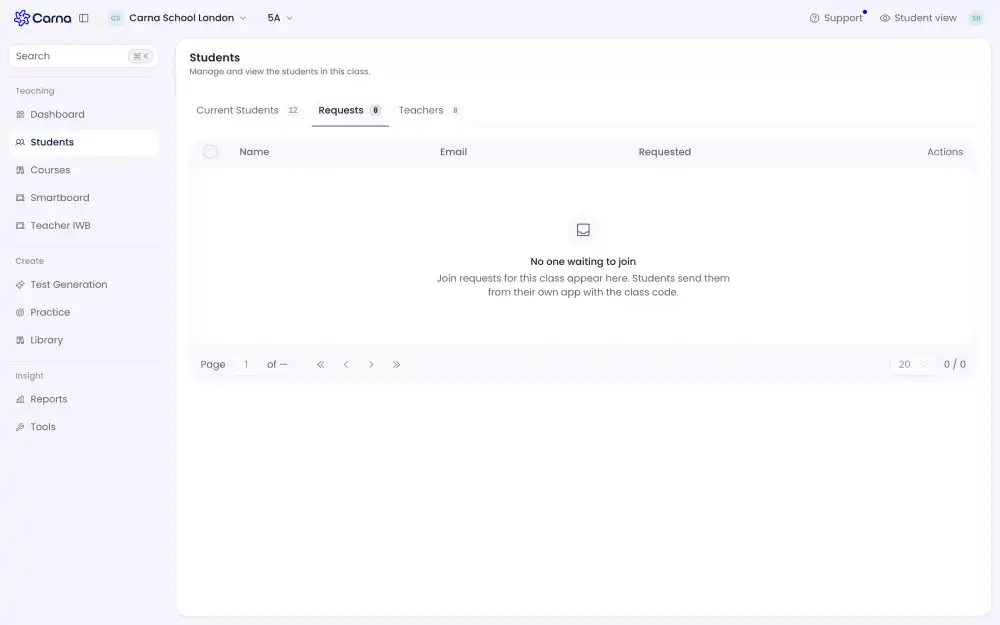
Some classes let a student in straight away; others hold them until you approve. They appear under Requests on the Students page.
If a student is already in another class #
That is fine. A code adds them to this class; it does not take them out of anything.
If a code stops working #
A code can be turned off or replaced. If you handed out an old one the student is told it is not valid — ask your administrator for the current code rather than telling the student to try again.