 Carna
Where your homework is
Assignment is homework; Learn is self-study. And answering is not the same as handing in.
Two items in the menu look similar and are not the same thing.
- Assignment is your homework. Everything your teacher gave you is here, and only here.
- Learn is self-study — worksheets and Carna lessons you work through because you want to.
If you cannot find a piece of homework, you are almost certainly in Learn. Go to Assignment.
The list #
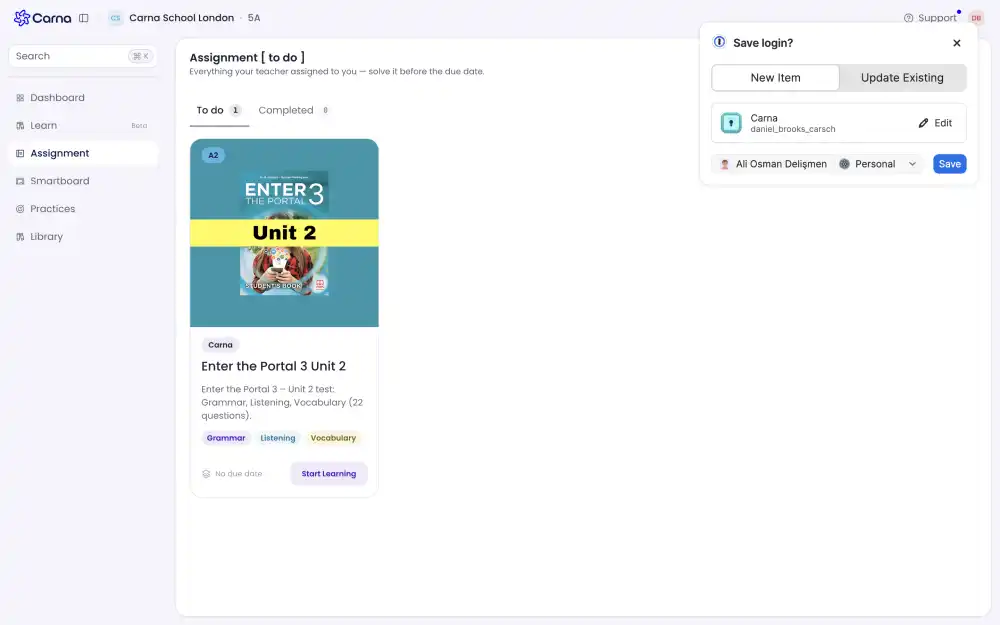
Everything your teacher assigned to you — solve it before the due date.
Two tabs with counts: To do and Completed. To do is sorted by due date, so the next thing due is at the top. Completed is sorted by when you submitted.
Each card shows the level, the module name, what is in it, the skills it covers — Grammar, Listening, Vocabulary — and where you are: Not started, a percentage, or Overdue.
Press Start Learning to open one.
"Nothing to solve right now" means your class has nothing outstanding. If your teacher says they assigned something, check the class name at the top of the page first — you may be looking at a different one.
Doing a course #
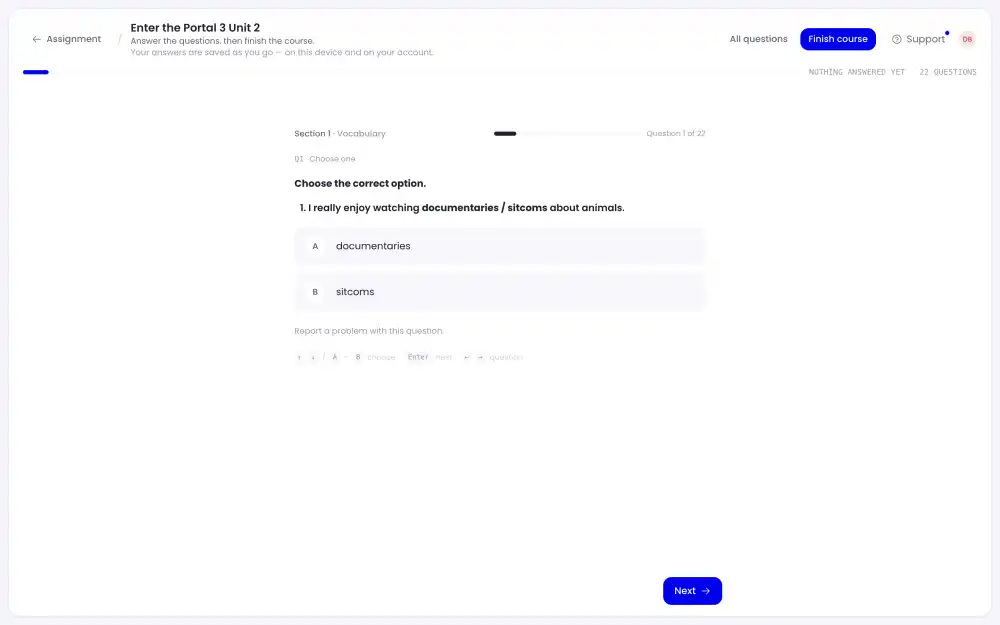
The questions come in sections, with a counter — Question 4 of 22 — and a bar at the top that counts down, 19 TO GO.
Two controls at the top matter:
- All questions opens the list of everything in the course, showing what you answered and marking the rest "Not answered yet — tap to go there".
- Finish course hands it in.
You can leave in the middle. Your answers are saved as you go, on the device and on your account, so you can come back and carry on.
But answering is not handing in. The course stays on To do until you press Finish course — see I did my homework but it still shows as not done.
There is a keyboard path too: A / B to choose, Enter for the next question, ← → to move between questions. Choosing the same option twice clears your answer.
If a question itself is broken, Report a problem with this question is under it.
Overdue #
Work past its due date is marked Overdue and stays on the list. You are not locked out — open it and do it. Whether your teacher accepts it late is their decision, and on some assignments late submissions are refused by the course itself.
Completed #
Finished work moves to Completed with your score and submission date. Review opens it again as often as you like; it changes nothing.
Reading assignments #
If your teacher assigned a book, it is in Assignment too, not in the Library. The Library is the shelf you browse yourself.