 Carna
Announcements and class materials
Announcements reach one class at a time. Class Materials are for students; Teacher Materials are not.
Tools holds everything around the classroom that is not a lesson: messages to your class and the files they can download.
Announcements, materials and everything around the classroom.
Announcements #
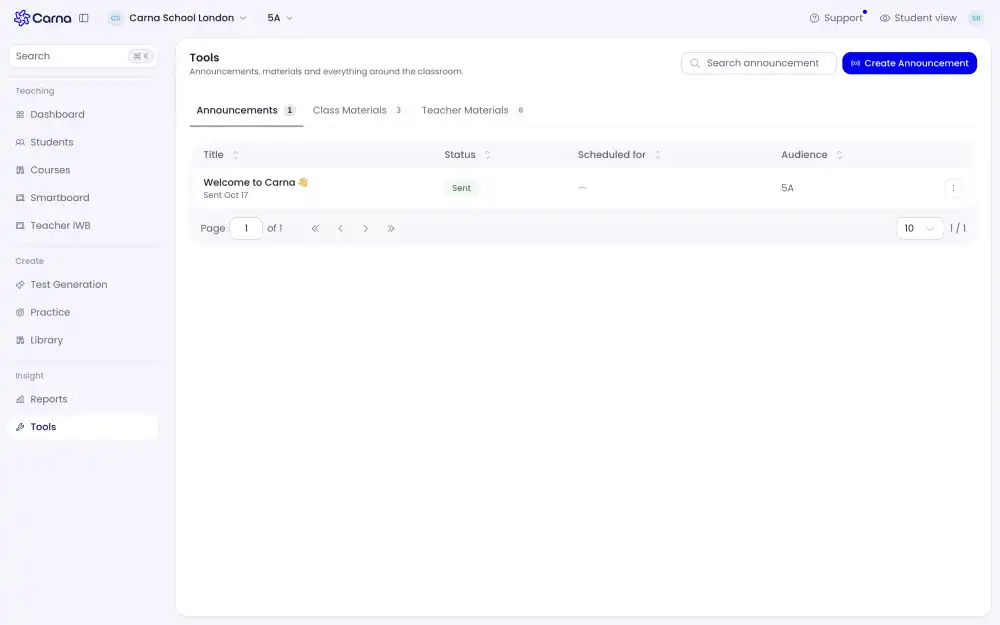
Press Create Announcement. An announcement lands on your students' dashboard and as a notification — it is not a quiet post they have to go looking for.
The table shows four things about each one:
- Title
- Status — whether it has gone out
- Scheduled for — when it is set to go, if you did not send it immediately
- Audience — which class gets it
Audience is per class. An announcement sent to 5A is invisible to 10C, so a message meant for the whole school has to be sent once per class.
Class Materials #
Files your students can open from their own dashboard, under From your school. This is where a worksheet PDF, a smartboard file or a resource pack goes when the class needs it in their hands.
Teacher Materials #
The staff-side shelf — teacher editions, answer keys, resource packs. Students never see this tab. If a file must not reach a student, it belongs here and not in Class Materials.
The count next to each tab is how many files are on it. Zero on Teacher Materials means your school has not published any for your class yet, not that the feature is off.