


































My code is not accepted
Check that you typed all 10 characters, then read the message under the code boxes. It tells you what went wrong.
Who is this for: Students
Summary: If Carna doesn't accept your invite code, check that you typed all 10 characters, then read the message under the code boxes. It tells you what went wrong.
Before you start: Have the invite code from your school or teacher ready. Every Carna invite code has 10 characters: capital letters and numbers only.
Steps #
- Check the code you typed. It must have all 10 characters, in capital letters and numbers, with no spaces. The easiest way is to copy the code from your school's message and paste it into the boxes.
- Click Join and read the message under the code boxes.
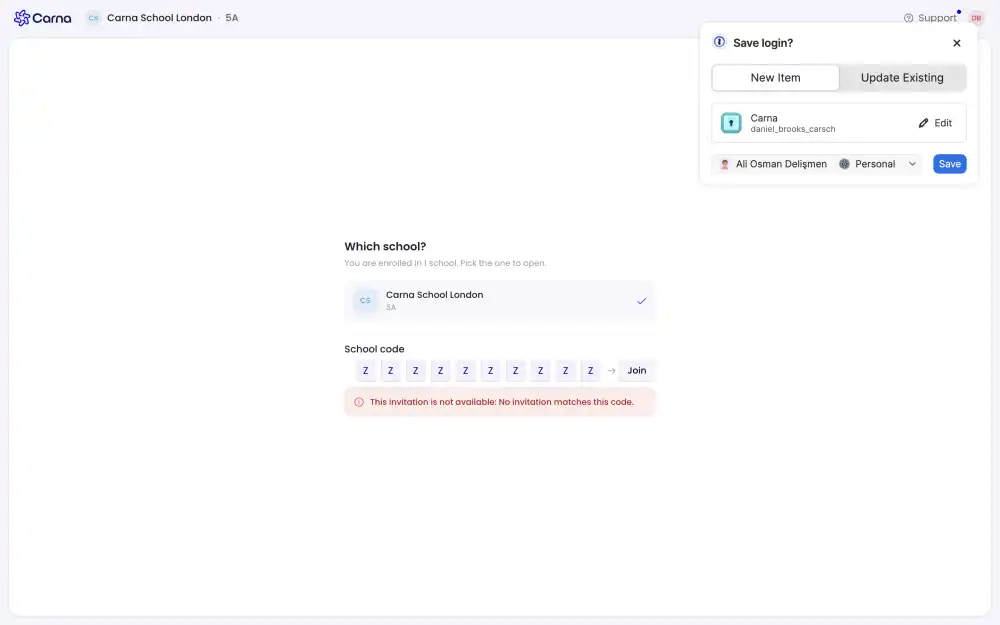
- No invitation matches this code: the code doesn't exist, usually because a character was typed wrong. Check each character against the code you were given and try again.
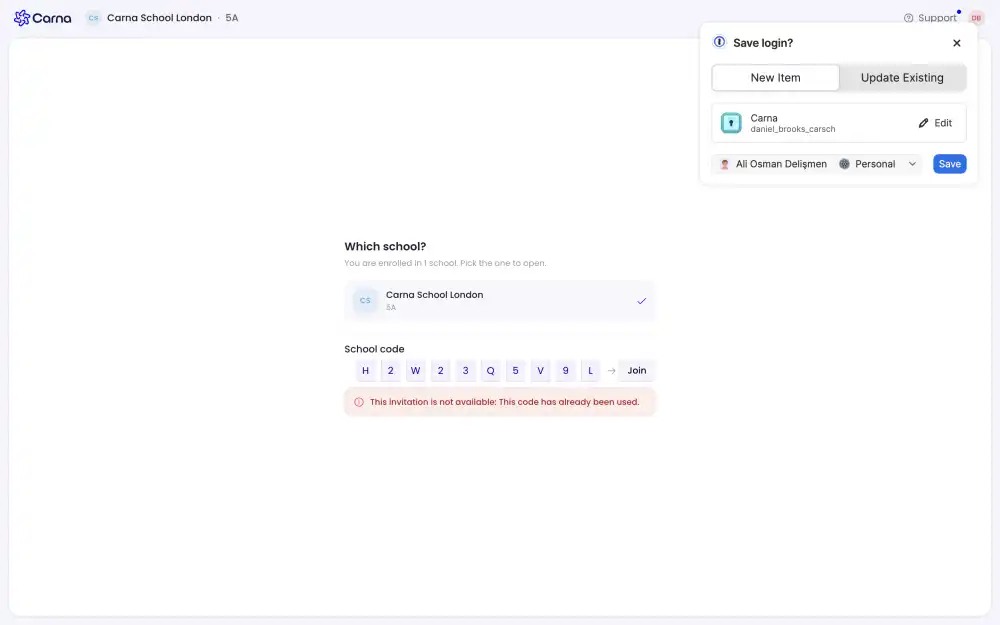
- This code has already been used: the code is real, but someone has already used it. Typing it again won't help. Ask your teacher or school for a new code.
Tips & Good to know #
- Already signed in? On the Which class? screen, click Join another school with a code under the class list to enter a new code.
- Not sure which code is yours? Ask your teacher before you try again.
Troubleshooting #
- The Join button doesn't work: check that you typed all 10 characters.
- The code still doesn't work: write to the Carna team through Live Support. Tell us your school's name and the code you used. See How to get help from the Carna team.
- My school is listed but I can't open it: see My school is listed but I cannot open it.