


































How to change the app language
Show Carna's menus and buttons in your own language, on this device or on every device you use.
Who is this for: Everyone
Summary: Show Carna's menus and buttons in your own language, on this device or on every device you use.
Before you start: You need a Carna account. The app language changes Carna's menus and buttons; your lessons and exercises stay as they are.
Steps #
- Click your initials in the top right. Under Language, point to the current language (for example, English).
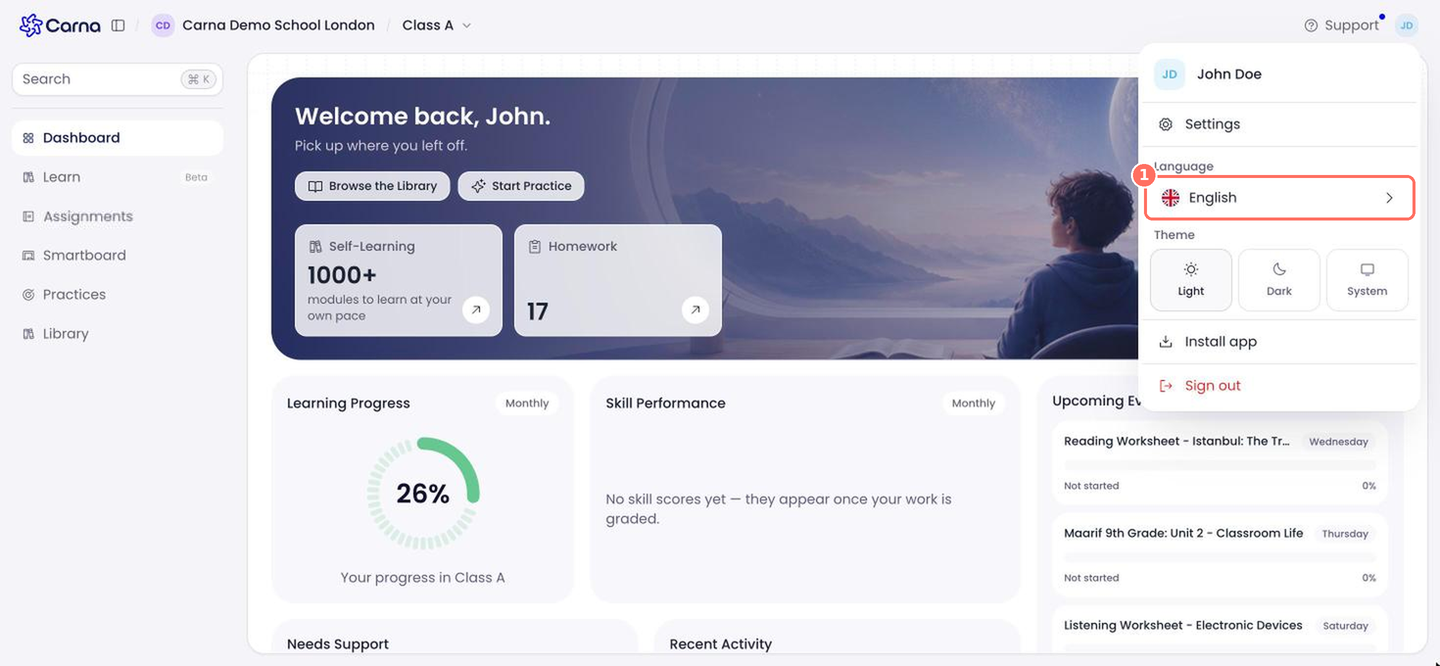
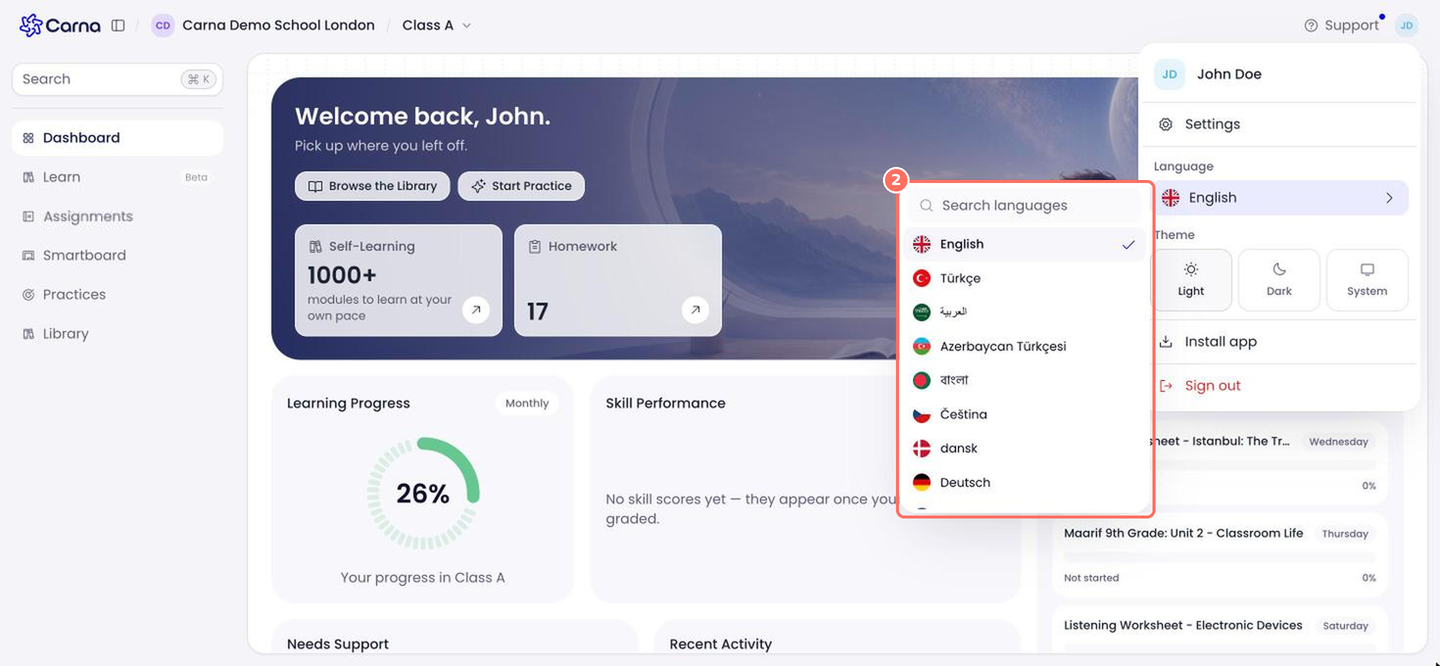
- Choose your language from the list. To find it quickly, type its name in Search languages. Carna's menus and buttons now appear in that language.
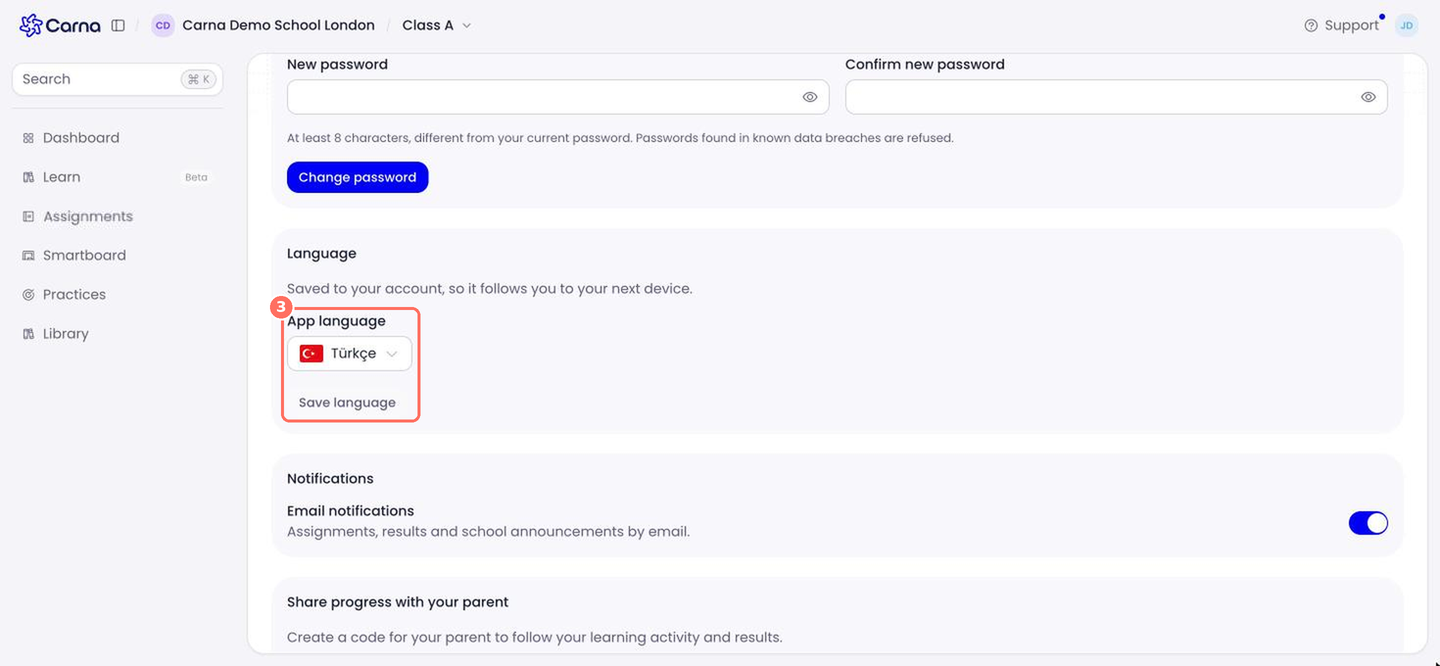
- To keep the same language on every device you use, click Settings in the same menu. Under Language, choose your language in App language and click Save language.
Tips & Good to know #
- Carna is available in more than 30 languages, including Türkçe, العربية, Deutsch, Español and Русский.
- The language saved in Settings follows you when you sign in on another computer, tablet or phone.
- You can also choose the language on the sign-in page, before you sign in. Use the language menu at the top.
- Your browser may offer to translate Carna. You don't need it, because Carna is already in your language. Turn browser translation off to avoid mixed or wrong words.
Troubleshooting #
- Some words are still in another language: your browser may be translating the page. See How to fix a page shown in the wrong language.
- The language changes back when I sign in on another device: save your language under Settings › Language › Save language.
- I chose a language I can't read: click your initials in the top right, open the second item in the menu (the one with a flag) and choose your language again.
Related articles #
- How to fix a page shown in the wrong language
- How to sign in and reset your password
- What is Carna? A 2-minute tour