


































How to sign in to Carna
Sign in to Carna with your email or username, with Google, or with a one-time magic link.
Who is this for: Everyone
Summary: Sign in to Carna with your email or username, with Google, or with a one-time magic link.
Before you start: You need a Carna account. Students usually get their username or email and password from their teacher or school.
Steps #
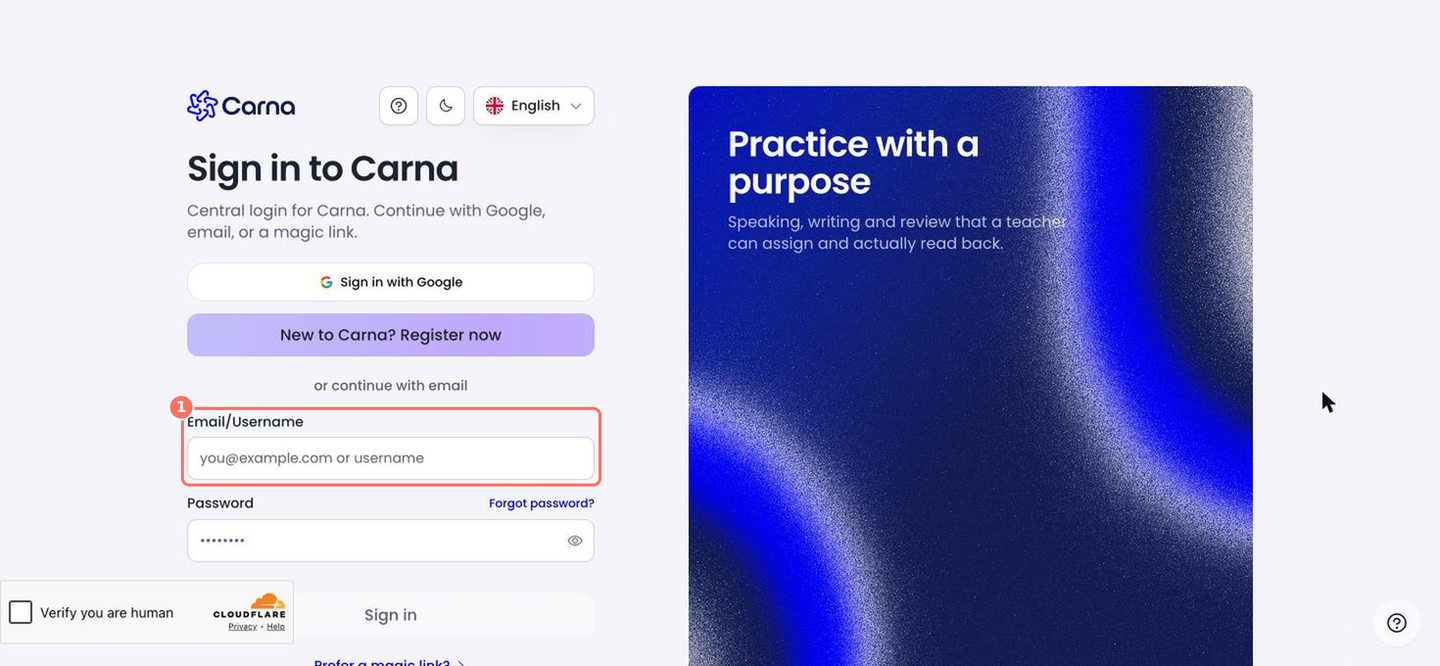
- Go to org.carna.app. You are taken to the Sign in to Carna page. Under Email/Username, type your email address or your username.
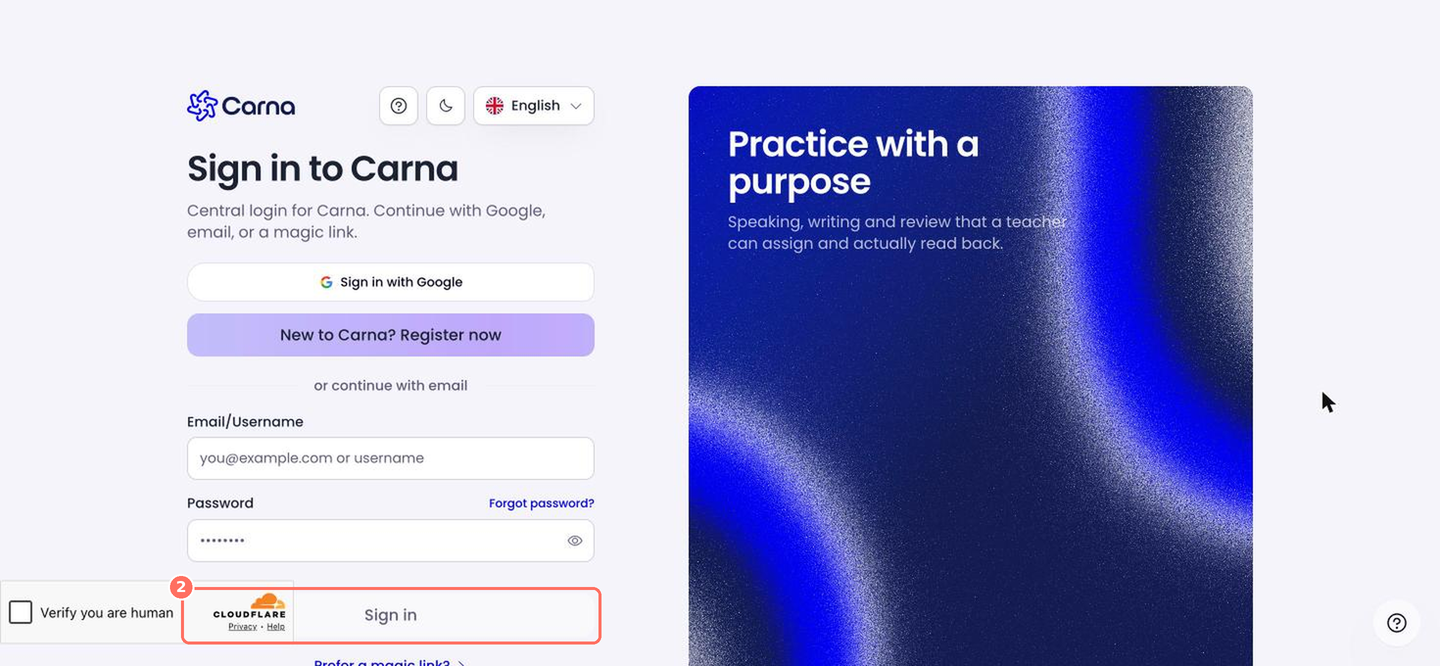
- Type your password under Password and click Sign in. If you see Verify you are human, tick the box first.
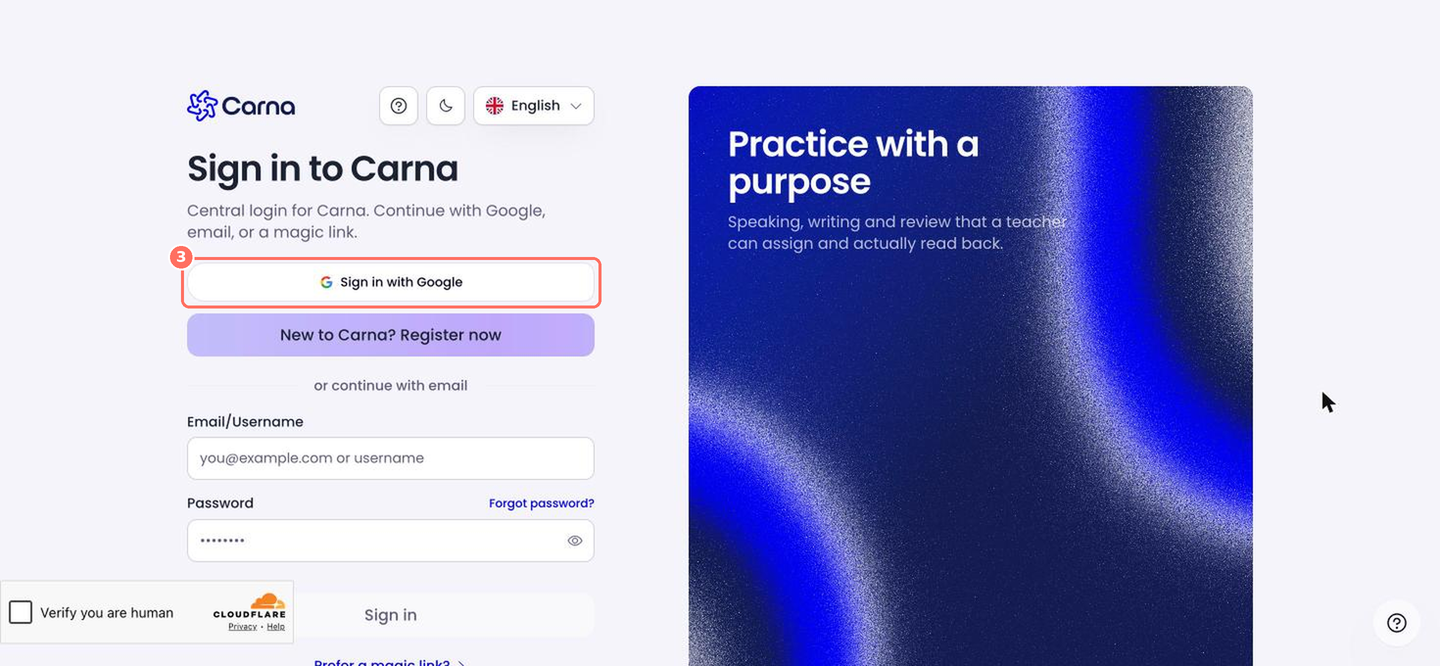
- If your school uses Google accounts, you can click Sign in with Google instead and choose your school account.
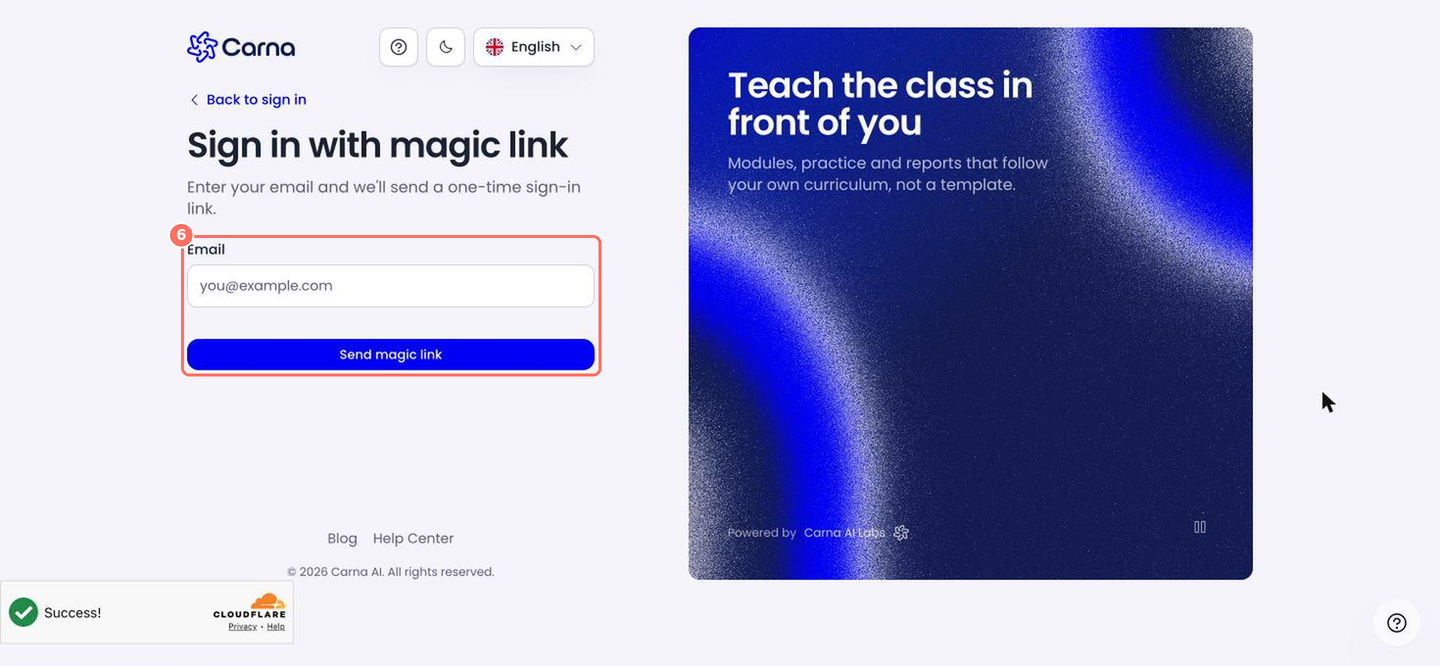
- To sign in without a password, click Prefer a magic link? under Sign in.
- Under Email, type the email address of your Carna account and click Send magic link. Open the email from Carna and click the link to sign in. The link works once.
Tips & Good to know #
- The first time you sign in, Carna may ask you to complete your profile before you continue.
- Magic links need an email on your account. If you sign in with a username only, use your password.
- To change the language of the sign-in page, use the language menu at the top (for example, English).
- Use Sign out in the menu under your initials when you finish on a shared computer.
Troubleshooting #
- Carna says my details are wrong: check for typing mistakes and that Caps Lock is off. Usernames must be typed exactly as your teacher gave them.
- I forgot my password: click Forgot password? on the sign-in page. See How to reset your password.
- The magic link email doesn't arrive: check your spam or junk folder, wait a few minutes and request a new link. Use the email address that is on your Carna account.
- The Sign in button stays grey: fill in both boxes and complete Verify you are human if it is shown.
- I still can't sign in: click the ? button at the top of the sign-in page and choose Help Center, Live Support or Email support.
- I sign in but see no class: your join request may still be waiting for your teacher. See How to create your Carna account.