


































How to reset your password
Get a reset link by email and choose a new password when you can't remember your current one.
Who is this for: Everyone
Summary: Get a reset link by email and choose a new password when you can't remember your current one.
Before you start: Your Carna account needs an email address. If you sign in with a username only, see Tips below.
Steps #
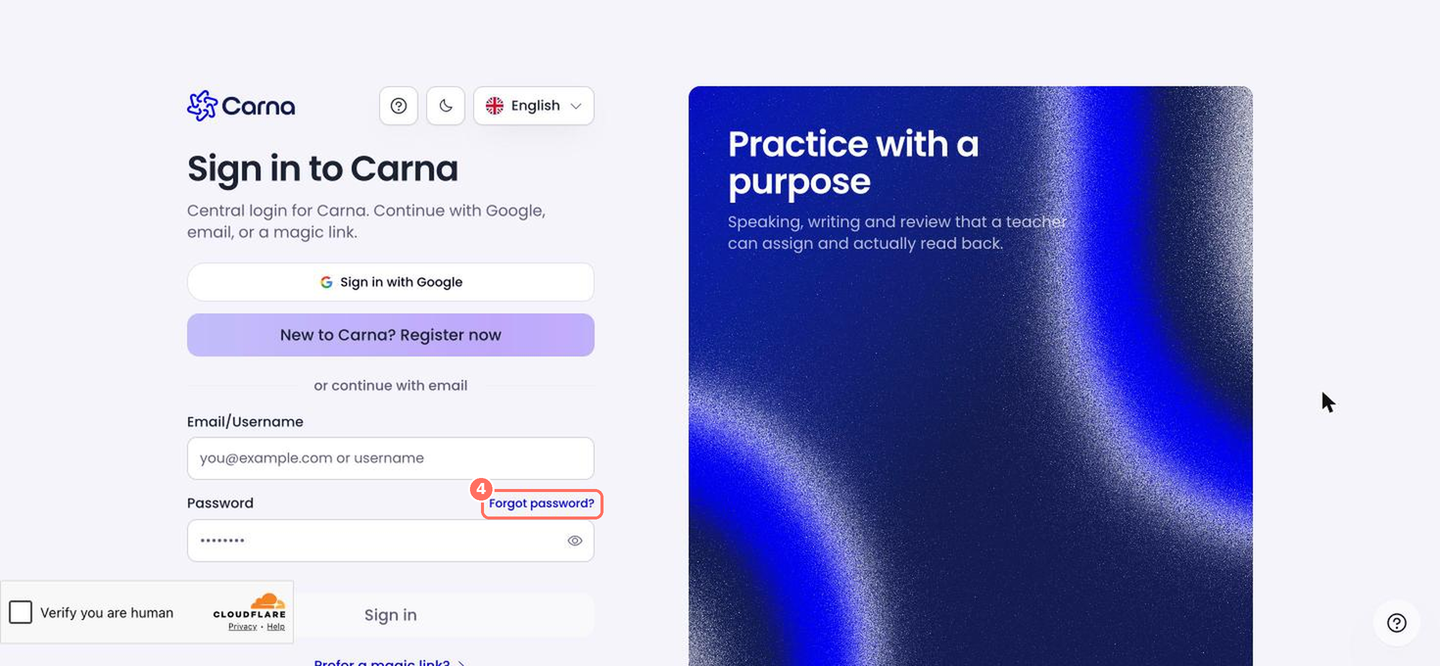
- Go to org.carna.app. On the Sign in to Carna page, click Forgot password? above the password box.
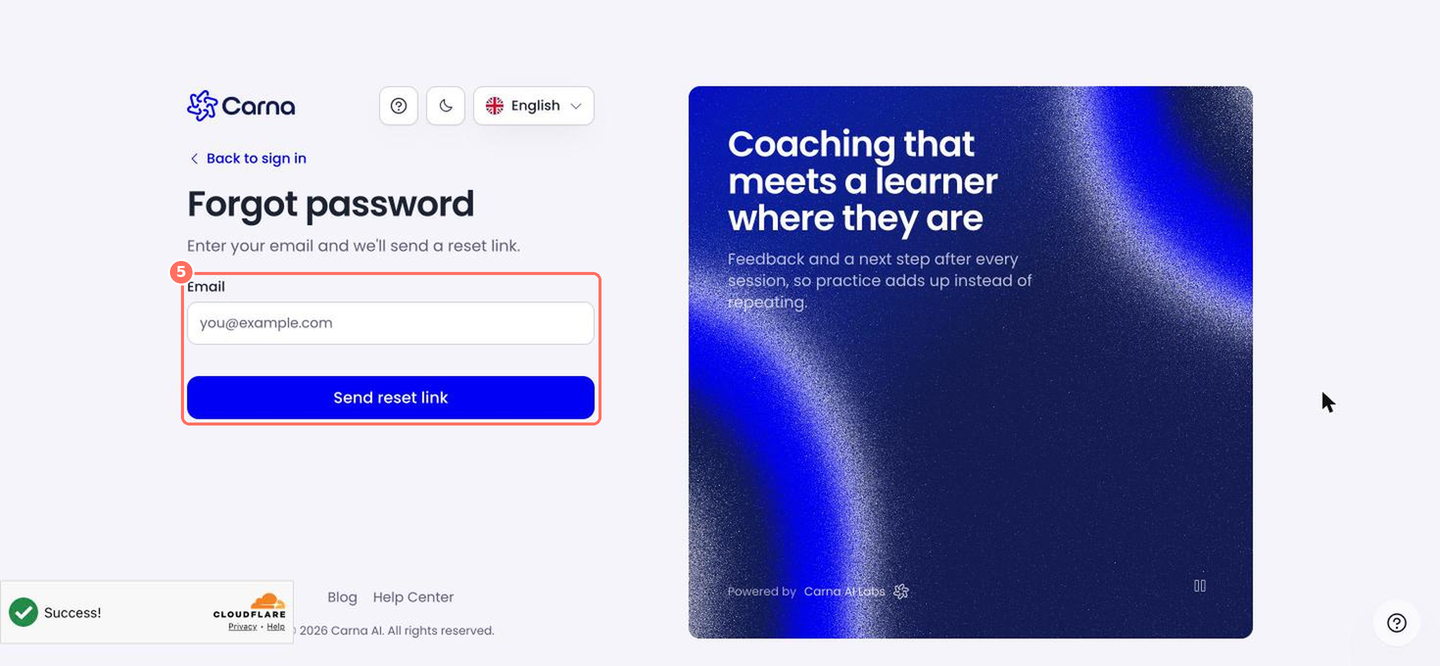
- Under Email, type the email address of your Carna account and click Send reset link.
- Carna shows Check your email. If an account exists for the email you typed, a reset link is on its way.
- In your inbox, open the email from Carna with the subject Reset your password.
- In the email, click Set a new password. If the button doesn't work, copy the link under Or paste this link into your browser into your browser. The link is valid for 60 minutes.
- On the Reset password page, type your new password under New password and again under Confirm password, then click Update password. Your password must be at least 8 characters long and include at least one uppercase letter and one number. You can now sign in with your new password.
Tips & Good to know #
- Click the eye icon in a password box to see what you typed before you save it.
- Signed in already and just want a new password? Change it in Settings instead. See How to change your account settings.
- Username-only accounts: a reset email can't reach you. Ask your teacher for help. Your school admin can reset your password. You can add an email to your account later in Settings, so you can reset it yourself next time.
Troubleshooting #
- The reset email doesn't arrive: check your spam or junk folder, wait a few minutes and click Send reset link again. Use the email address that is on your Carna account.
- The reset link doesn't work: the link is valid for 60 minutes and may have expired or already been used. Go back to Forgot password? and request a new one.
- My new password is refused: make sure it has at least 8 characters, one uppercase letter and one number, and that both boxes match.
- I still can't get in: click the ? button at the top of the sign-in page and choose Help Center, Live Support or Email support.