


































How to practise on your own in Learn
Pick a worksheet in Learn and practise at your own pace, without waiting for homework from your teacher.
Who is this for: Students
Summary: Pick a worksheet in Learn and practise at your own pace, without waiting for homework from your teacher.
Before you start: You need a student account.
Steps #
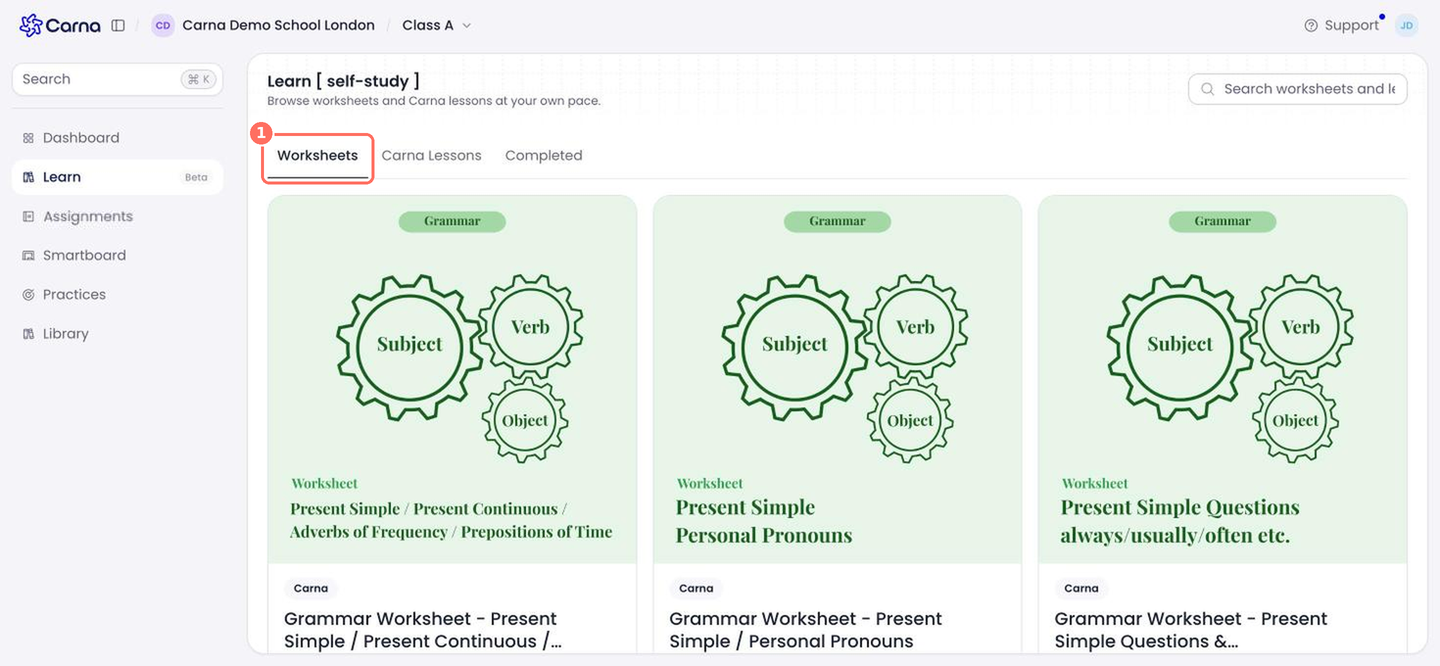
- In the left menu, click Learn. The page is called Learn [ self-study ]. The Worksheets tab lists worksheets you can do on your own. Each card shows who made it (for example, Carna), the title and the skill (for example, grammar).
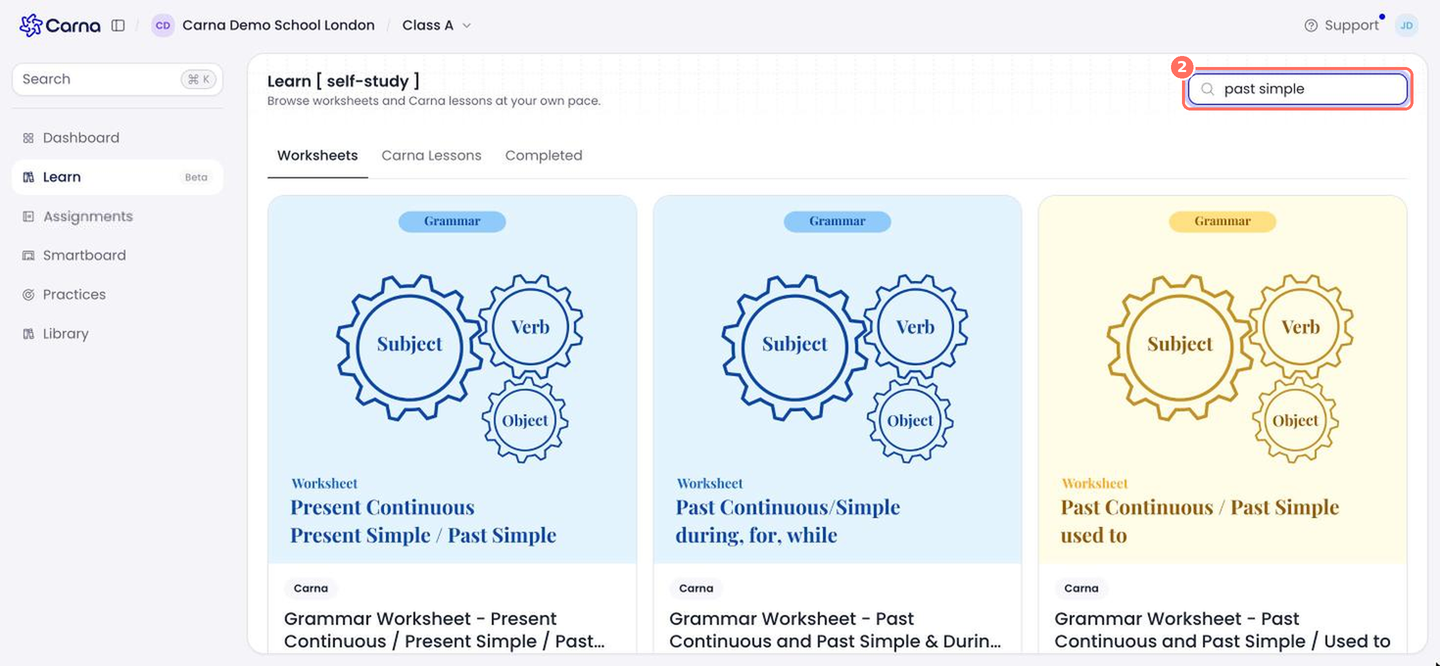
- To find a topic, type it in Search worksheets and lessons at the top right (for example, past simple). The list updates as you type.
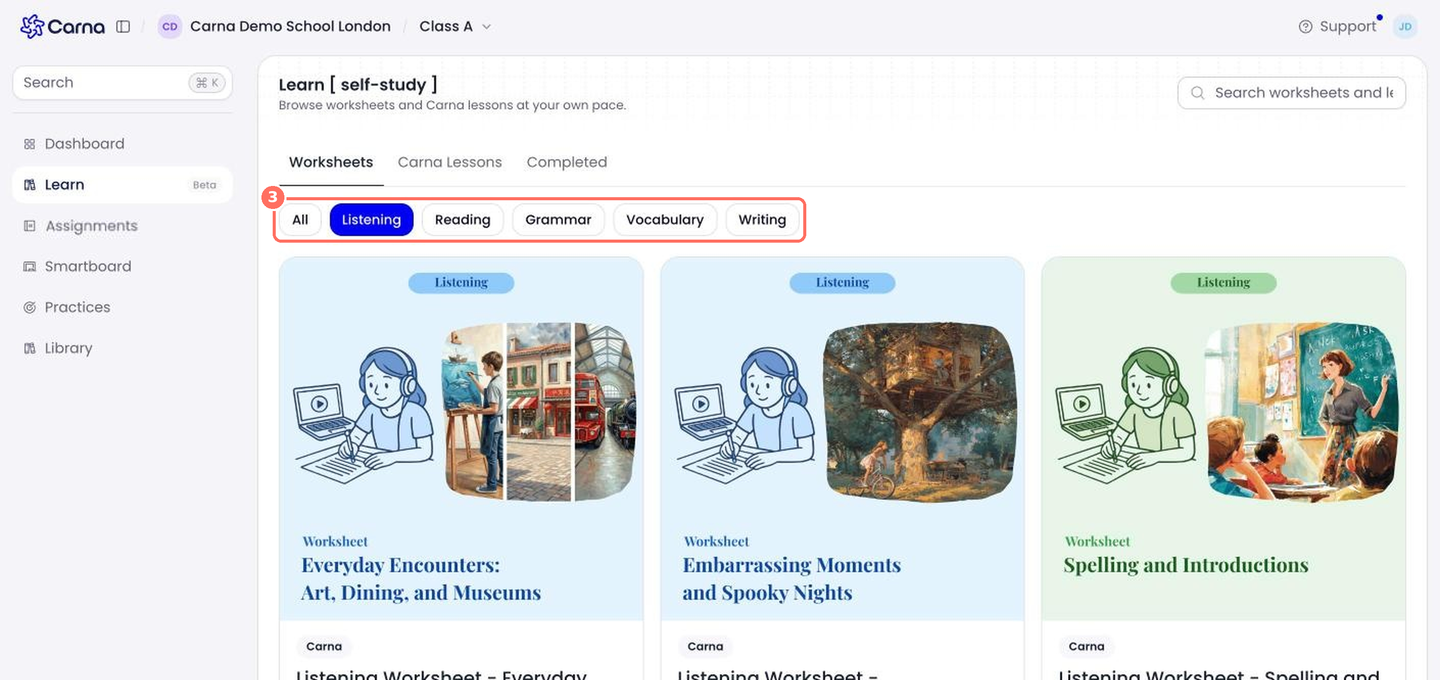
- To see only one skill, click a button under the tabs: Listening, Reading, Grammar, Vocabulary or Writing. Click All to see every worksheet again. Use Previous, Next or a page number at the bottom to see more worksheets.
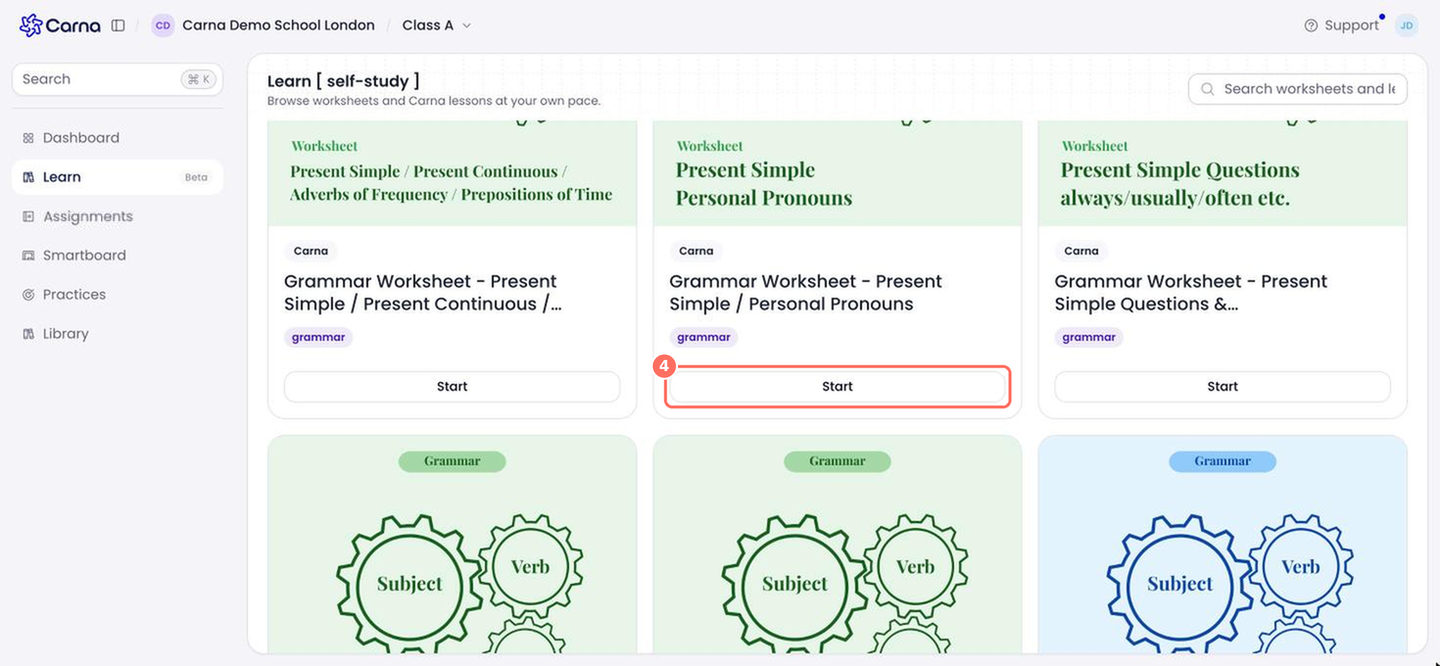
- On the worksheet you want, click Start.
- Answer the questions the same way as in homework, and click Next to move on. When you're done, click Finish at the top.
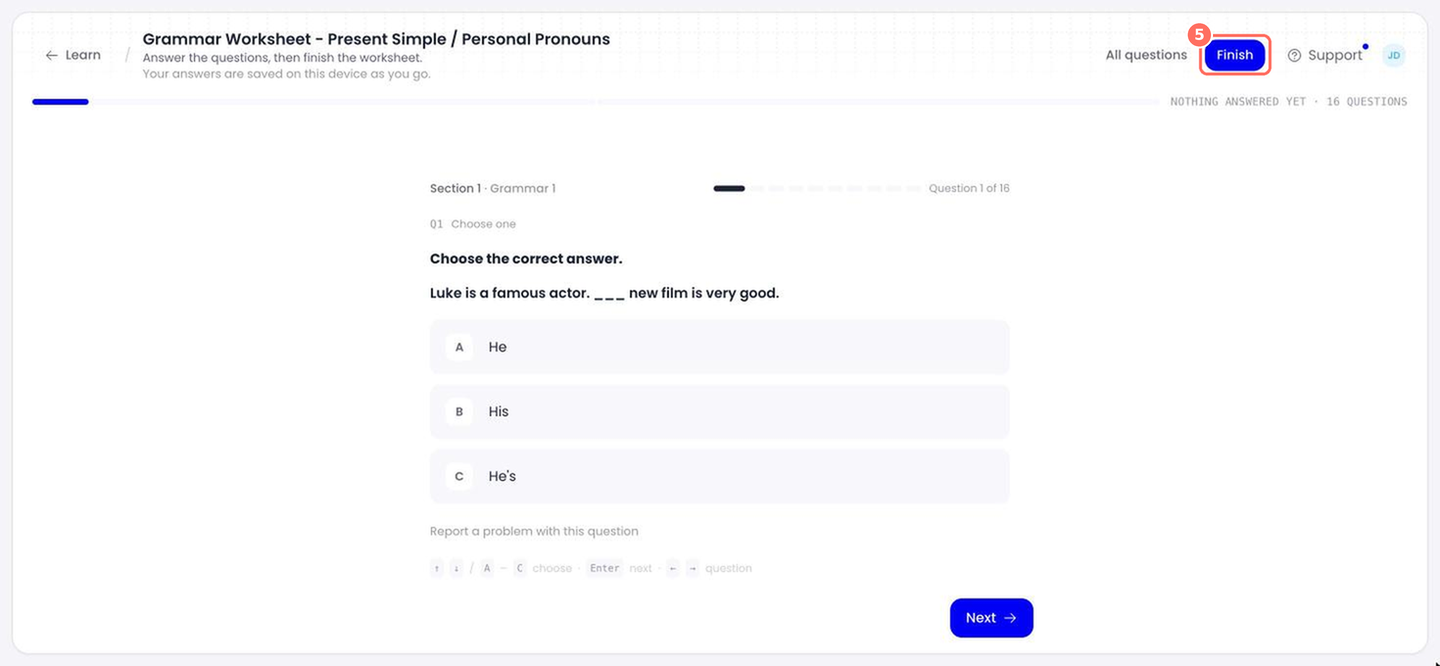
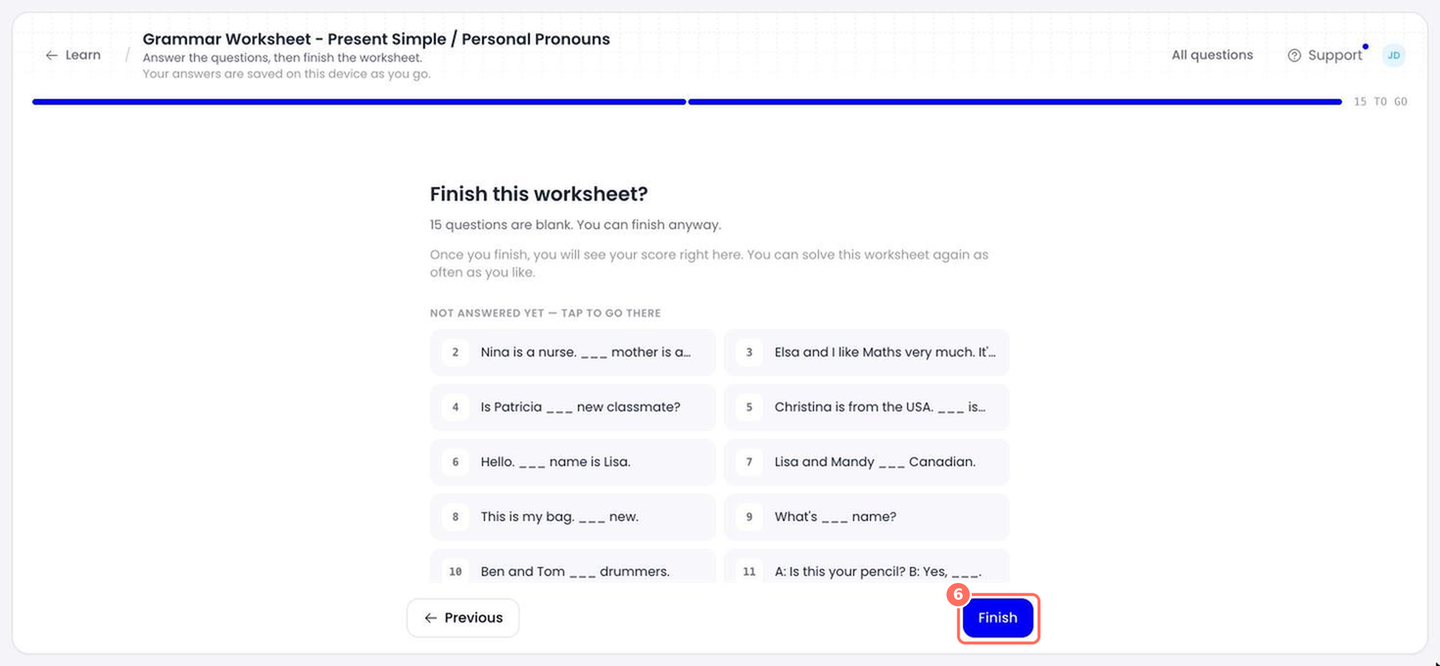
- The Finish this worksheet? screen tells you how many questions are blank and lists them. Click one to answer it, or click Finish. You can finish even with blank questions.
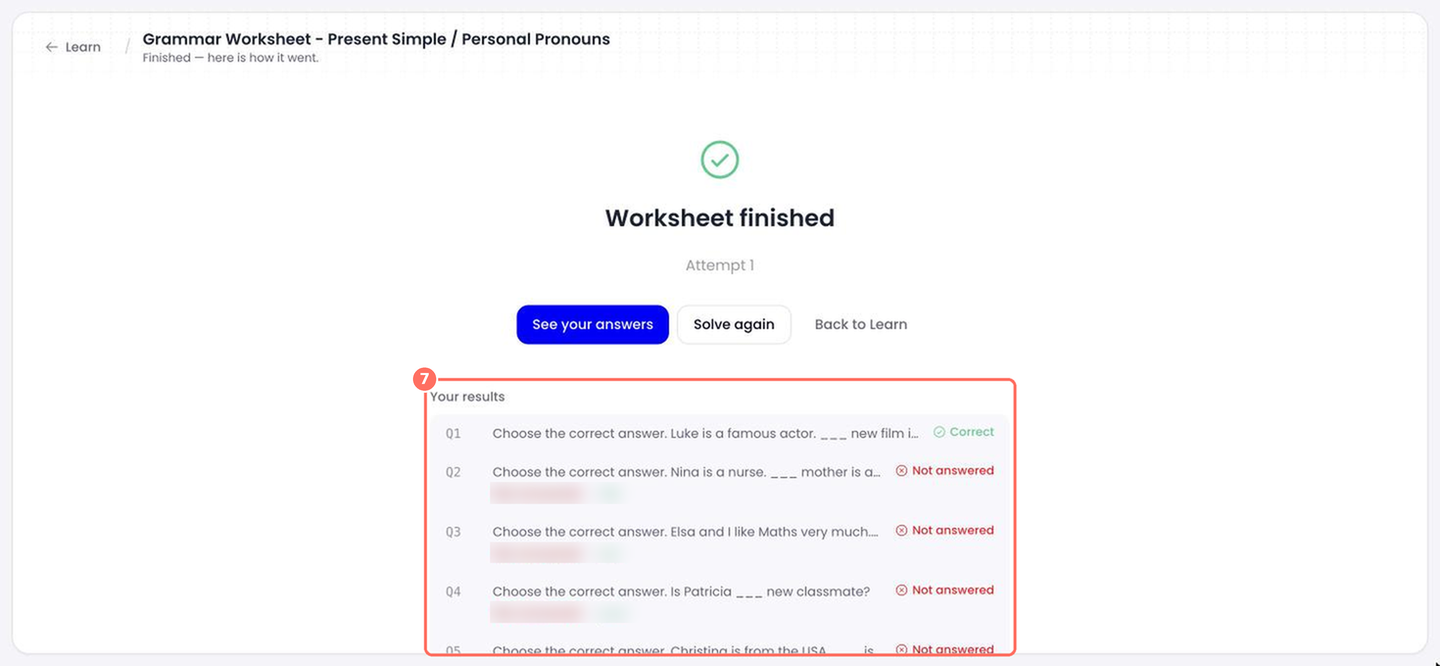
- Worksheet finished shows Your results right away: a mark for each question (for example, Correct or Not answered), with the correct answer under the ones you missed. Learn doesn't show a total score. Click See your answers to go through them, Solve again to start over, or Back to Learn.
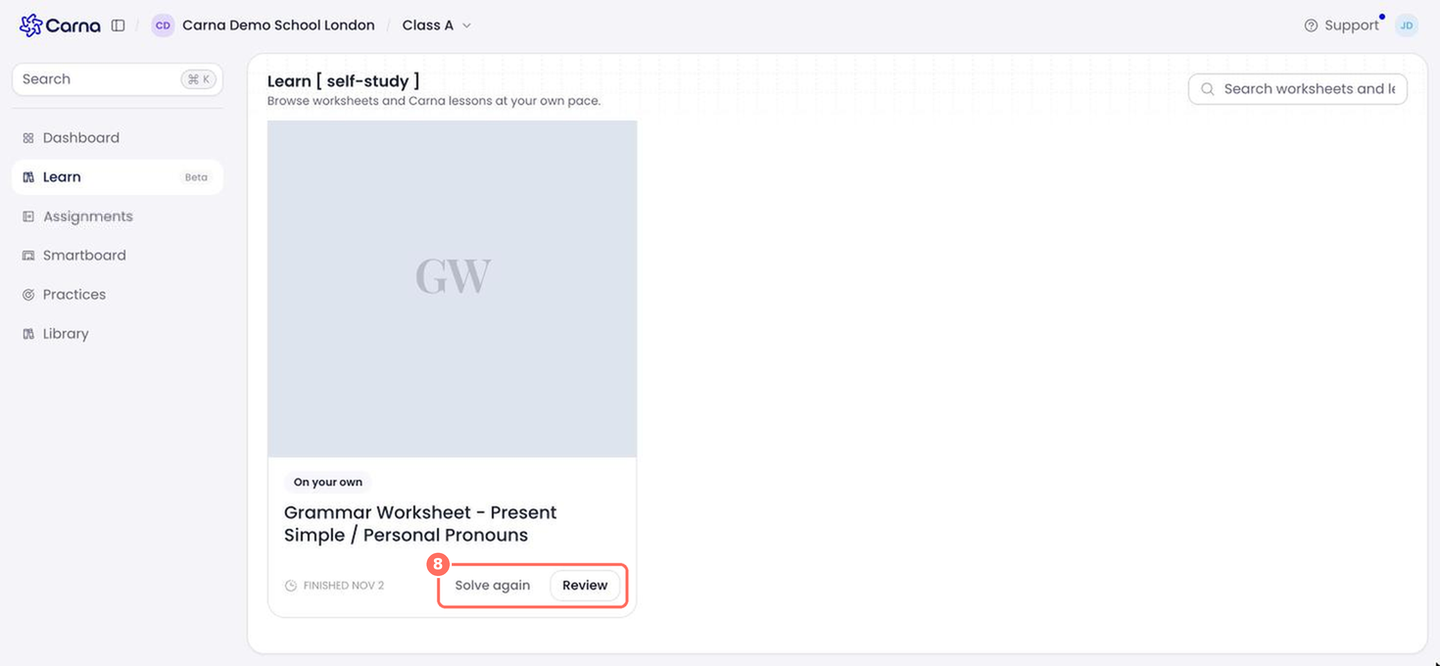
- Your finished worksheets are in the Completed tab, marked On your own with the date you finished (for example, FINISHED NOV 2). Click Review to see your answers again, or Solve again to practise once more.
Tips & Good to know #
- Learn is for extra practice. Homework from your teacher is under Assignments.
- You can solve a worksheet as often as you like. Each time is a new attempt (for example, Attempt 1).
- In a Learn worksheet, your answers are saved on the device you're using (Your answers are saved on this device as you go.). Finish on the same device.
- The keyboard works here too: A, B, C to choose, Enter for the next question and ← / → to move between questions.
- Carna Lessons appear in their own tab once your school turns them on.
Troubleshooting #
- The Carna Lessons tab says "No Carna lessons here yet": your school hasn't turned on Carna Lessons. Use Worksheets, or ask your teacher.
- My search finds nothing: try a shorter word, for example past instead of past simple questions.
- My answers are gone: Learn saves answers on the device you used. Open the worksheet on that device, or start again.