


































How to write an essay in Essay Writing
Open an essay your teacher assigned, write it with the prompt and tips next to you, hand it in and read your score and feedback.
Who is this for: Students
Summary: Open an essay your teacher assigned, write it with the prompt and tips next to you, hand it in and read your score and feedback.
Before you start: You need a student account in a class, and your teacher must have assigned an essay.
Steps #
- In the left menu, click Practices.
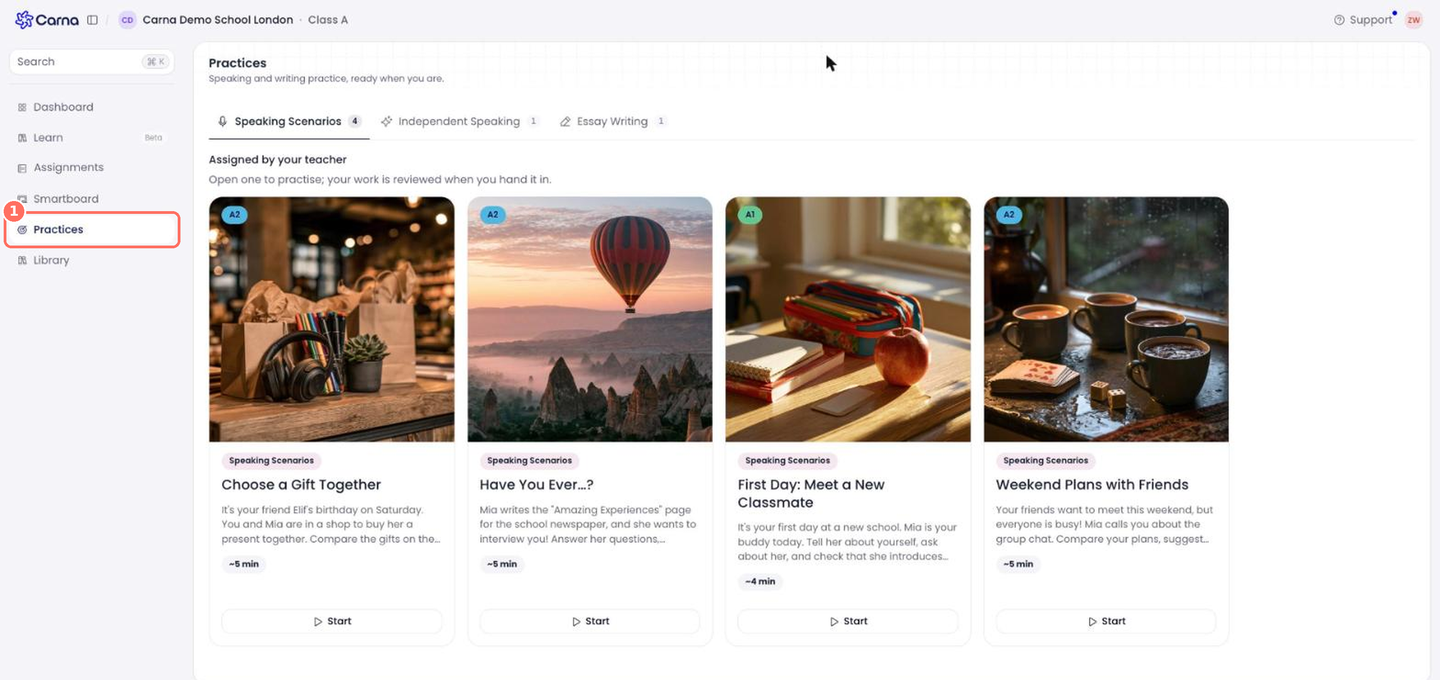
- Click the Essay Writing tab. The number next to it shows how many essays your teacher assigned.
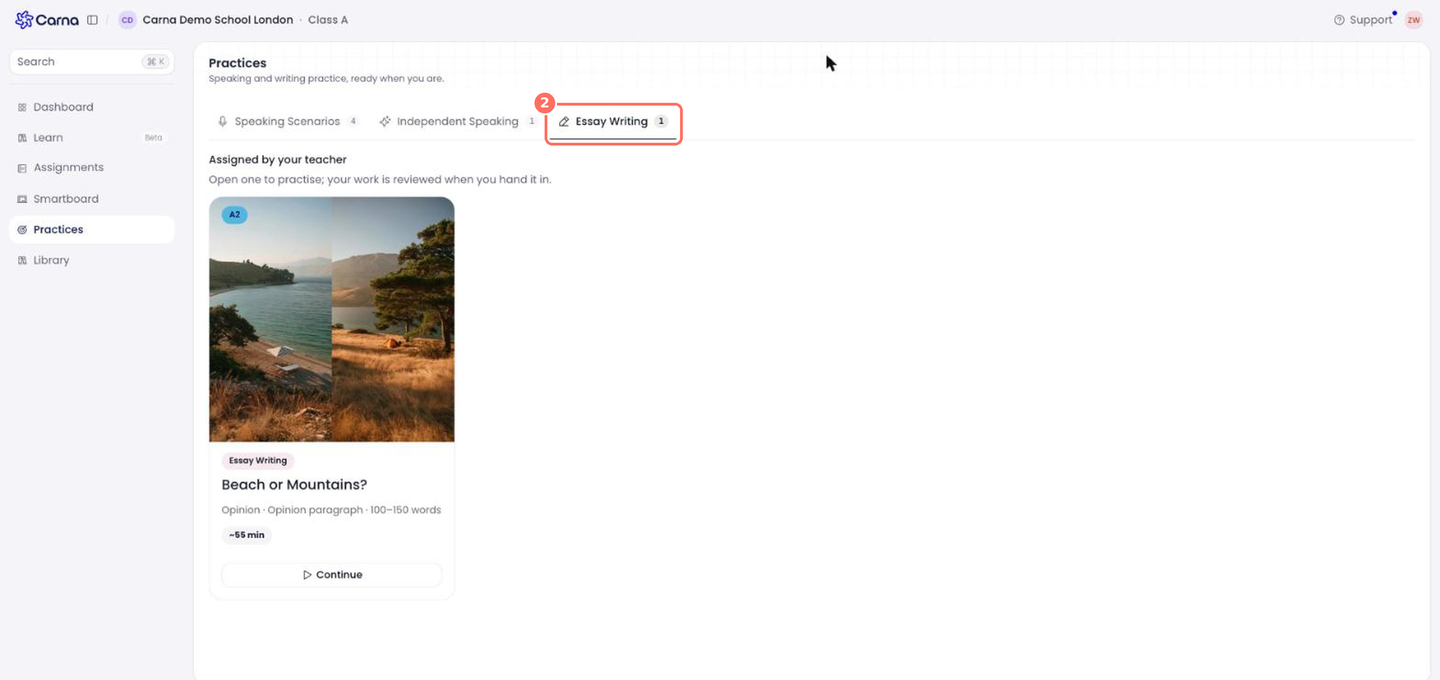
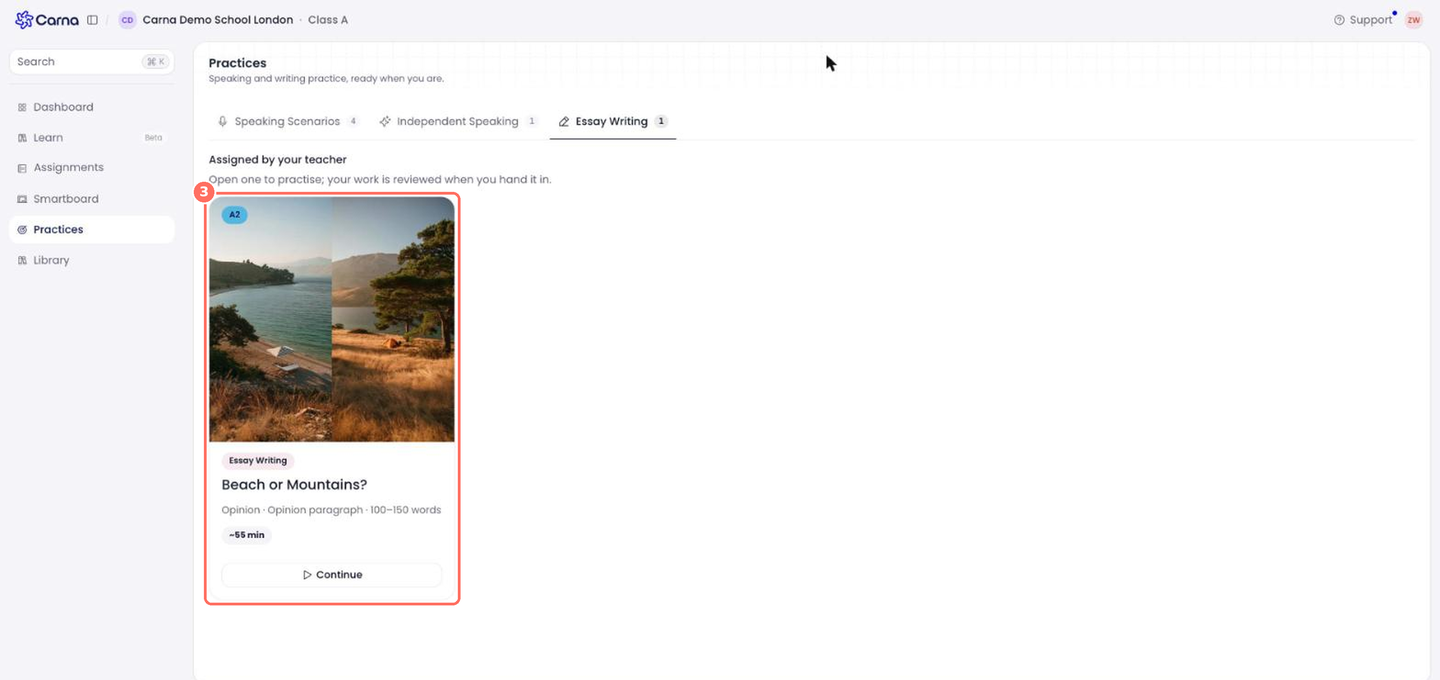
- Each card shows the level, the title, the essay type, the length (for example, 100–150 words) and the suggested time. Click Start, or Continue if you have already started writing.
- Read The prompt on the left. It tells you the question, what you may write about and some tips. The labels at the top show the Category, the Word count and the Suggested time.
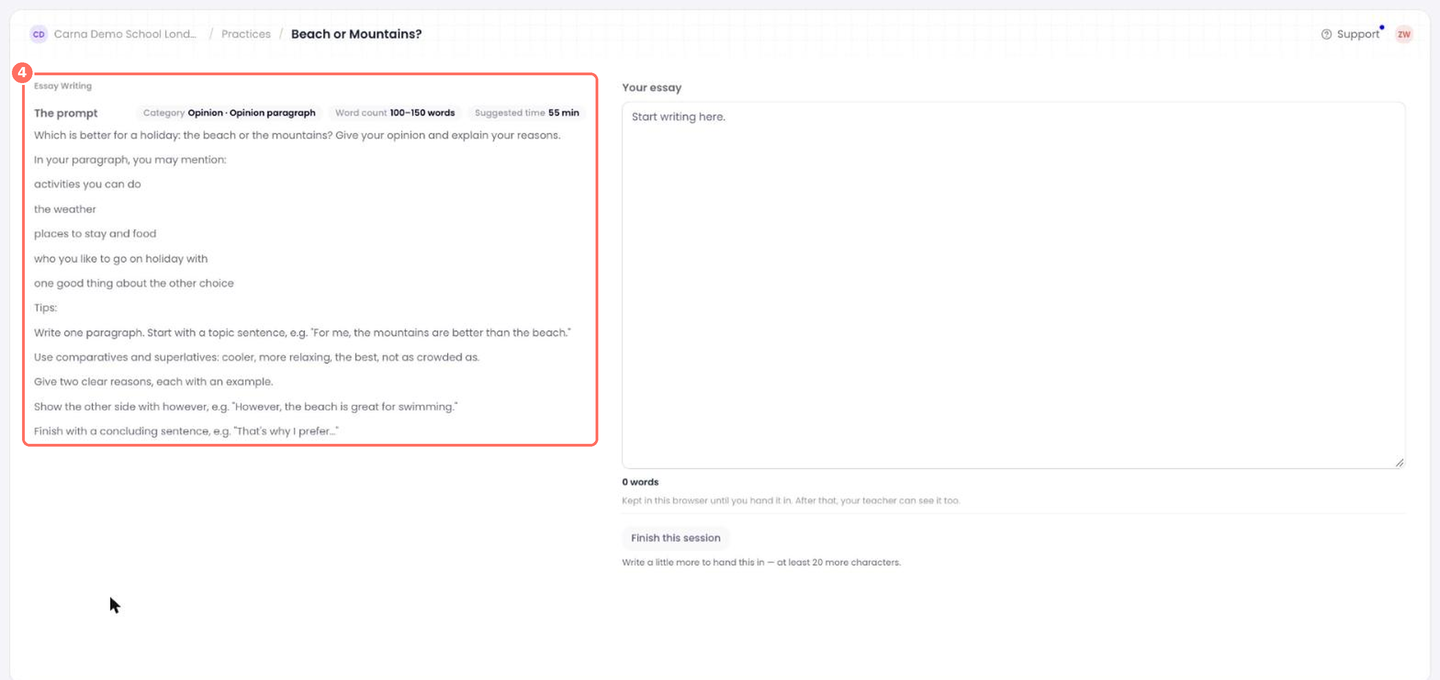
- Write your essay in Your essay on the right. The counter under the box shows how many words you have written (for example, 116 words). Your text is kept in this browser until you hand it in.
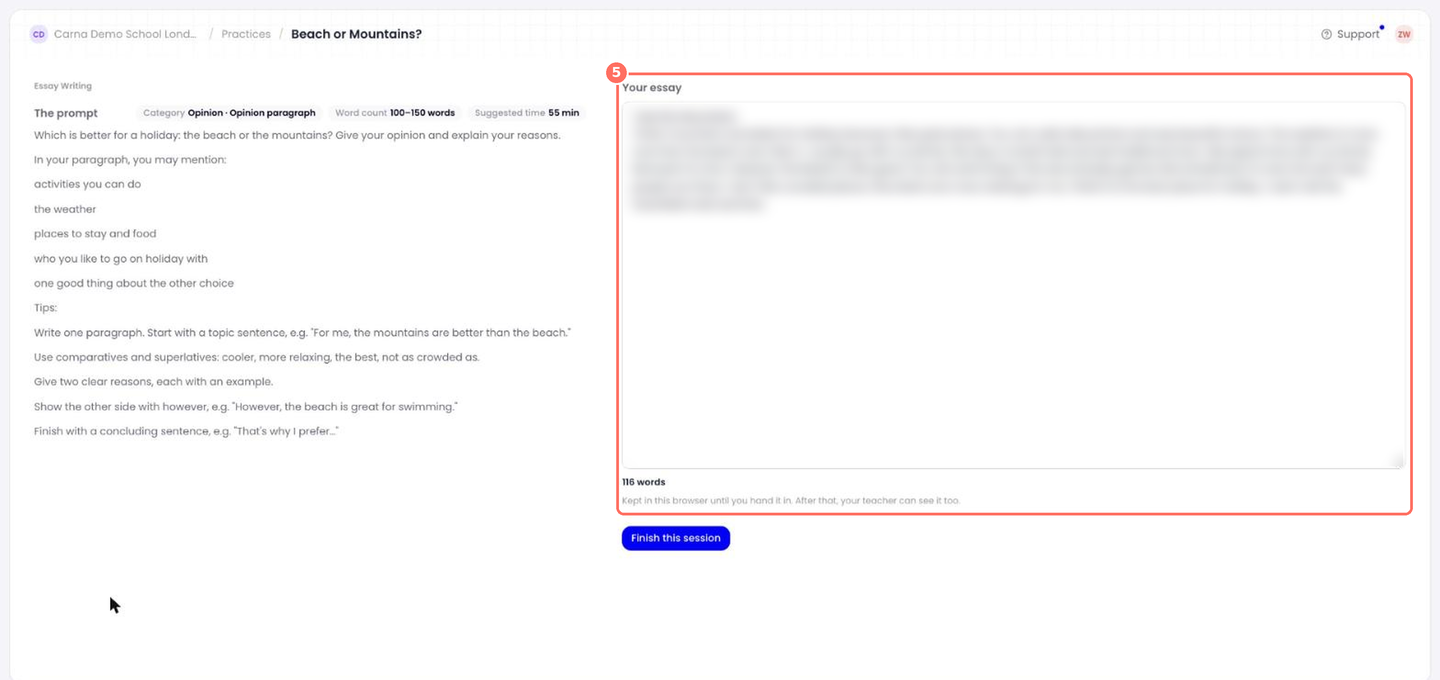
- When you're done, click Finish this session. The button only works when you have written enough.
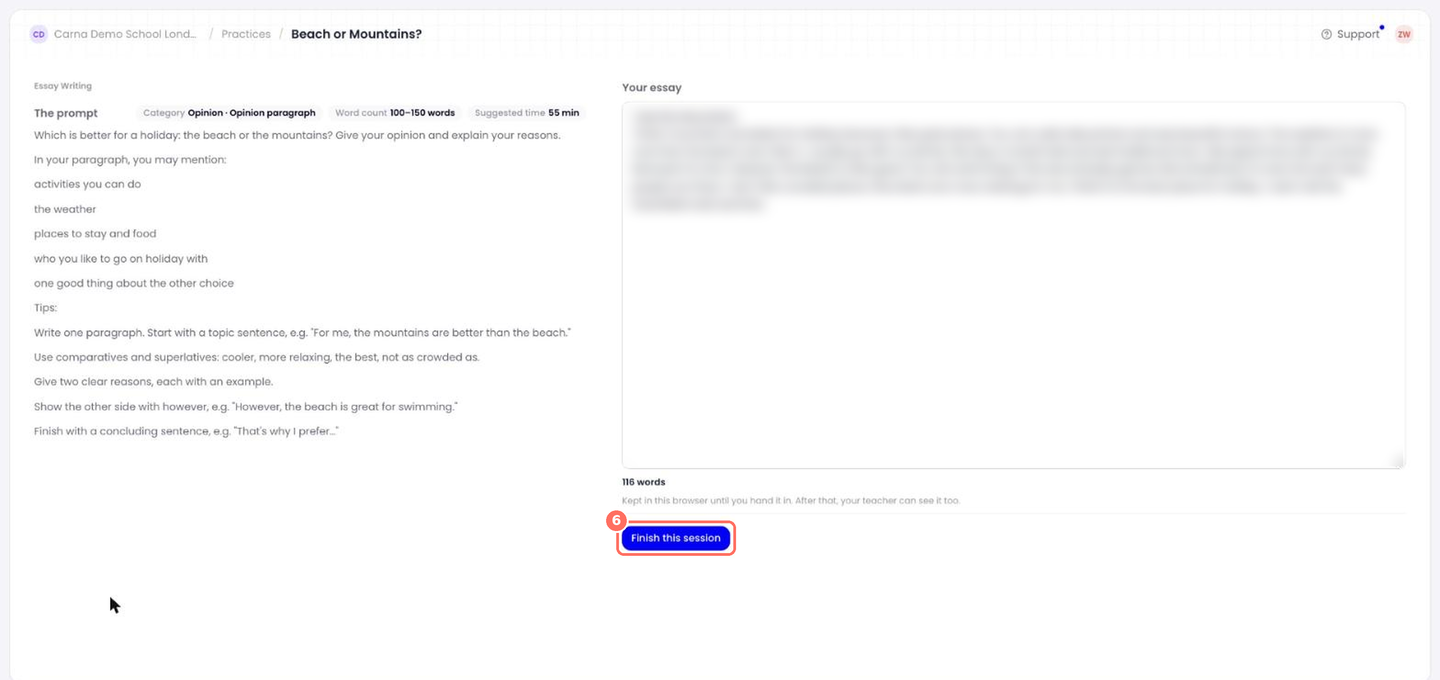
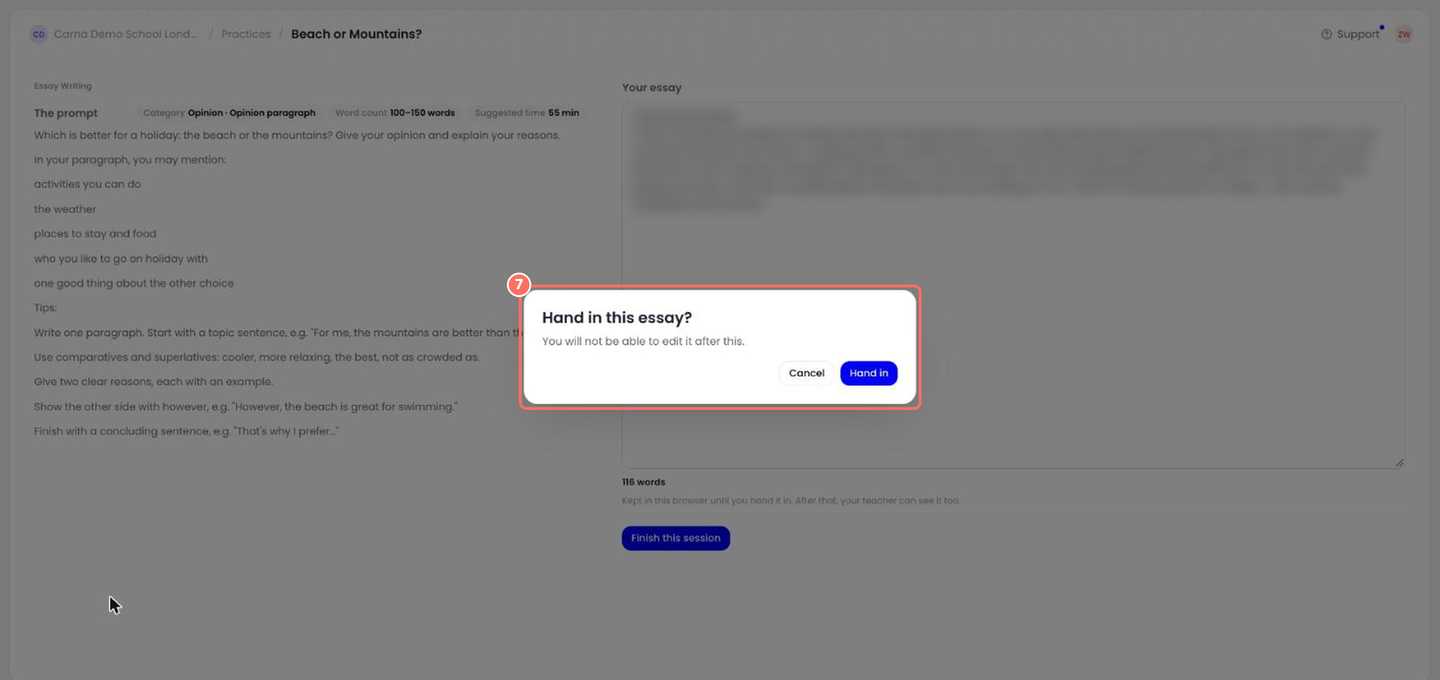
- Carna asks Hand in this essay? You can't change your essay after this. Click Hand in, or Cancel to keep writing.
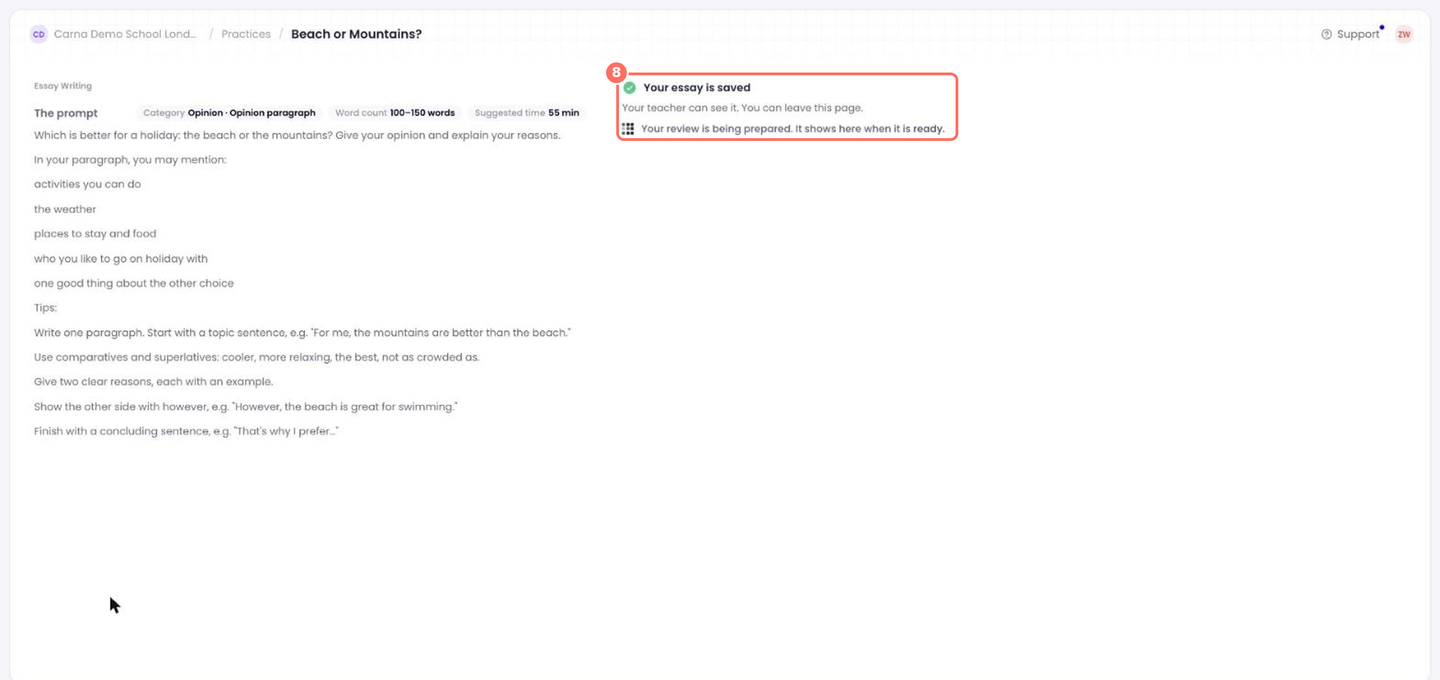
- Carna confirms Your essay is saved. Your teacher can see it now, and you can leave the page. Your review takes a short while to prepare.
- Open the essay again later to see your review. At the top are your Overall score, your level (for example, B1) and your scores for Task Achievement, Coherence & Cohesion, Lexical Resource and Grammar Accuracy.
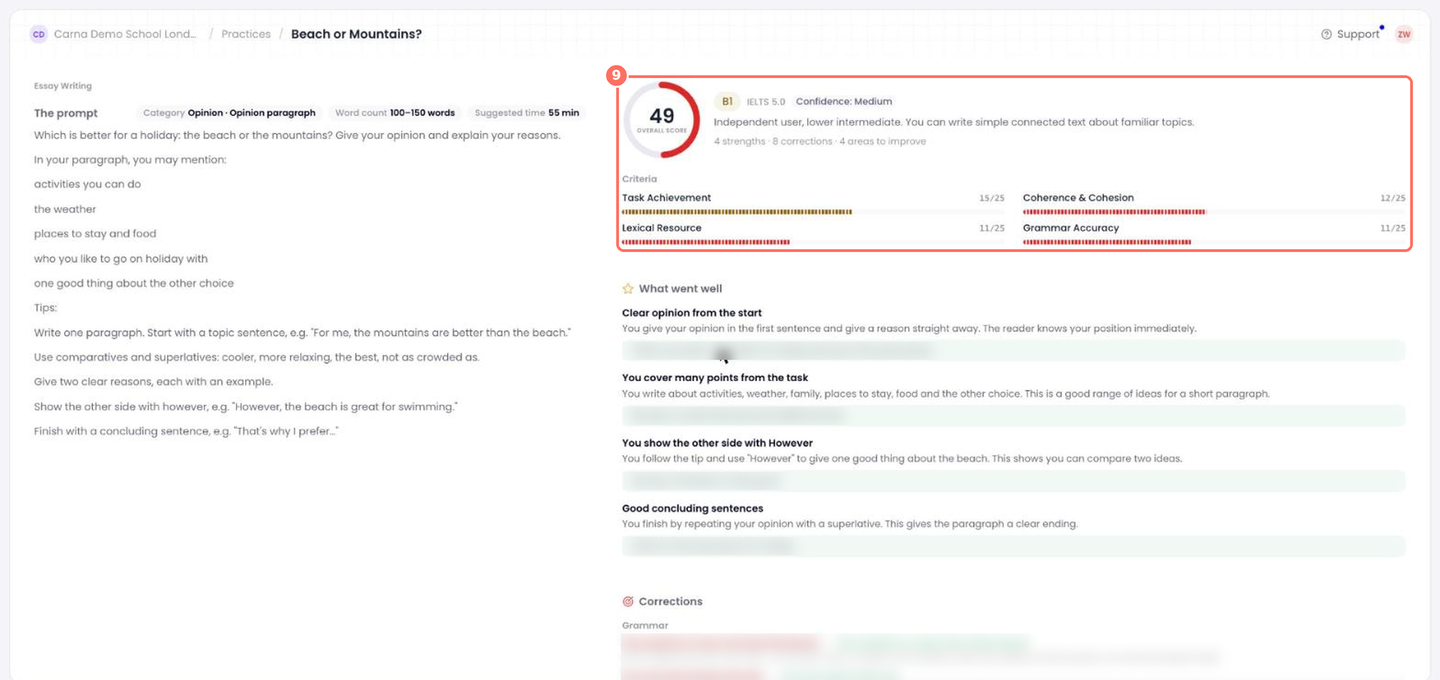
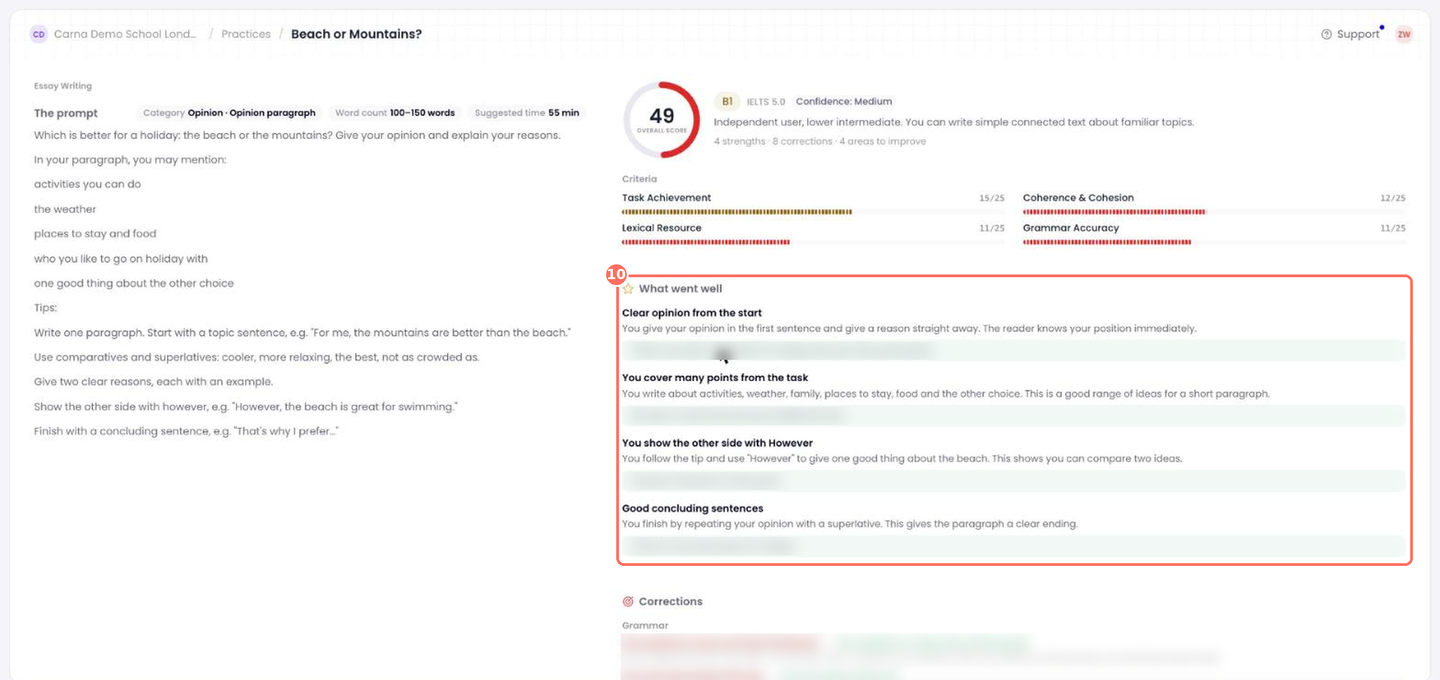
- What went well shows the strong points of your essay, each with a sentence from your text.
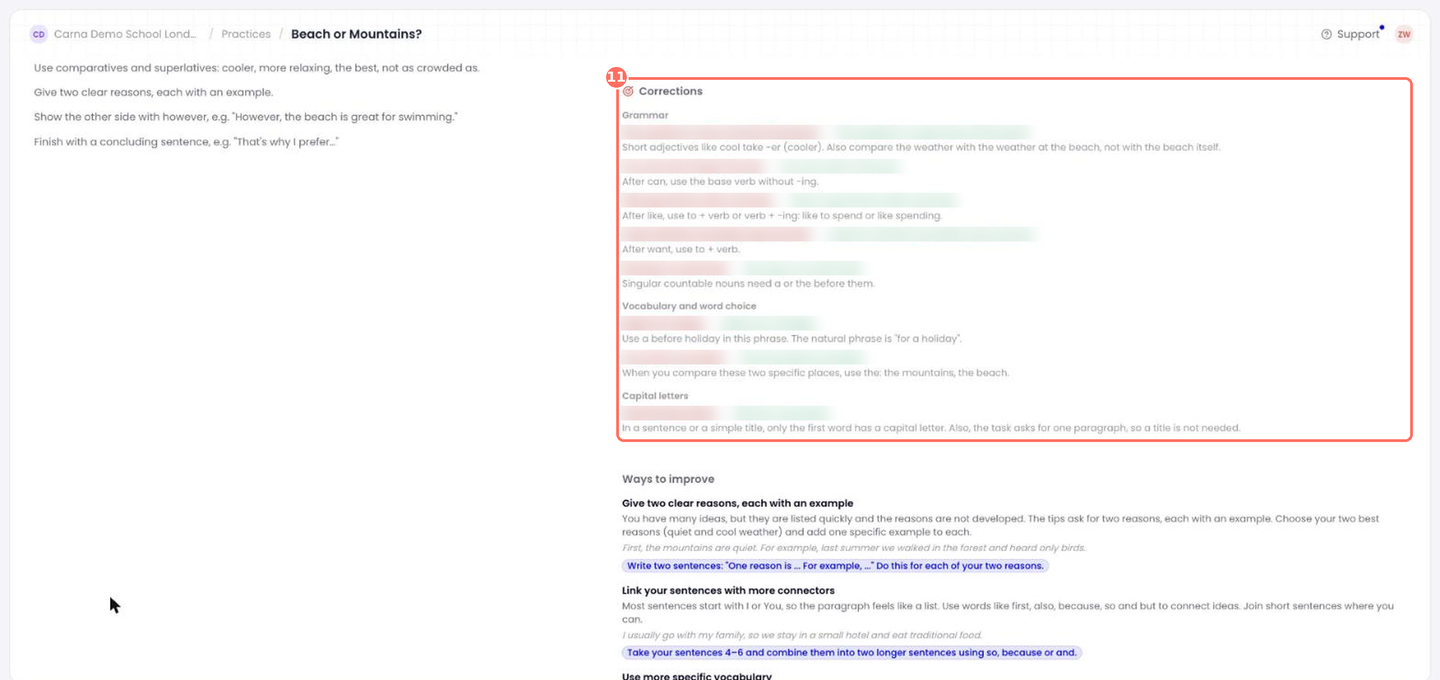
- Corrections lists your mistakes by type (for example, Grammar, Vocabulary and word choice and Capital letters). Each one shows what you wrote, the corrected version and a short rule.
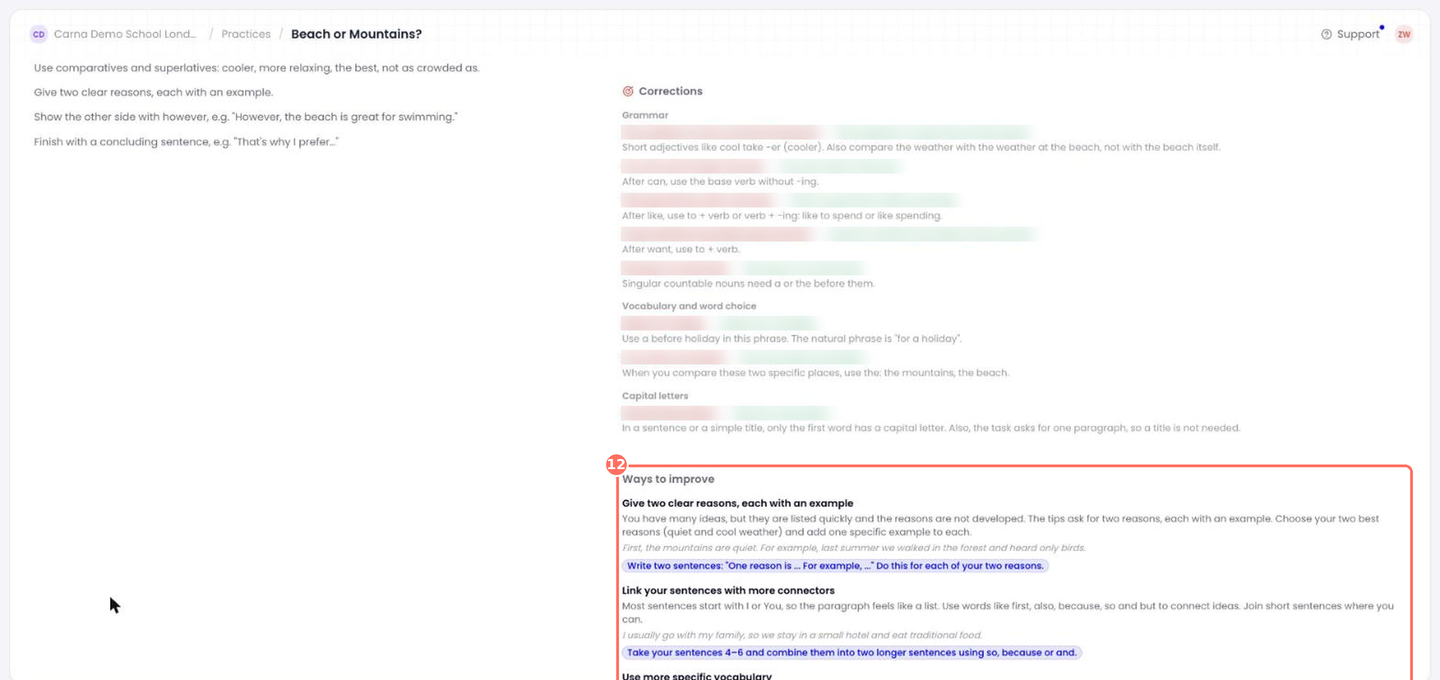
- Ways to improve gives you tips for your next essay, with an example and a small task to try.
Tips & Good to know #
- Plan before you write: follow the tips in the prompt, for example a topic sentence, two reasons with examples and a concluding sentence.
- Keep to the word count. Too short or too long can lower your Task Achievement score.
- Your text is kept only in the browser you're using until you hand it in. If you switch to another computer or browser before handing in, start again there.
- Your teacher sees your essay and your scores in Reports.
Troubleshooting #
- Finish this session is grey: write a little more. Carna tells you how many more characters you need.
- My review isn't there yet: wait a minute and open the essay again from Practices › Essay Writing.
- I can't find the essay: check the Essay Writing tab and that you're in the right class. See How to find an assignment you can't see.