


































How to create a custom test with Test Generation
Build an English test from scratch: choose the age group, grammar, level, skills and question types yourself, and Carna writes the questions for you to review.
Who is this for: Teachers
Summary: Build an English test from scratch: choose the age group, grammar, level, skills and question types yourself, and Carna writes the questions for you to review.
Before you start: You need a teacher account. Use a computer: Test Generation works best on a wide screen. Test Generation is in Beta, so always review every question before you save.
Steps #
Choose Custom Test
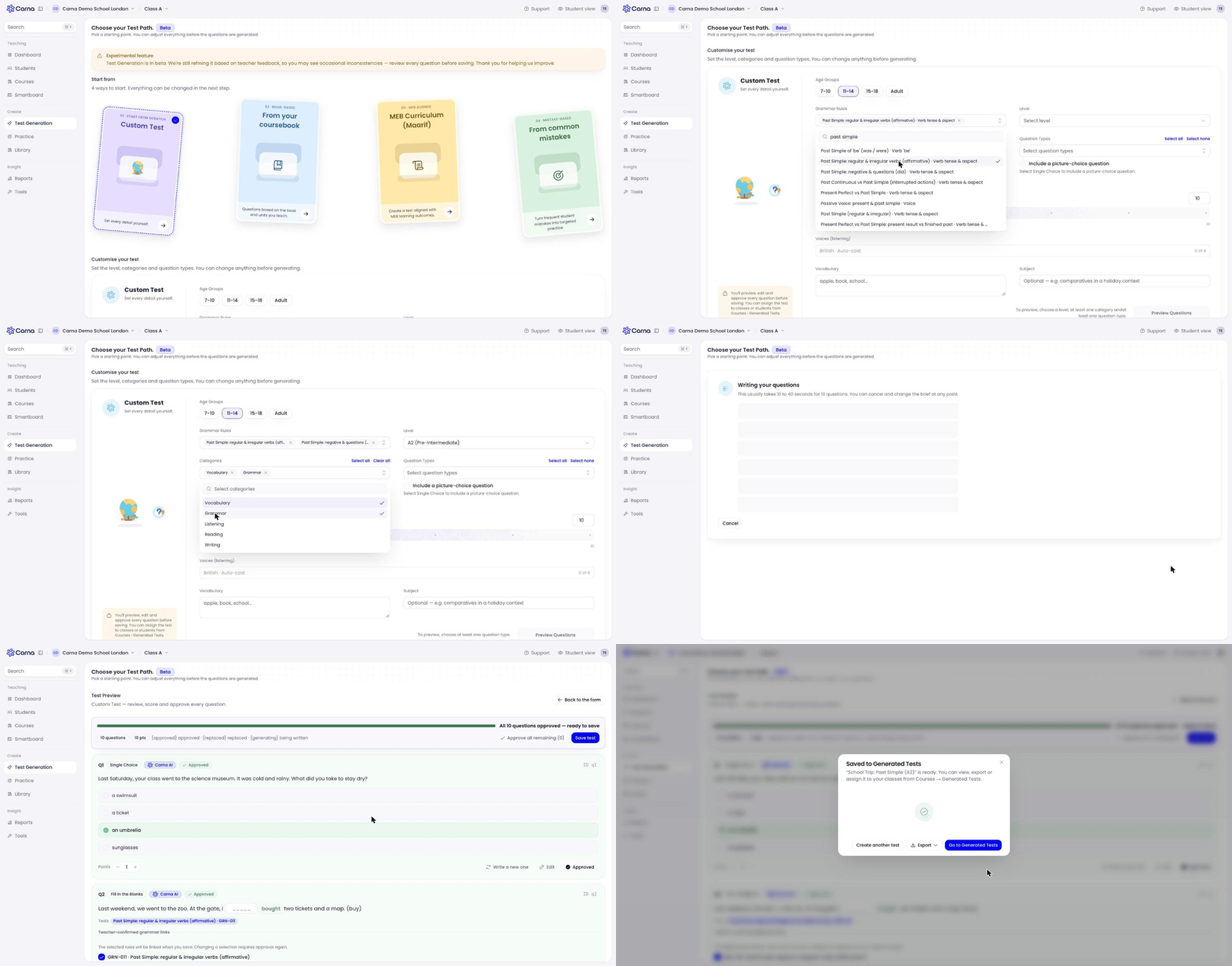
In the left menu, under Create, click Test Generation.
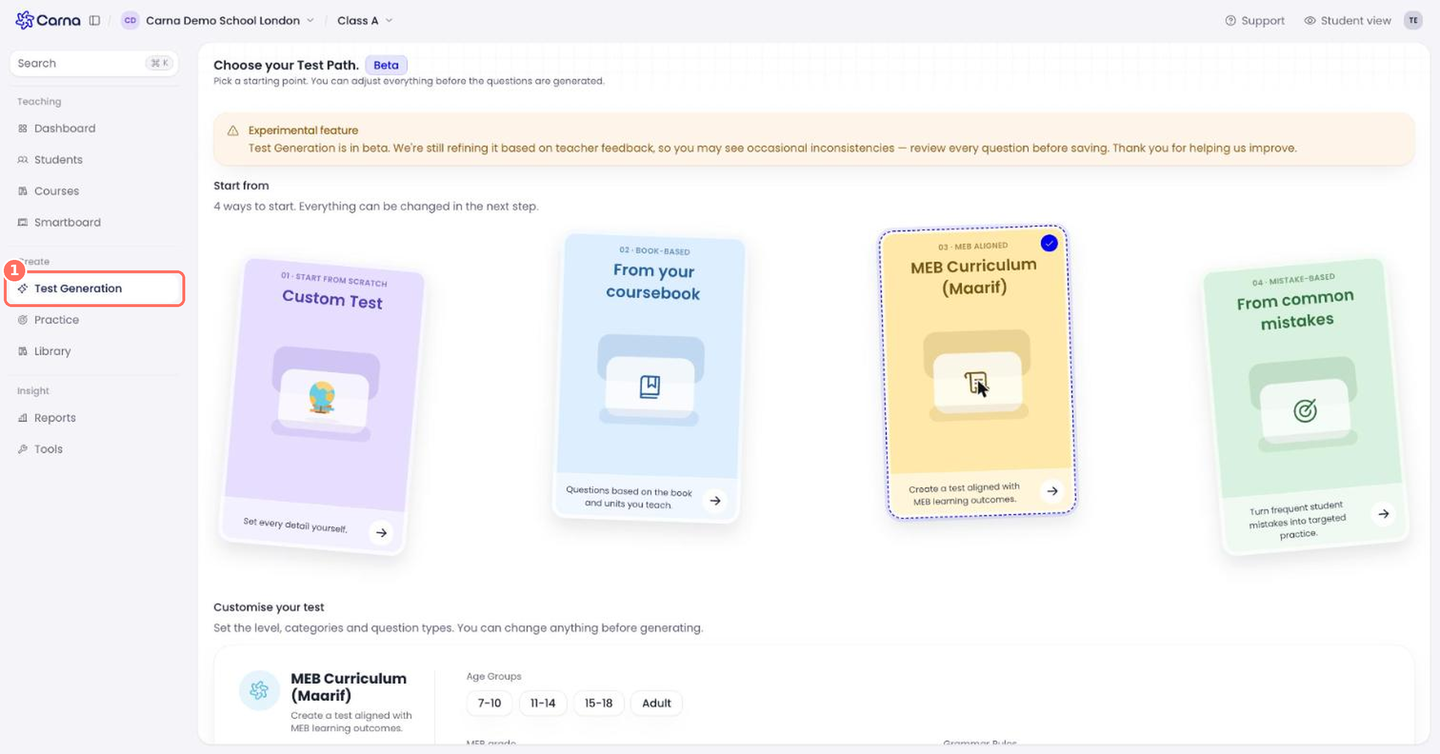
Under Start from, click Custom Test. Its form opens below, under Customise your test, in four numbered sections. Fields marked with a red * are required. To start from your coursebook or the MEB curriculum instead, see Related articles.
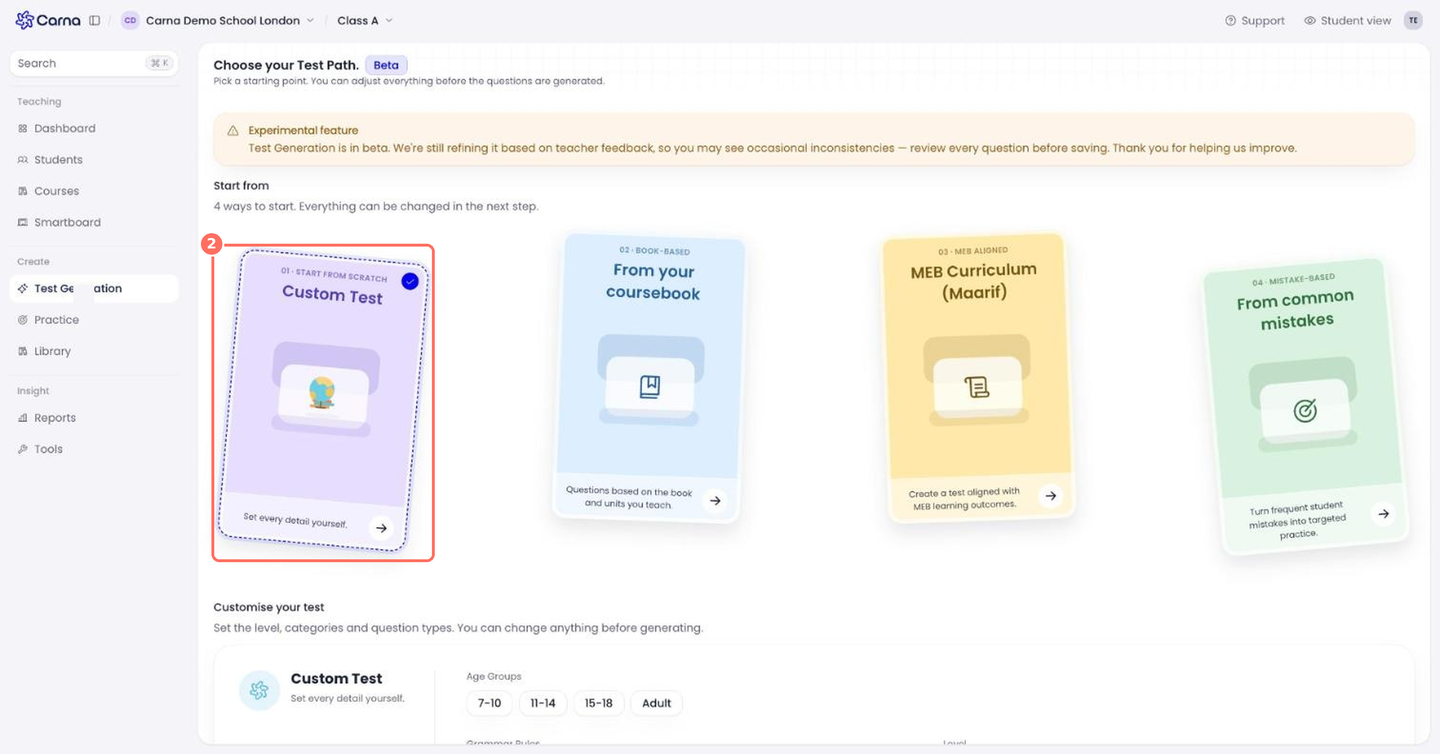
Set the details
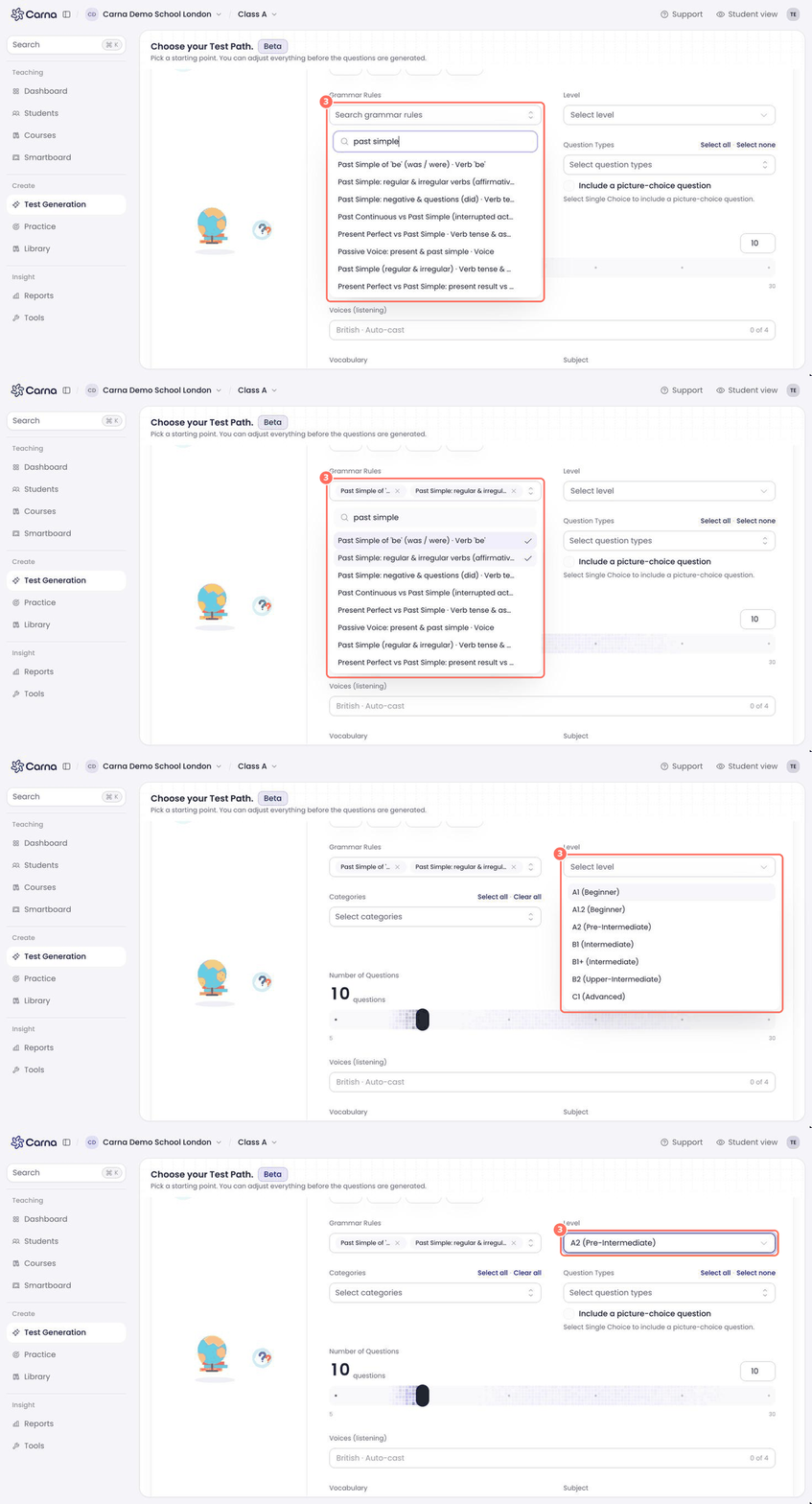
In 1 · Your students, click the age of your students under Age Groups (7–10, 11–14, 15–18 or Adult), so the questions suit their age. Then open Level and choose the level of your class, from A1 (Beginner) to C1 (Advanced), for example A2 (Pre-Intermediate). In 2 · What to test, click Grammar Rules and type part of a rule, for example past simple. Click each rule you want to test; you can choose more than one.
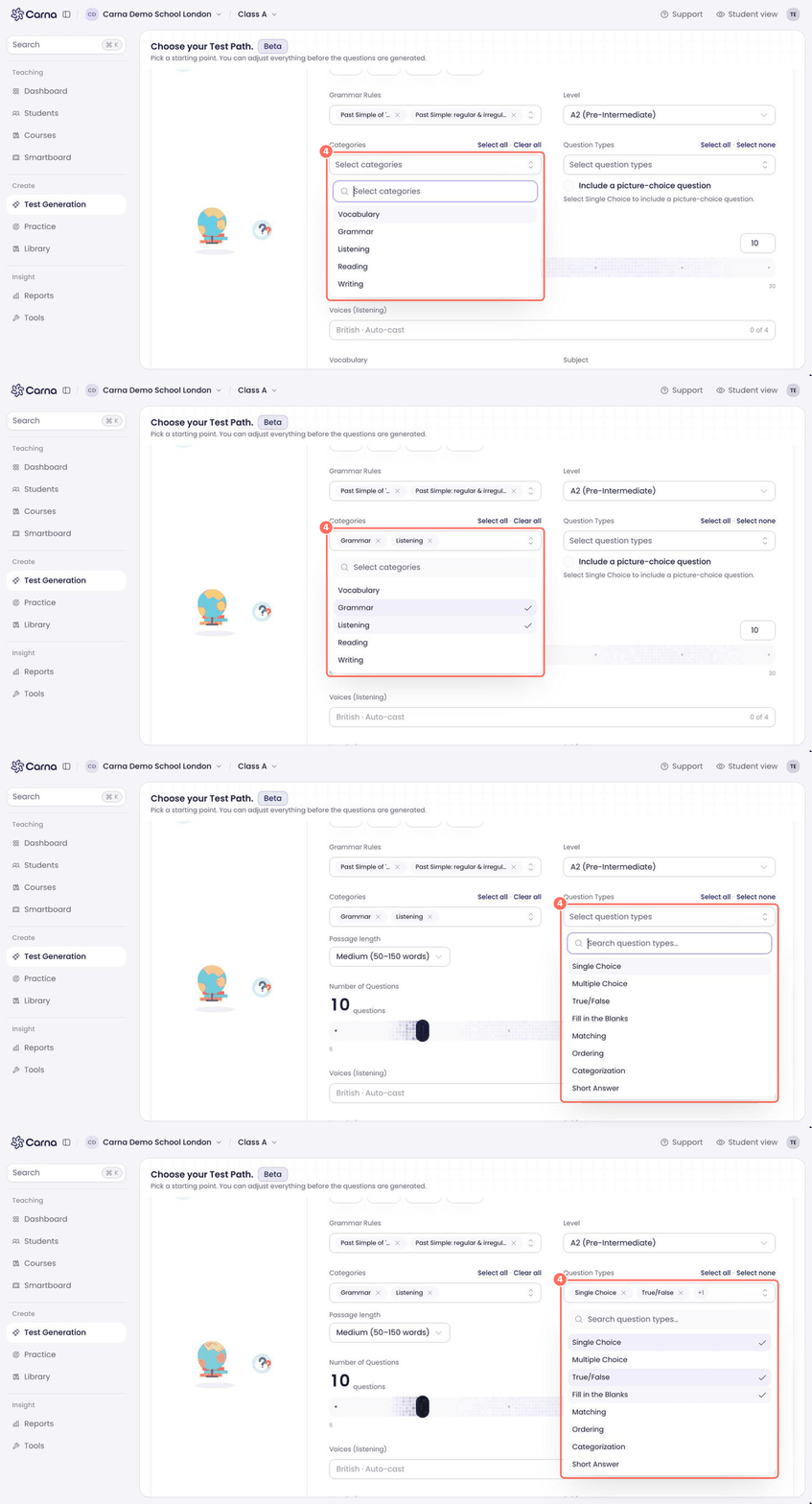
Still in 2 · What to test, open Categories and choose the skills to test: Vocabulary, Grammar, Listening, Reading and Writing. Then open Question Types and choose the formats: Single Choice, Multiple Choice, True/False, Fill in the Blanks, Matching, Ordering, Categorization and Short Answer. You can choose more than one in each list; Select all and Clear all (or Select none) change the whole list at once. Click outside the list to close it.
If you chose Single Choice, you can also tick Include a picture-choice question to add one question with pictures. It makes generation a little slower.
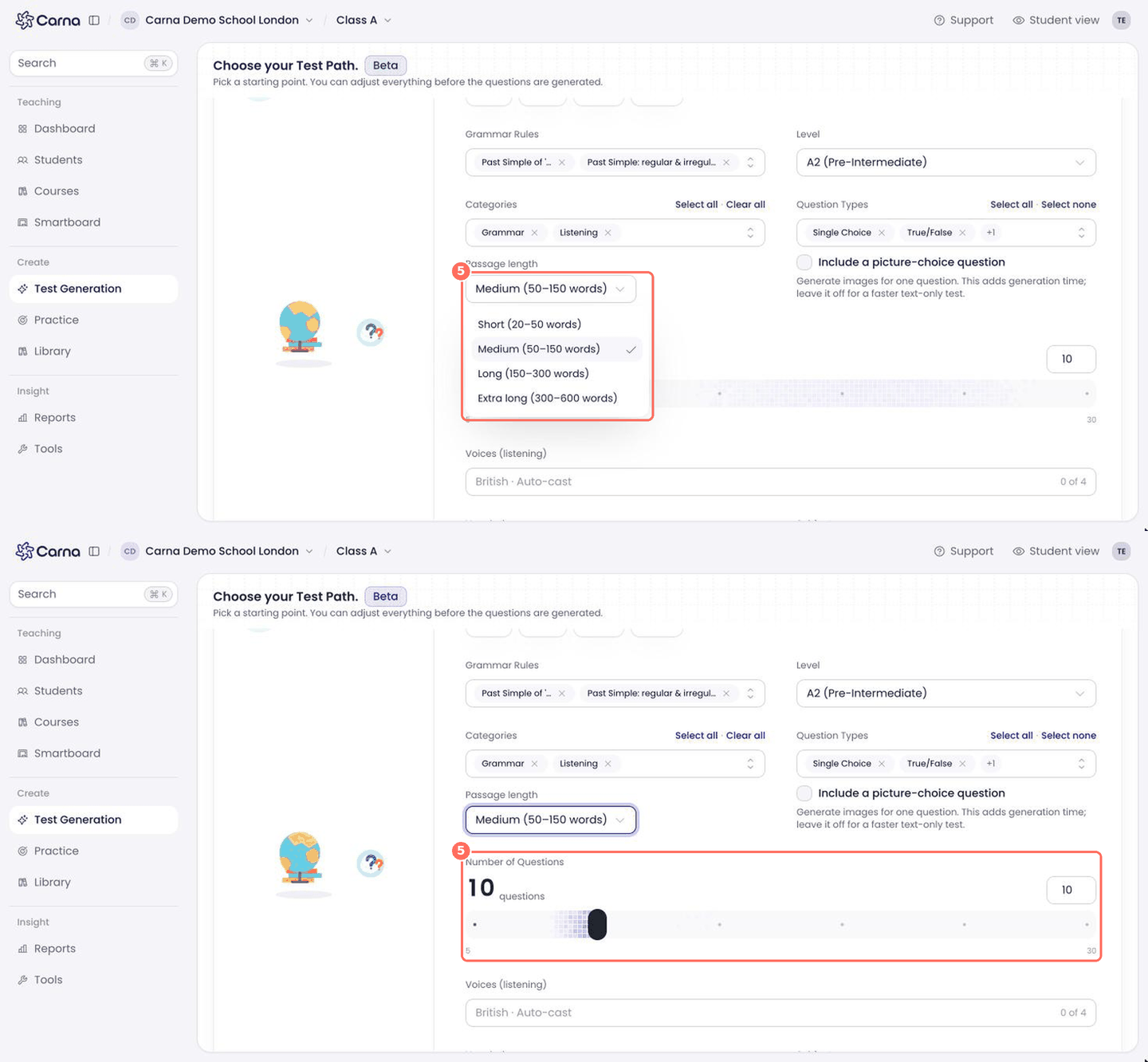
If you chose Reading or Listening, set the Passage length: how long the reading text or listening script is, from Short (20–50 words) to Extra long (300–600 words). For example, choose Medium (50–150 words). Then drag the slider or type a number in the box to set the Number of Questions (5 to 30). These are in 3 · Size & audio.
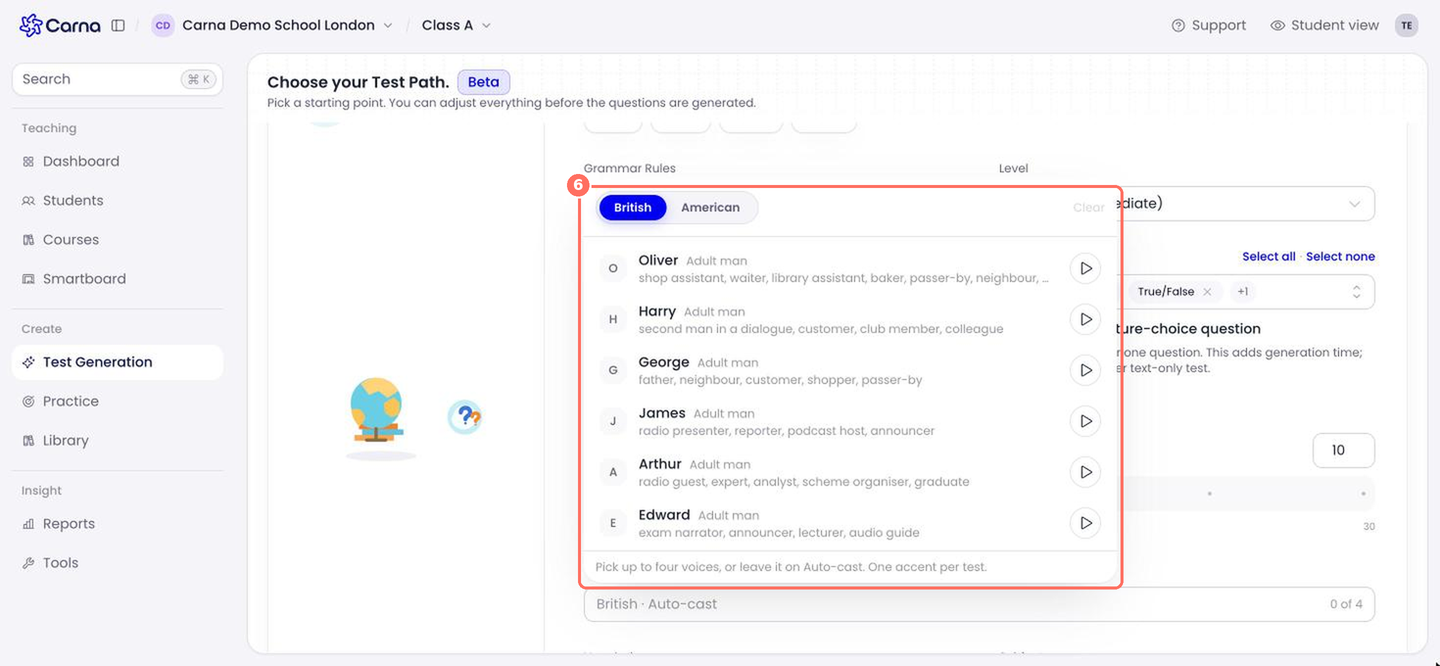
For listening questions, open Voices (listening). Choose British or American, then pick up to four voices. Click the play button to hear a voice. Or leave it on Auto-cast and Carna chooses the voices for you.
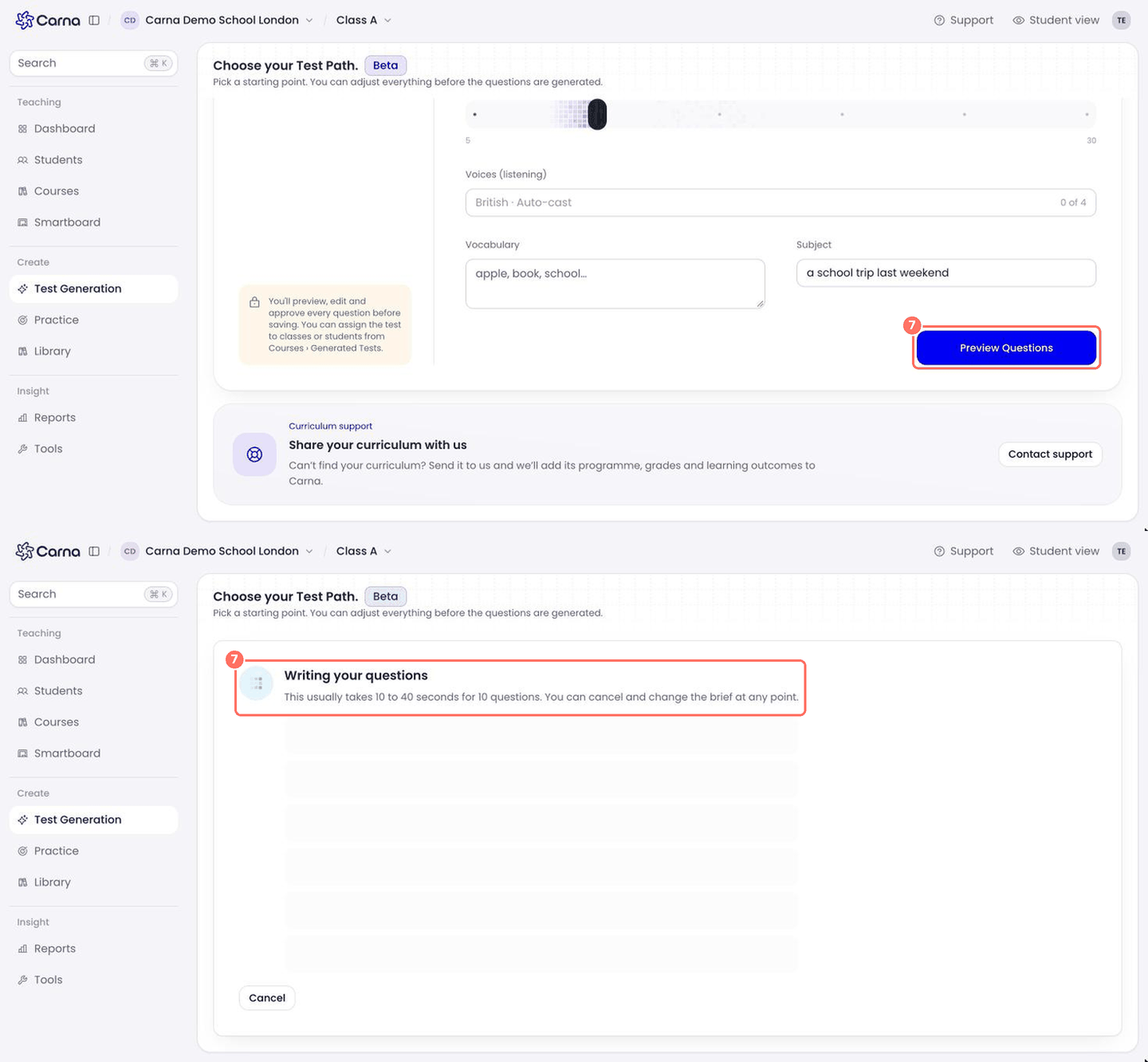
Optionally, in 4 · Topic (optional), add words to Vocabulary (for example, farm, bus, lunch) to include them in the questions, and a Subject (for example, a school trip last weekend) to set the topic. Then click Generate Test. If a required field is still empty, the box Before you generate, fill in: above the button lists it: click a field's name to jump to it. When everything is filled in, Carna starts Writing your questions, and you can start reviewing the first ones while the rest are being written. To review, approve and save them, see How to review, edit and approve generated questions.
Video #
Tips & Good to know #
- Choose two or three grammar rules for a short test. Too many rules in 10 questions means only one question per rule.
- Each test uses one accent: British or American voices, not both.
- Nothing is saved until you click Save test in the preview. You can go Back to the form to change the details.
- A green tick next to a section title means its required fields are filled in.
- Can't find your curriculum? Under Share your curriculum with us, click Contact support and send it to the Carna team, so its programme, grades and learning outcomes can be added.
- From common mistakes isn't ready yet: Carna shows Class mistakes can't fill this form yet. Use another starting point for now.
Troubleshooting #
- Generate Test doesn't start: look at the box Before you generate, fill in: above the button. It lists what is missing (usually Level, Categories or Question Types). Click a name to jump to that field. After you click Generate Test, missing fields also get a red border and the word Required.
- I can't find a grammar rule: type a shorter word, for example past instead of past simple regular verbs.
- There are no listening questions in my test: check that Listening is selected under Categories.
- Generation takes longer than a minute: click Cancel, reduce the Number of Questions and try again.
- The listening audio doesn't play on iPad, iPhone or Safari: see How to fix audio that won't play on iPad or Safari.