


































How to create a test from the MEB curriculum
Choose an MEB grade and unit, and Carna fills in the test form for you from the Maarif curriculum: level, grammar, skills, vocabulary and topic. Change anything you like, then preview the questions.
Who is this for: Teachers
Summary: Choose an MEB grade and unit, and Carna fills in the test form for you from the Maarif curriculum: level, grammar, skills, vocabulary and topic. Change anything you like, then preview the questions.
Before you start: You need a teacher account. Use a computer: Test Generation works best on a wide screen. Test Generation is in Beta, so always review every question before you save.
Steps #
Choose the MEB unit
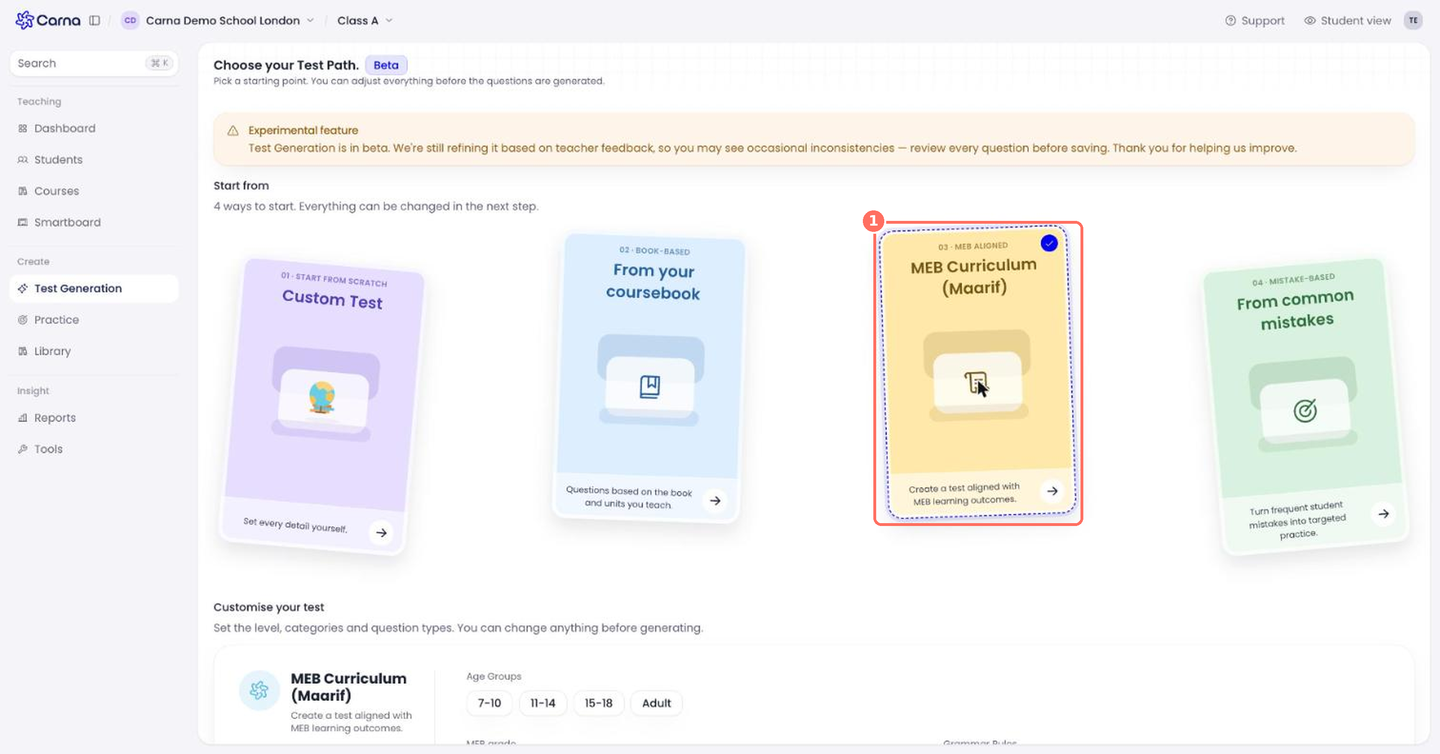
In the left menu, click Test Generation. Under Start from, click MEB Curriculum (Maarif).
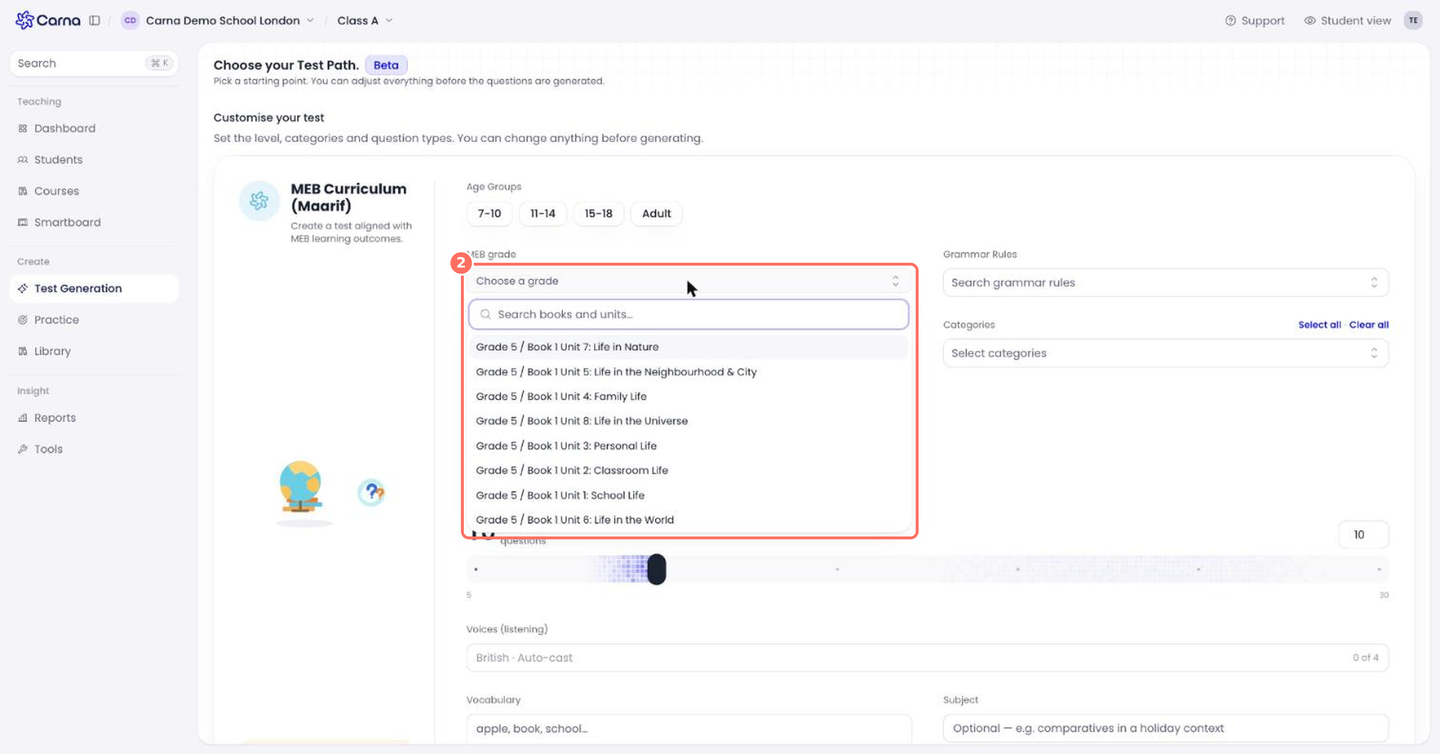
Under Customise your test, open MEB grade and choose the grade and unit you teach (for example, Grade 5 / Book 1 Unit 1: School Life). Type in Search books and units… to find it quickly.
Check the form
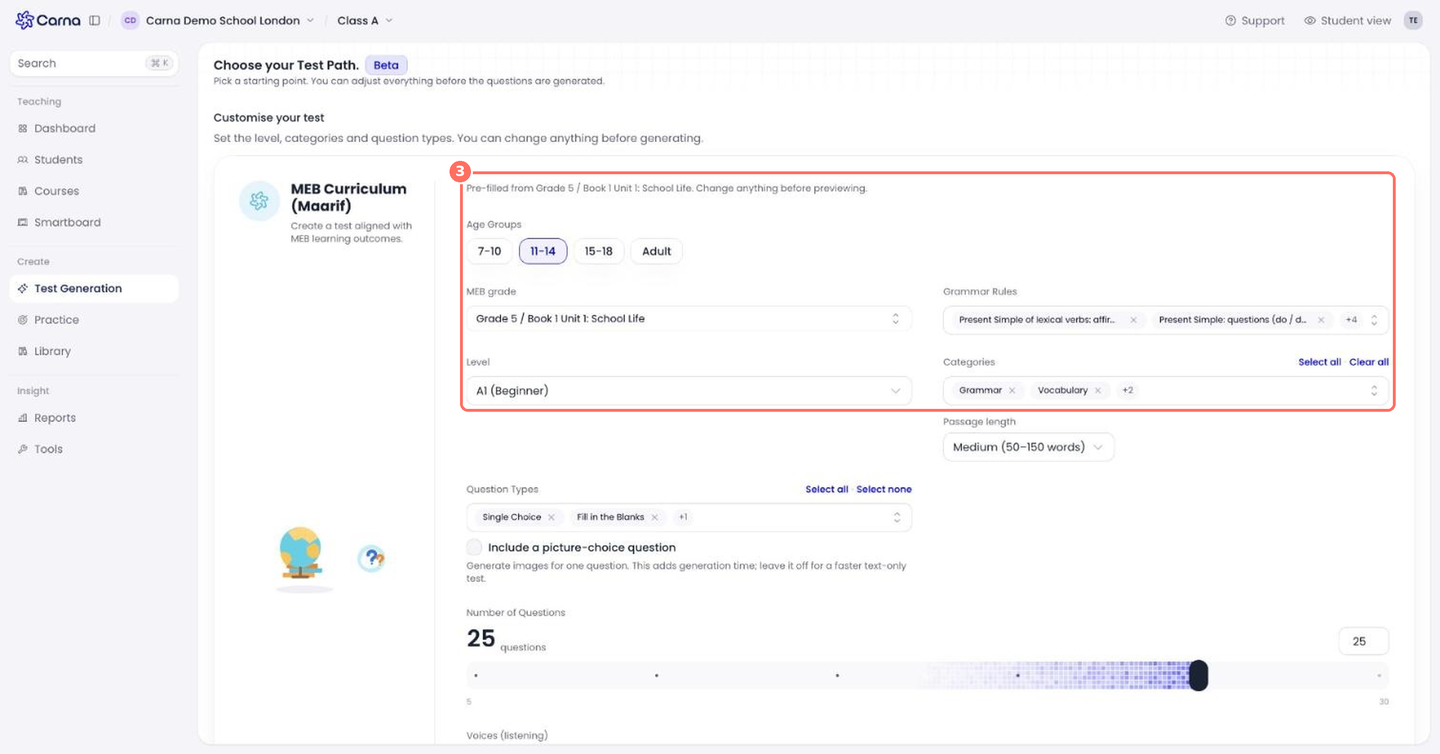
Carna shows Pre-filled from Grade 5 / Book 1 Unit 1: School Life and fills in the form from the unit: Age Groups, Level (for example, A1 (Beginner)), the unit's Grammar Rules, Categories, Passage length, Question Types and Number of Questions. Change anything you like, for example fewer questions for a short quiz.
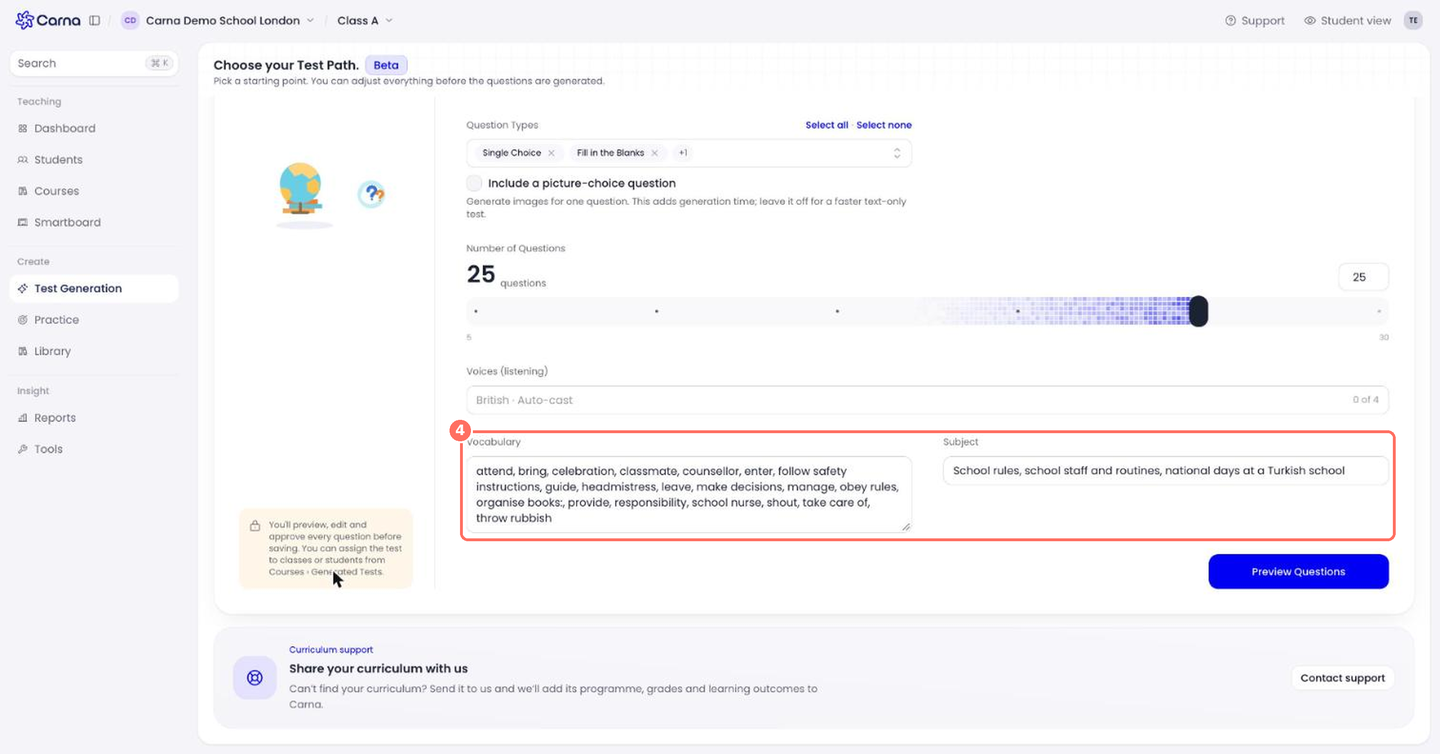
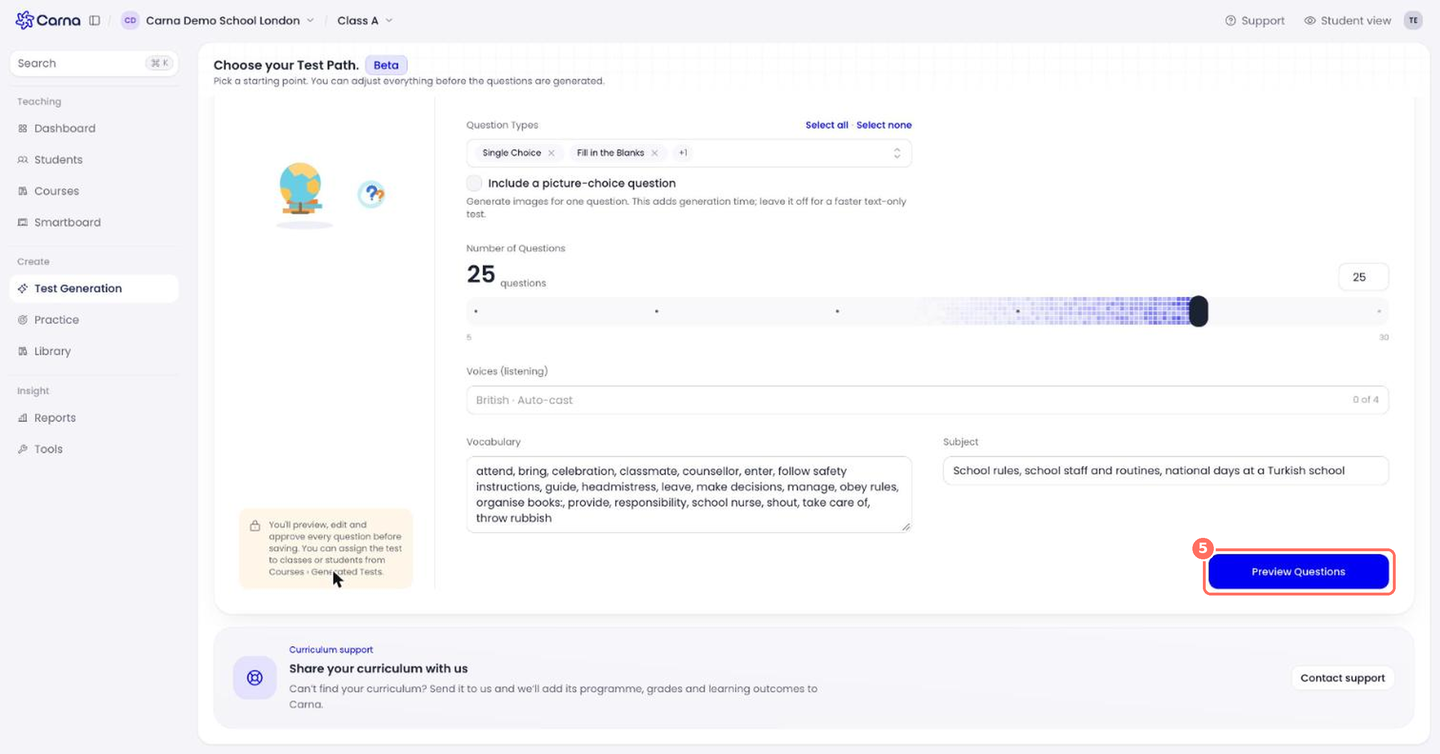
Scroll down. Vocabulary lists the unit's words, and Subject sets the topic (for example, School rules, school staff and routines, national days at a Turkish school). You can add or remove words.
Preview the questions
Click Preview Questions. Carna starts Writing your questions.
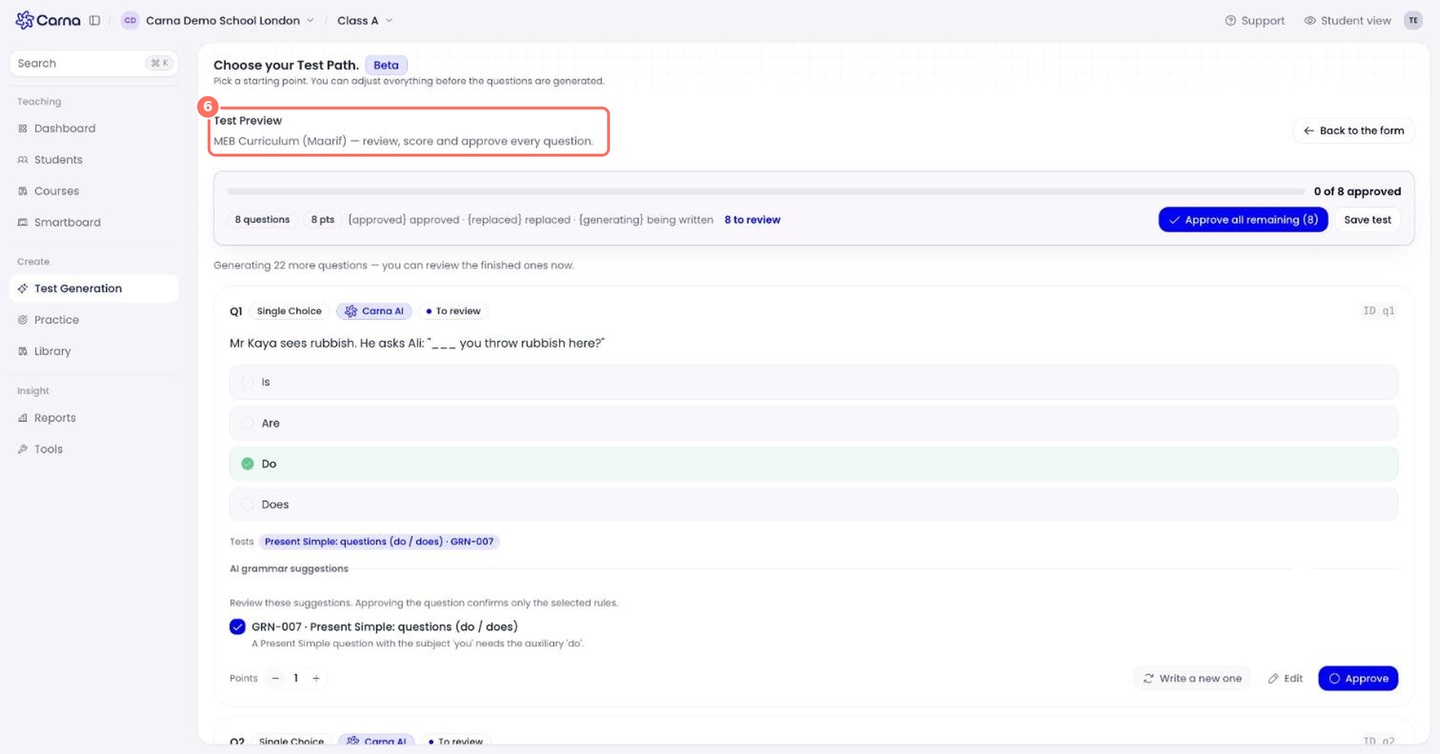
Test Preview shows MEB Curriculum (Maarif) — review, score and approve every question, and you can start reviewing the first questions while the rest are being written. Each question shows the grammar rule it tests. To review, approve and save the test, see How to review, edit and approve generated questions.
Tips & Good to know #
- The pre-filled settings are a starting point. Every field stays editable before you click Preview Questions.
- To focus on one structure, remove the grammar rules you don't need under Grammar Rules.
- For listening questions, choose voices under Voices (listening), or leave Auto-cast on. See How to create a custom test with Test Generation for all the form options.
- Can't find your grade or unit? Under Share your curriculum with us, click Contact support and the Carna team can add it.
Troubleshooting #
- Carna says "Choose a grade with a published reference before previewing": choose a grade and unit under MEB grade first.
- My grade isn't in the list: it hasn't been added yet. Click Contact support under Share your curriculum with us, or use Custom Test and set the details yourself.
- Generation takes longer than a minute: click Cancel, reduce the Number of Questions and try again.