


































How to do an Independent Speaking task
Prepare a short talk on a topic your teacher assigned, record it in one take and read your score, corrections and tips.
Who is this for: Students
Summary: Prepare a short talk on a topic your teacher assigned, record it in one take and read your score, corrections and tips.
Before you start: You need a student account in a class, an Independent Speaking task assigned by your teacher, and a working microphone. Find a quiet place: you only get one take.
Steps #
Go to Practices in the left menu (or click Start Practice on your Dashboard) and open the Independent Speaking tab.
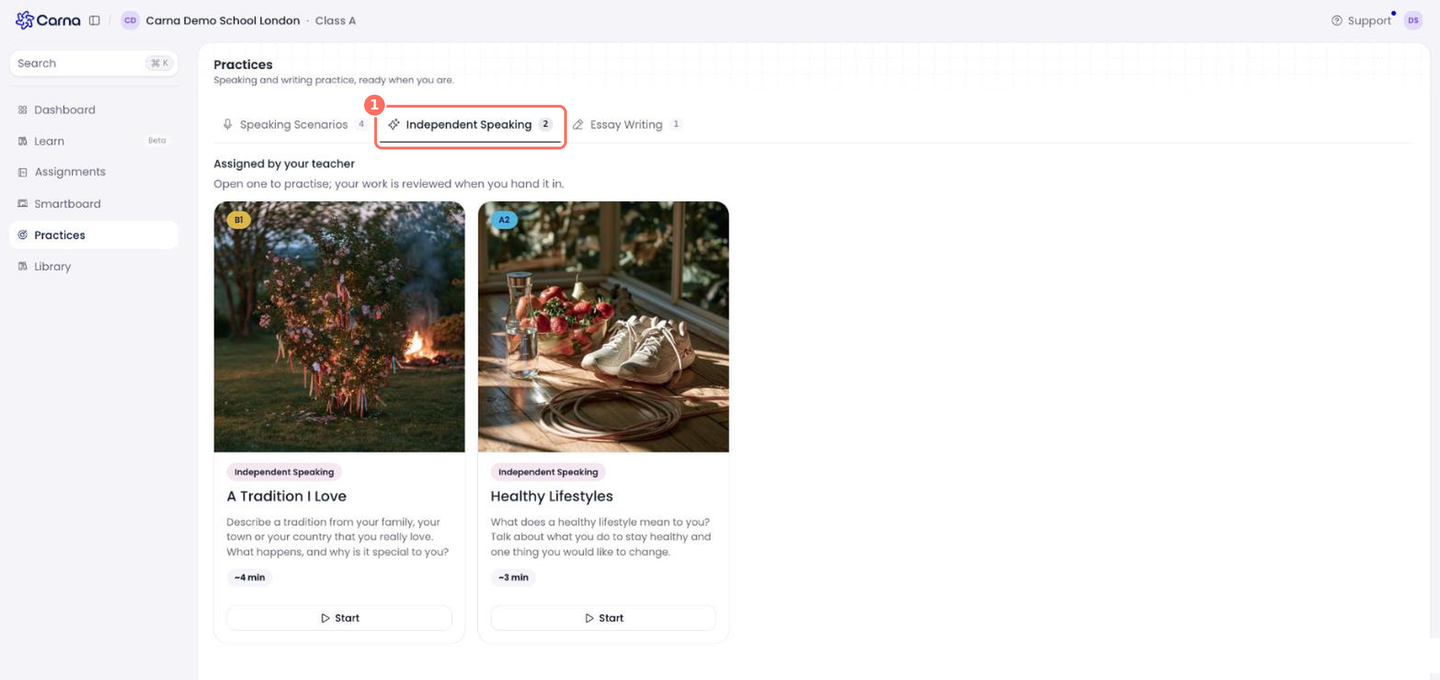
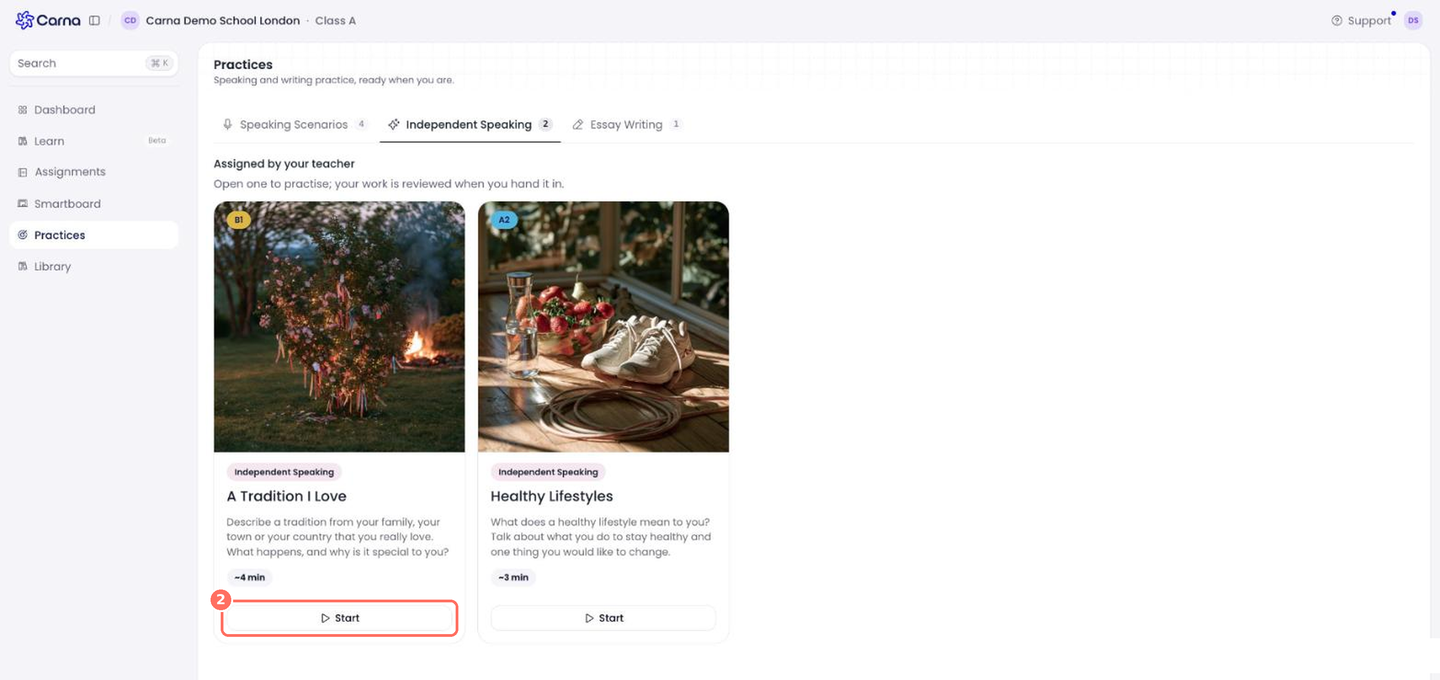
Each card shows the level (for example, B1), the title, the question and about how long it takes (for example, ~4 min). Click Start on the task you want to do.
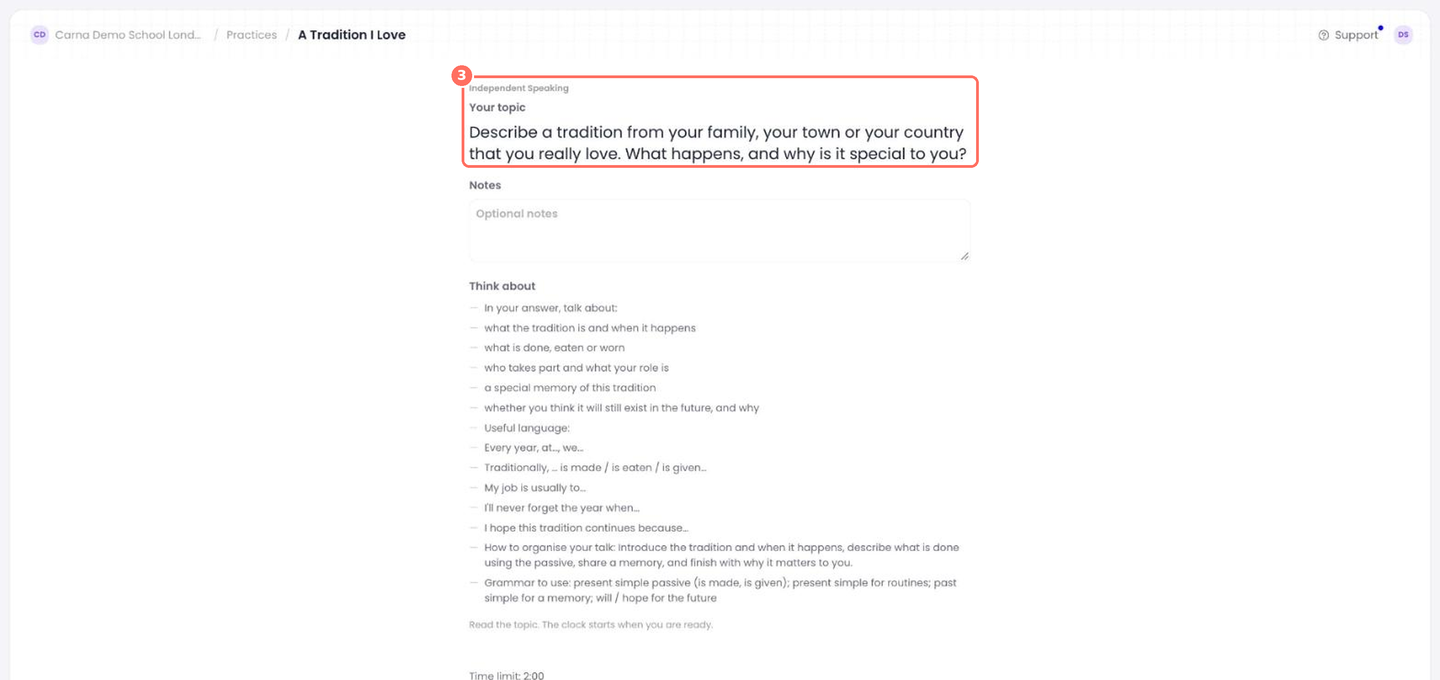
Read Your topic. Under it, Think about lists what to talk about, useful phrases, how to organise your talk and the grammar to use. You can write in Notes while you prepare.
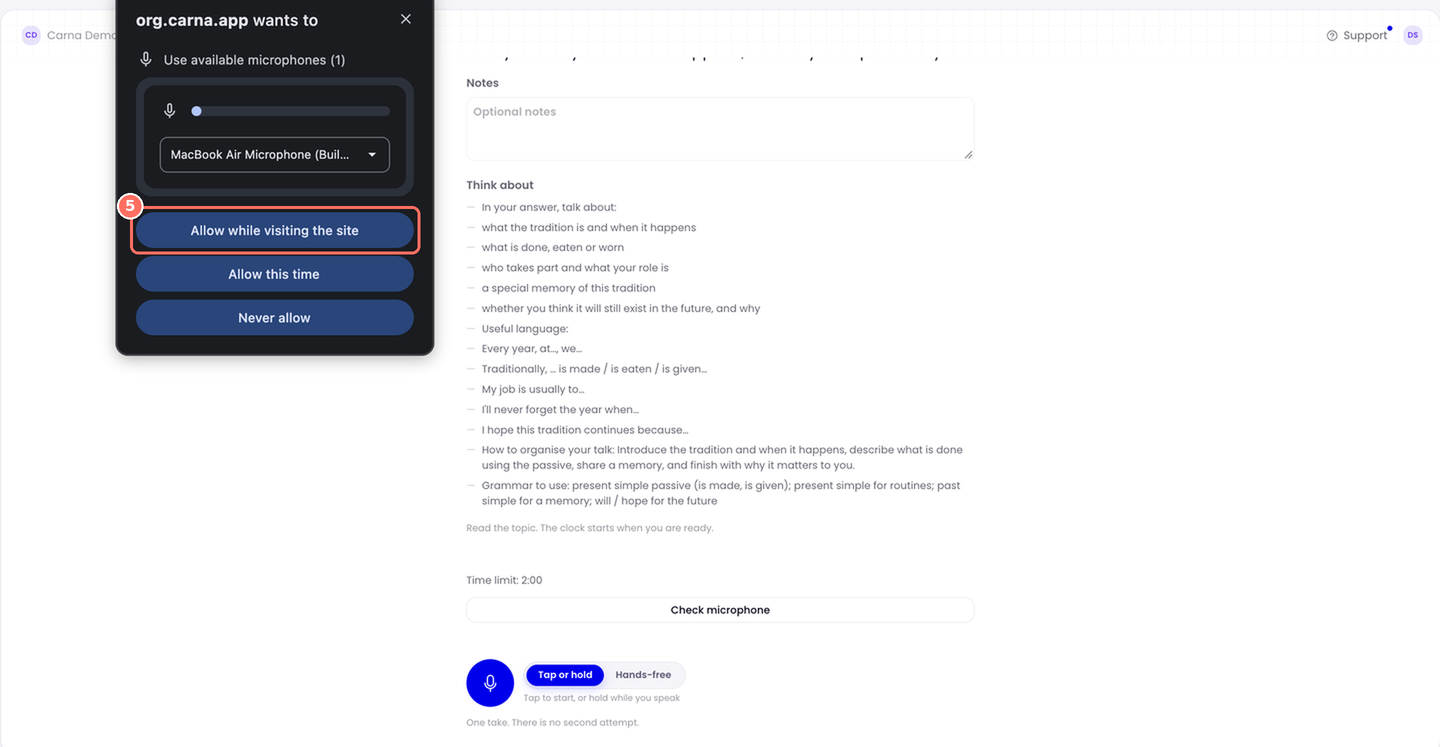
Time limit shows how long you can speak (for example, 2:00). Click Check microphone before you start.
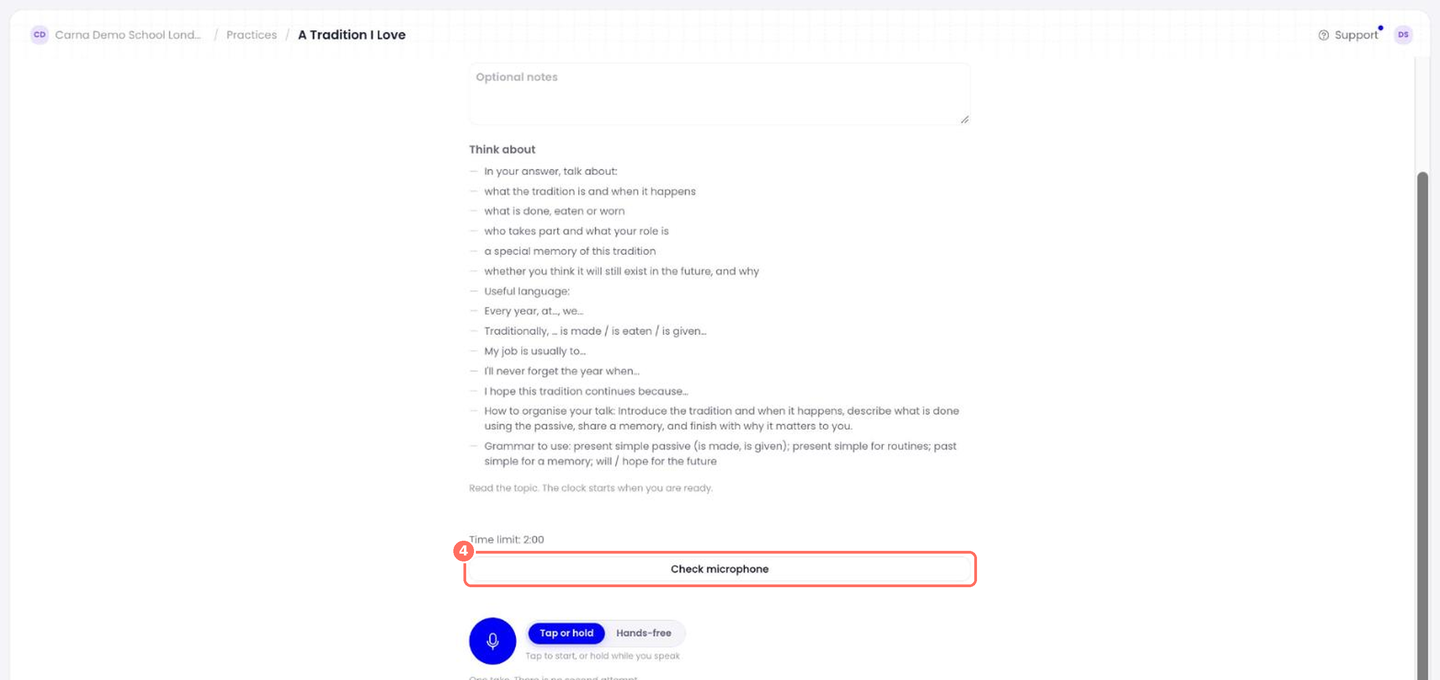
If your browser asks to use your microphone, click Allow while visiting the site.
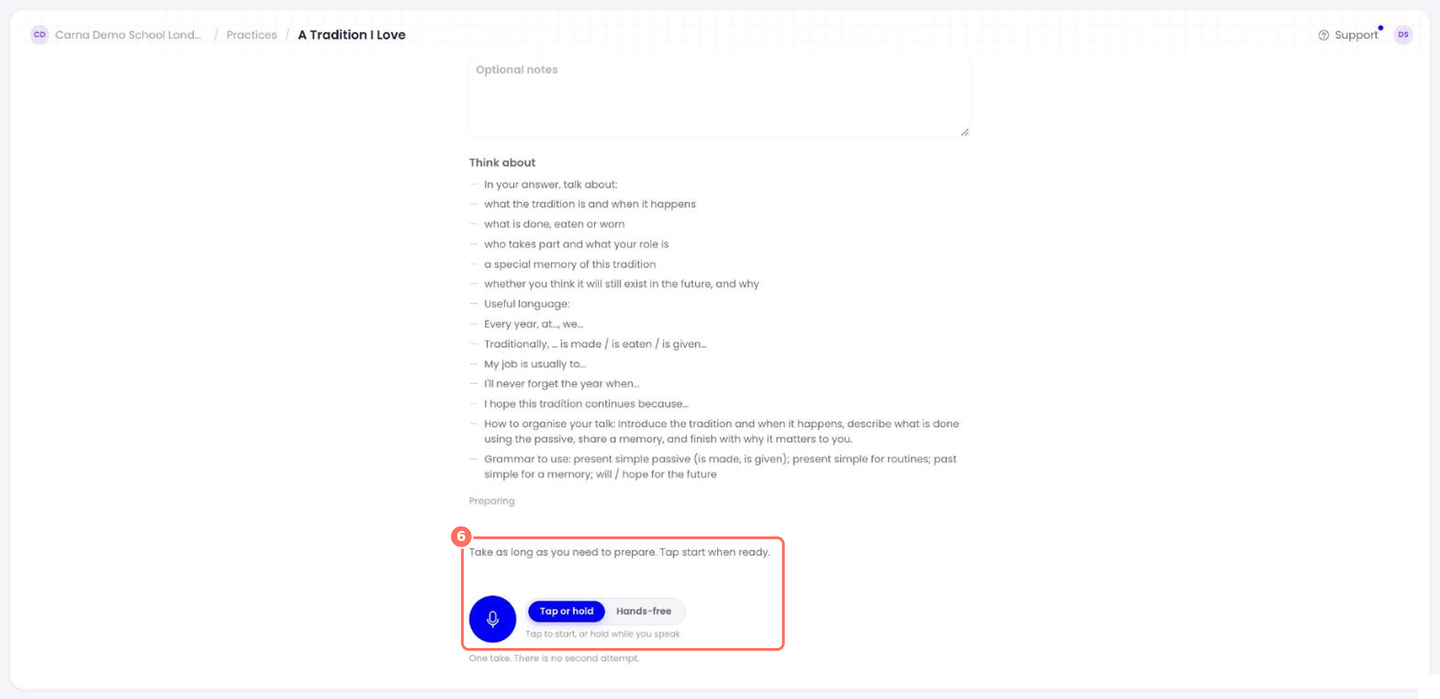
Click the microphone button. Carna shows Preparing and Take as long as you need to prepare. Tap start when ready. Take your time to read the topic and your notes. The clock hasn't started yet.
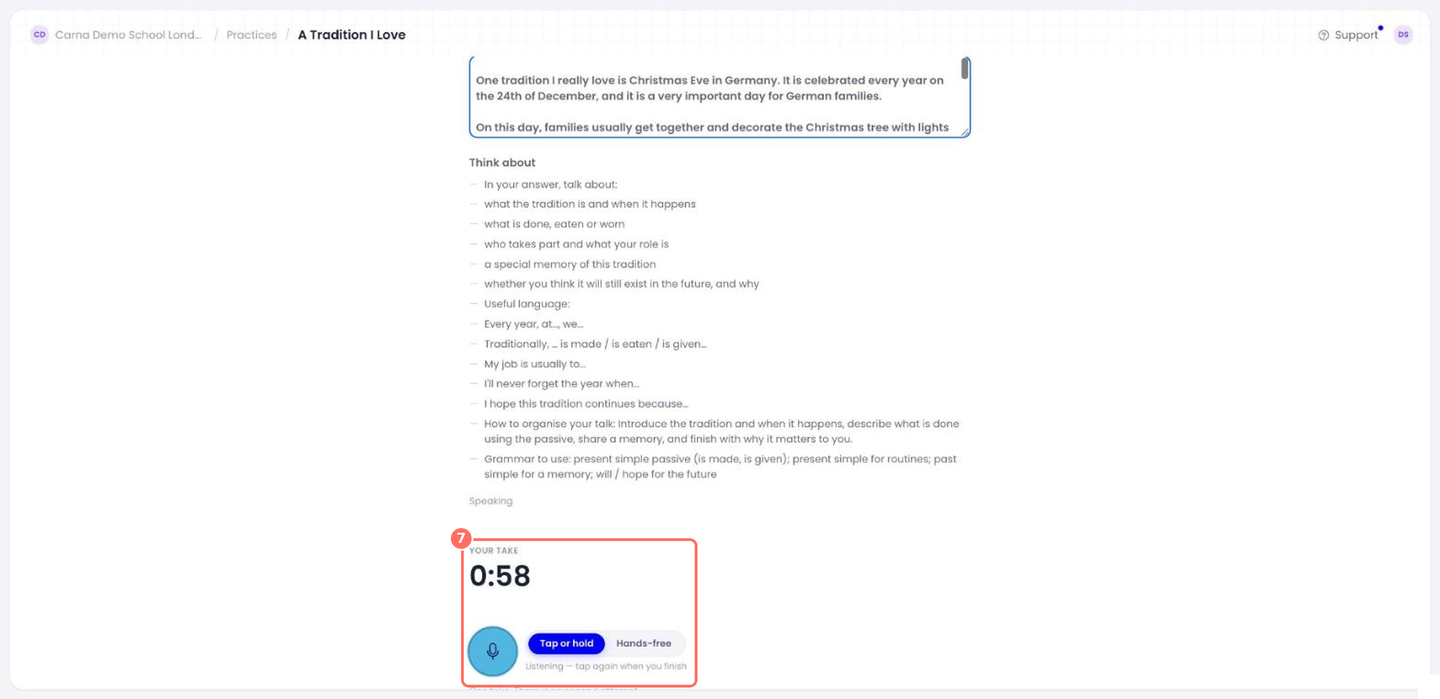
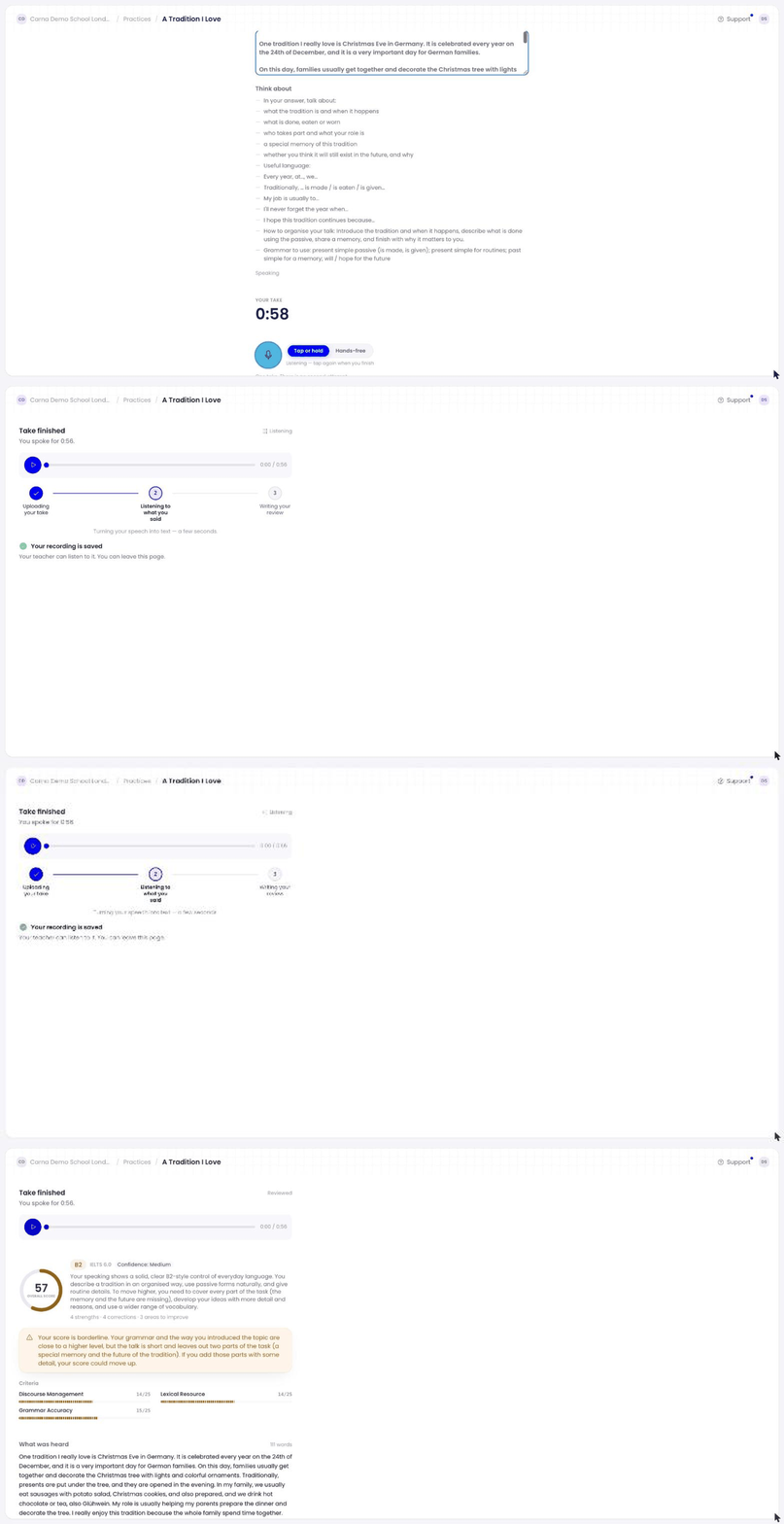
When you're ready, click the microphone button again and start speaking. YOUR TAKE shows the time, and Carna says Listening — tap again when you finish. Click the button once more when you finish. With Tap or hold selected, you can also hold the button while you speak and let go when you finish.
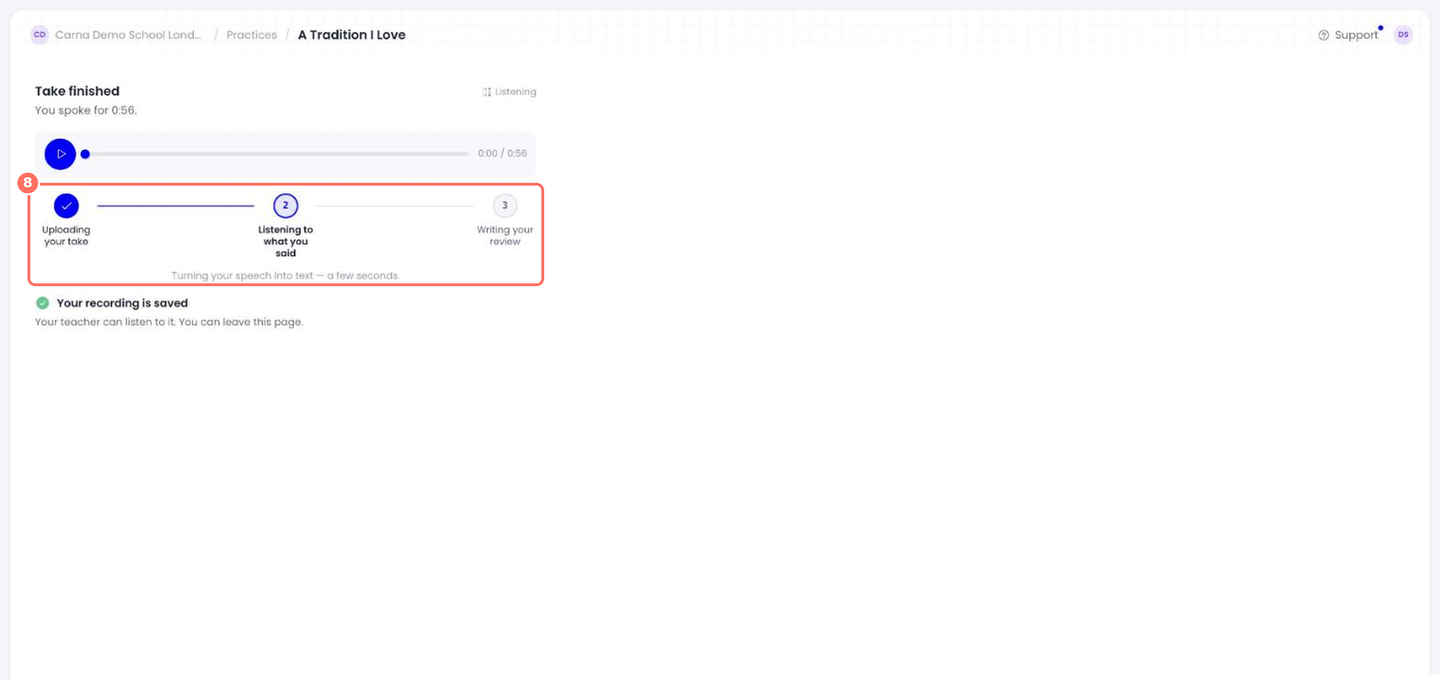
Take finished shows how long you spoke (for example, You spoke for 0:56.) and a player to listen to your recording. Carna then goes through Uploading your take, Listening to what you said and Writing your review. Your recording is saved means your teacher can listen to it, and you can leave the page. The review can take about a minute.
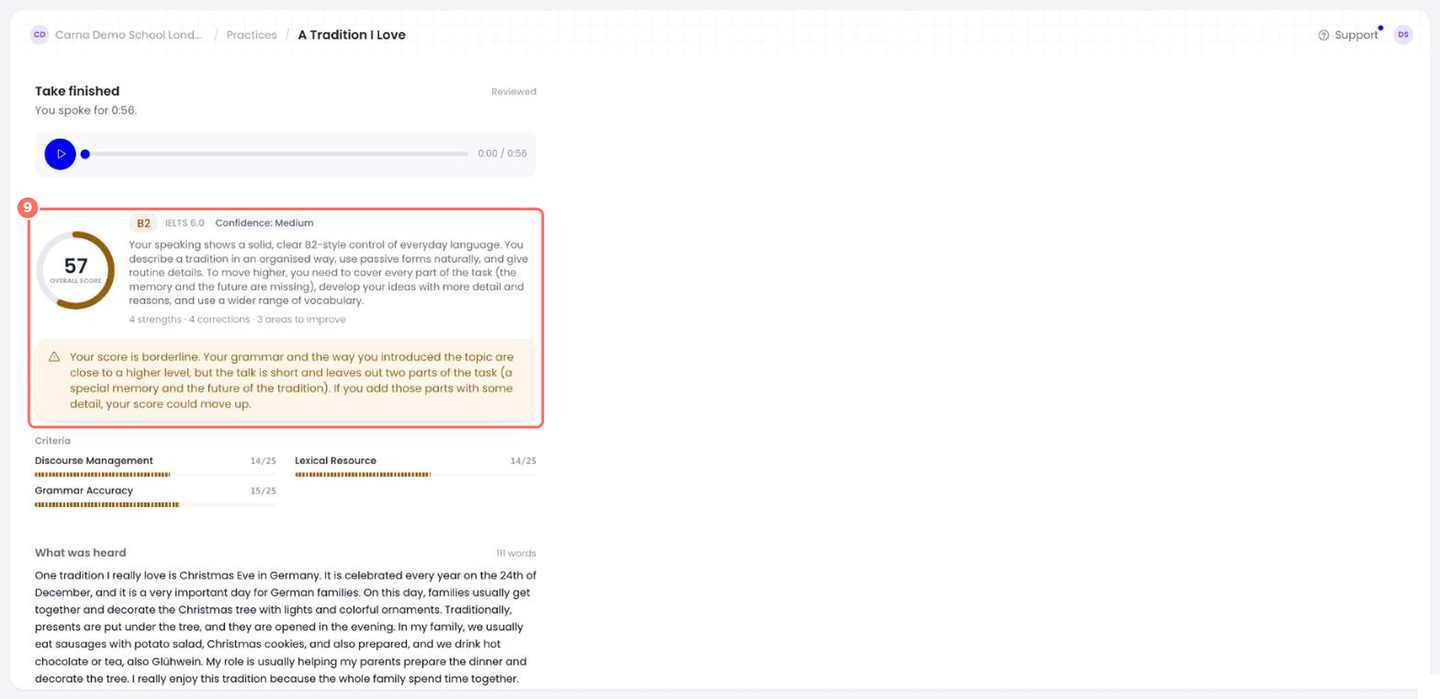
At the top of your review are your OVERALL SCORE, your level (for example, B2) and a short summary. A yellow note may tell you what would move your score up. Under Criteria you see your scores for Discourse Management, Lexical Resource and Grammar Accuracy, and What was heard shows your talk in writing.
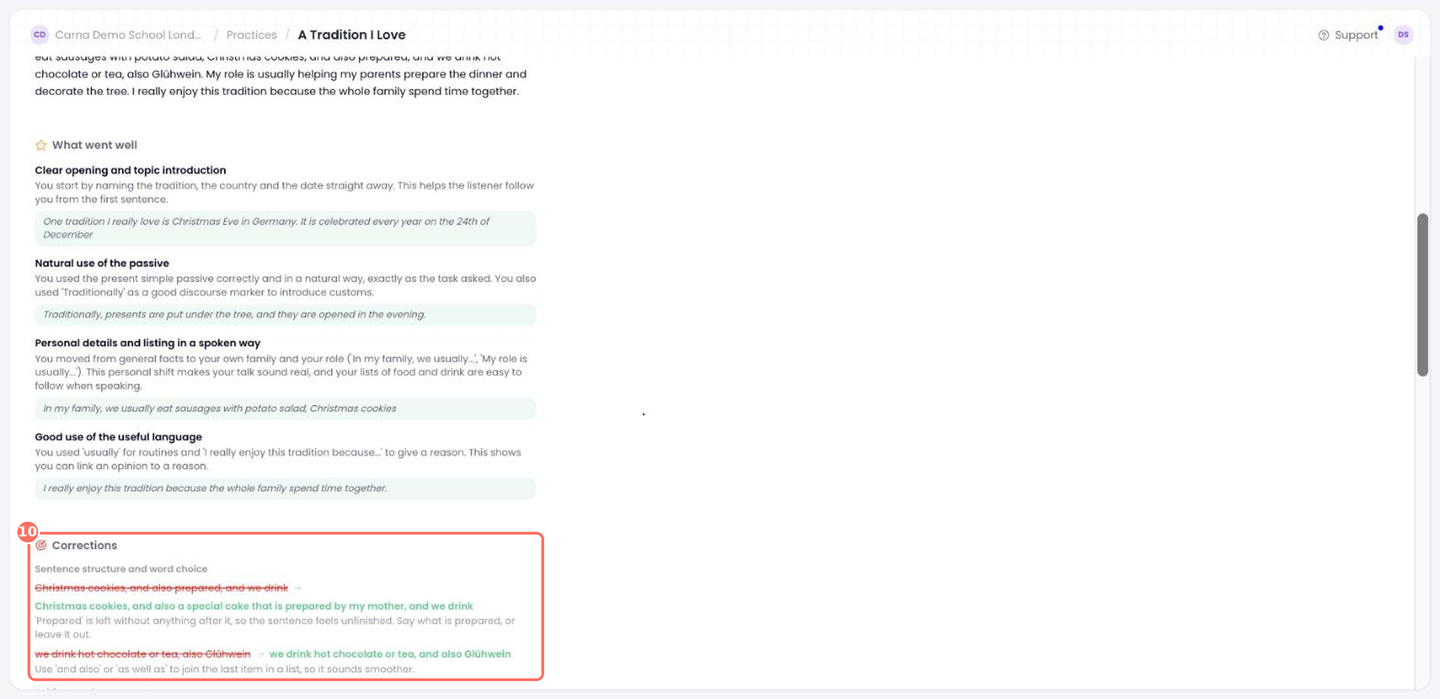
What went well shows your strong points, each with a sentence from your talk. Corrections shows what you said crossed out, the corrected version in green and a short rule.
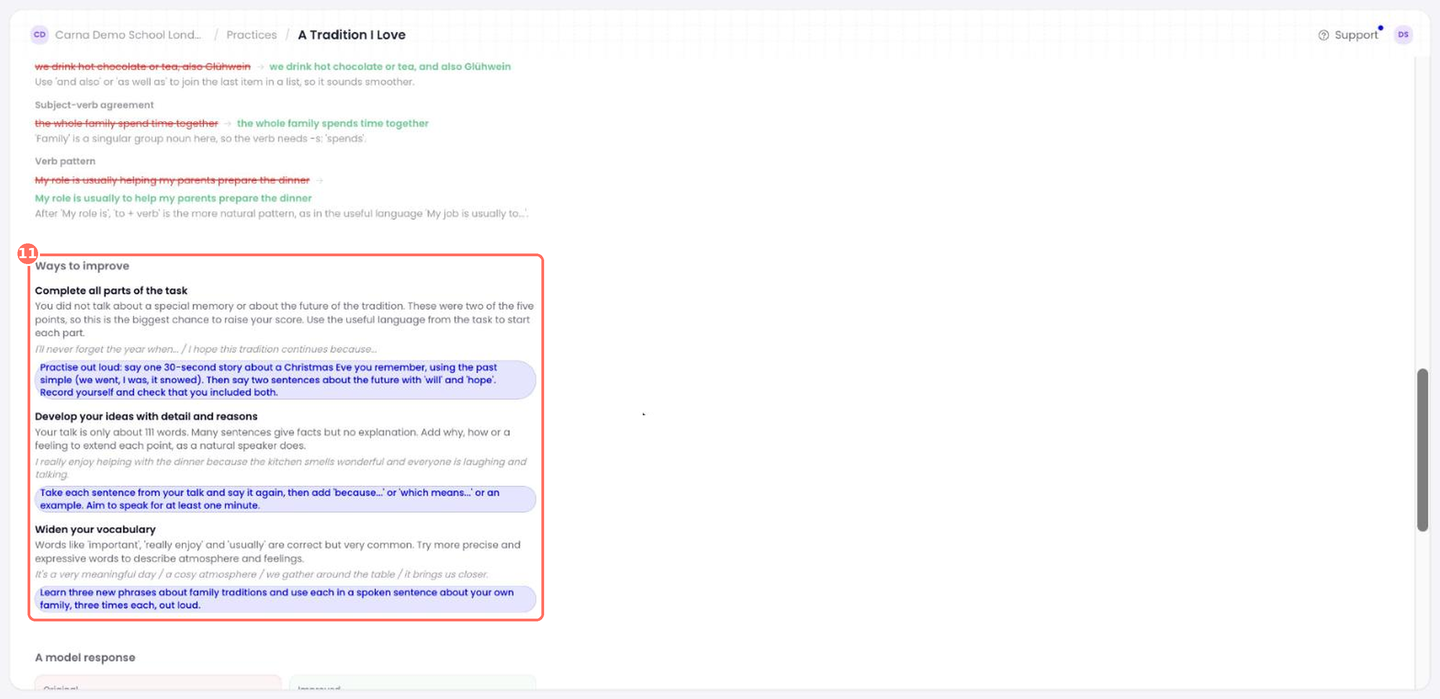
Ways to improve gives tips for your next talk, each with an example and a small task to practise out loud.
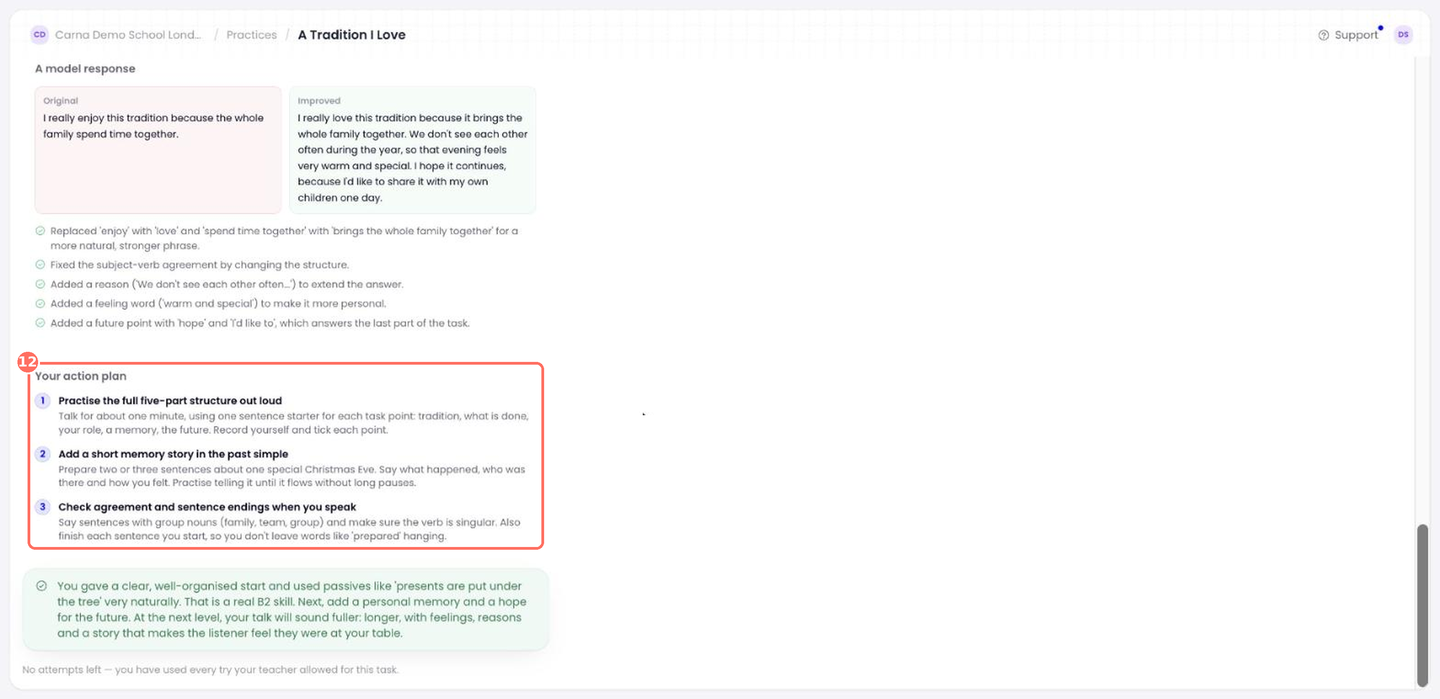
A model response shows one of your sentences next to an improved version and explains what changed. Your action plan lists three things to practise next.
Tips & Good to know #
- You only get one take: One take. There is no second attempt. Prepare before you start the recording.
- Cover every point in Think about. Leaving points out lowers your score, and the review tells you which ones you missed.
- Talk for most of the time limit. A very short talk gives you less to be scored on.
- Your teacher can listen to your recording and sees your review in Reports.
Troubleshooting #
- The browser didn't ask for the microphone, or Carna doesn't hear me: see How to fix a microphone that isn't working.
- My review isn't there yet: wait a minute. Your recording is already saved, so you can leave the page and open the task again later from Practices › Independent Speaking.
- I made a mistake and want to record again: an Independent Speaking task has only one take. Ask your teacher if you need another try.
- I can't find the task: check the Independent Speaking tab and that you're in the right class. See How to find an assignment you can't see.