


































How to assign a practice to your classes
Give a speaking scenario, a speaking topic or an essay to one or more classes, with a due date and the number of attempts.
Who is this for: Teachers
Summary: Give a speaking scenario, a speaking topic or an essay to one or more classes, with a due date and the number of attempts.
Before you start: You need a teacher account and at least one class. To choose the right type, see How to choose between the three practice types.
Steps #
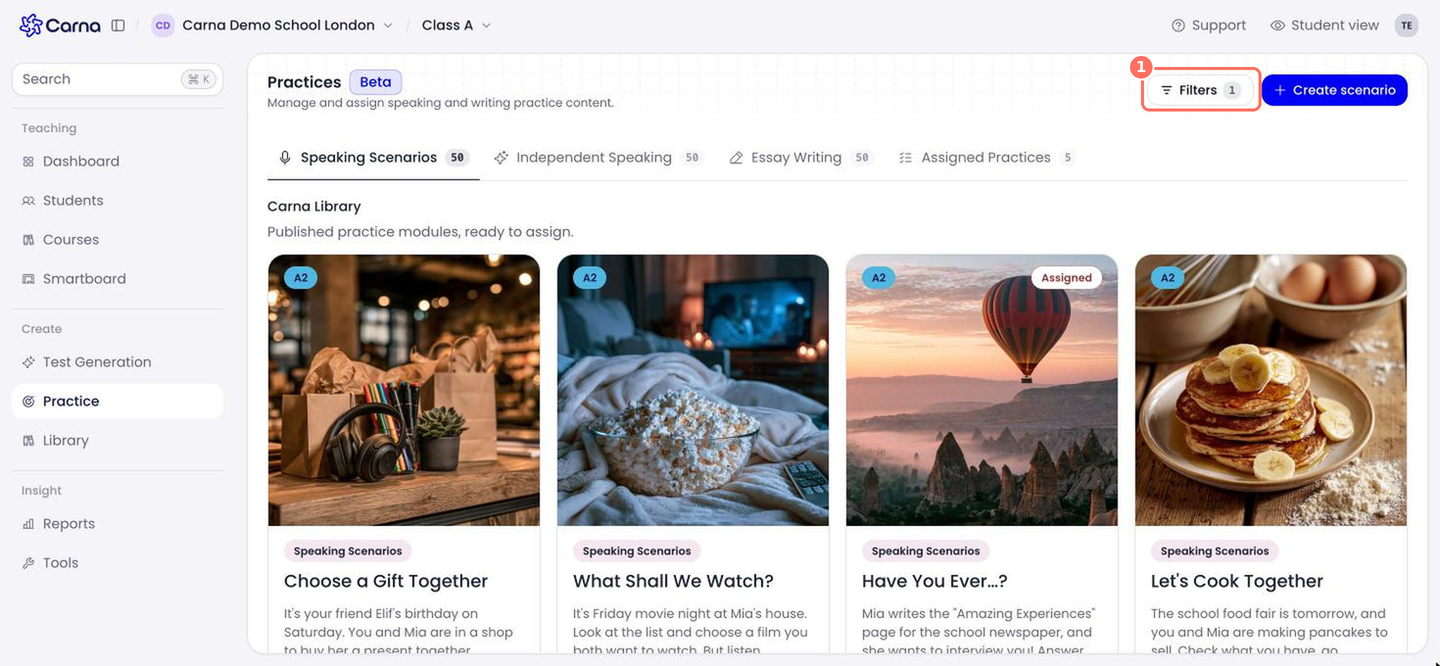
Go to Practice and open the tab you need: Speaking Scenarios, Independent Speaking or Essay Writing. Click Filters to show only your class's level (for example, A2).
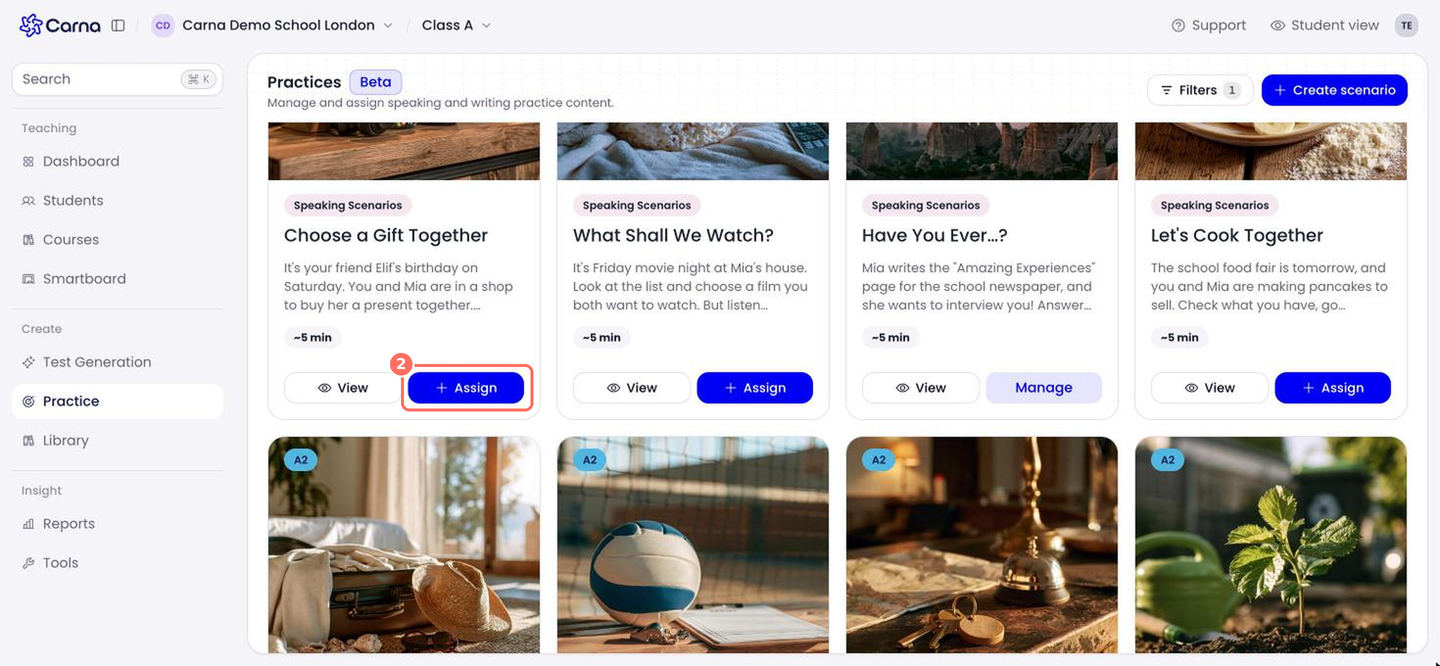
On the practice you want, click Assign. A practice you've already given your current class shows an Assigned badge and a Manage button instead.
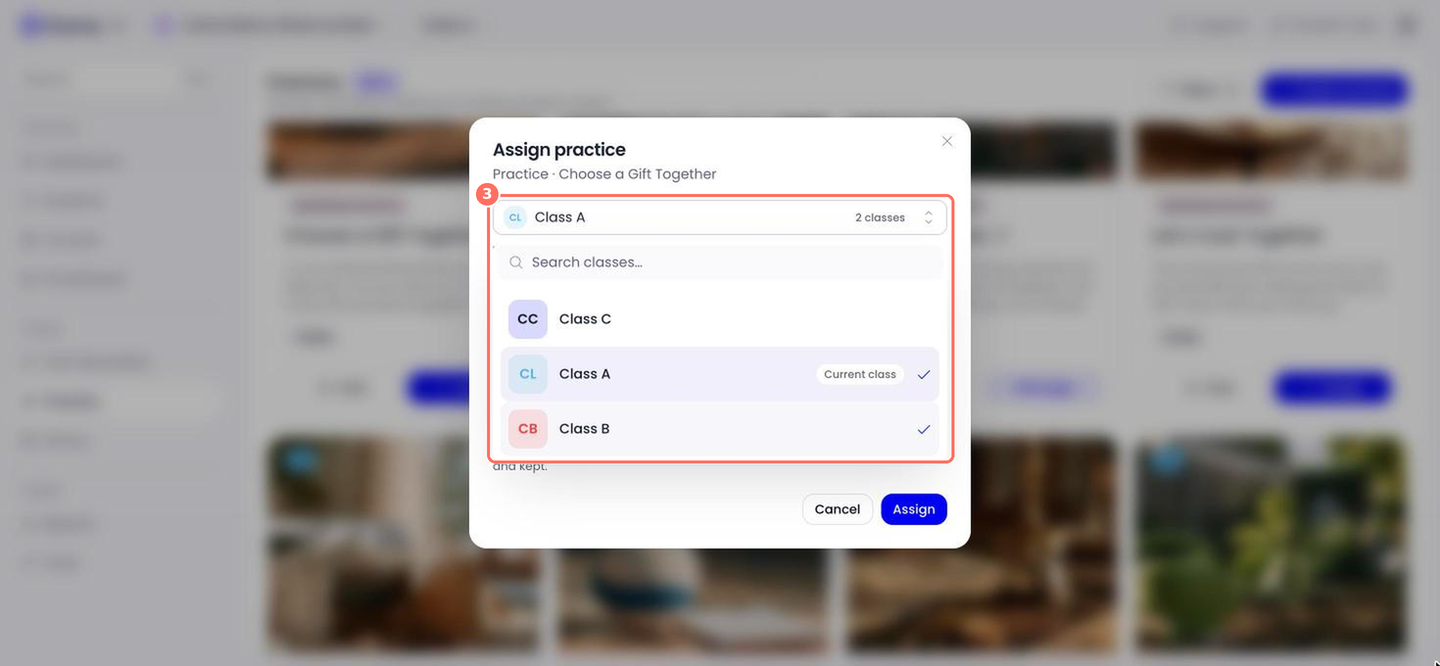
The Assign practice window opens. Your current class is already selected. Click the class box under Who gets it and tick any other classes that should get the practice. Type in Search classes… to find a class quickly. Click outside the list to close it.
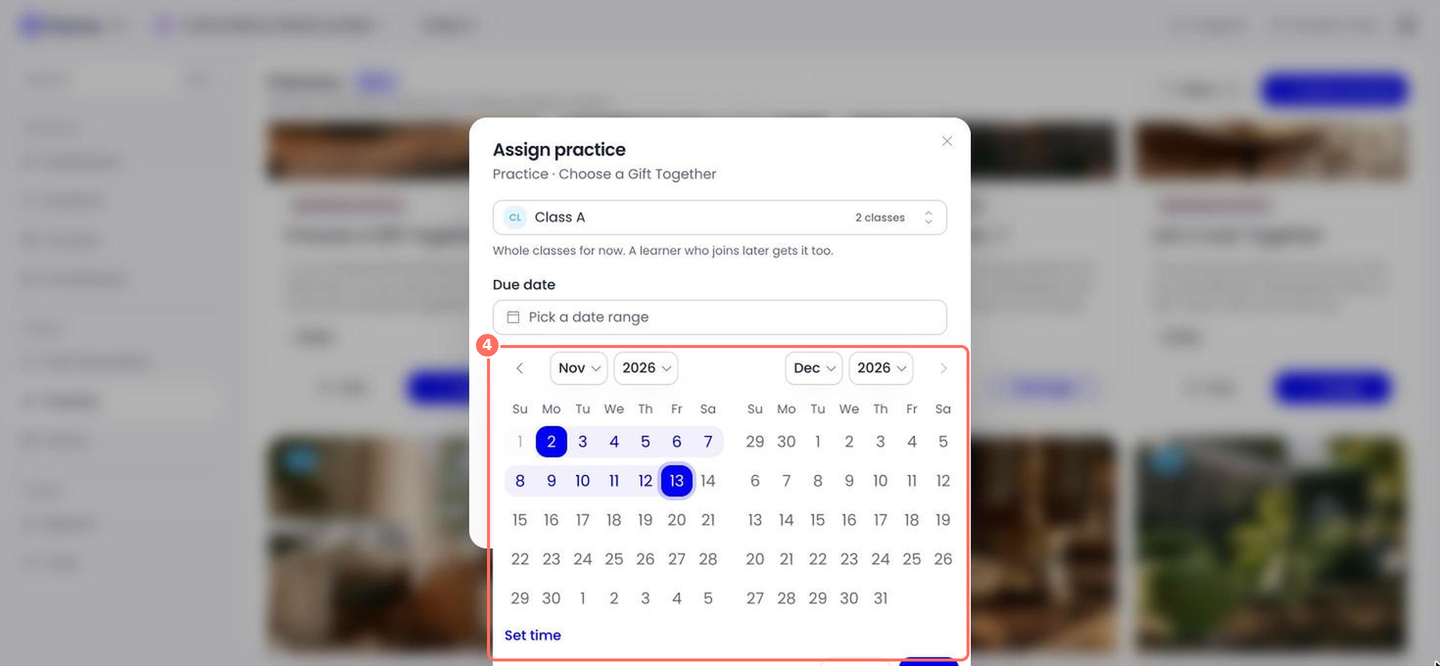
Under Due date, click Pick a date range. Click the start day, then the due day, and click Apply.
- Students see the practice from the start day.
- The practice ends at 23:59 on the due day.
- Click Set time if you need a specific start or end time.
- Leave the date empty if there is no deadline.
Under Attempts, choose how many times each student can do the practice (1, 2 or 3). Each attempt is scored on its own and kept.
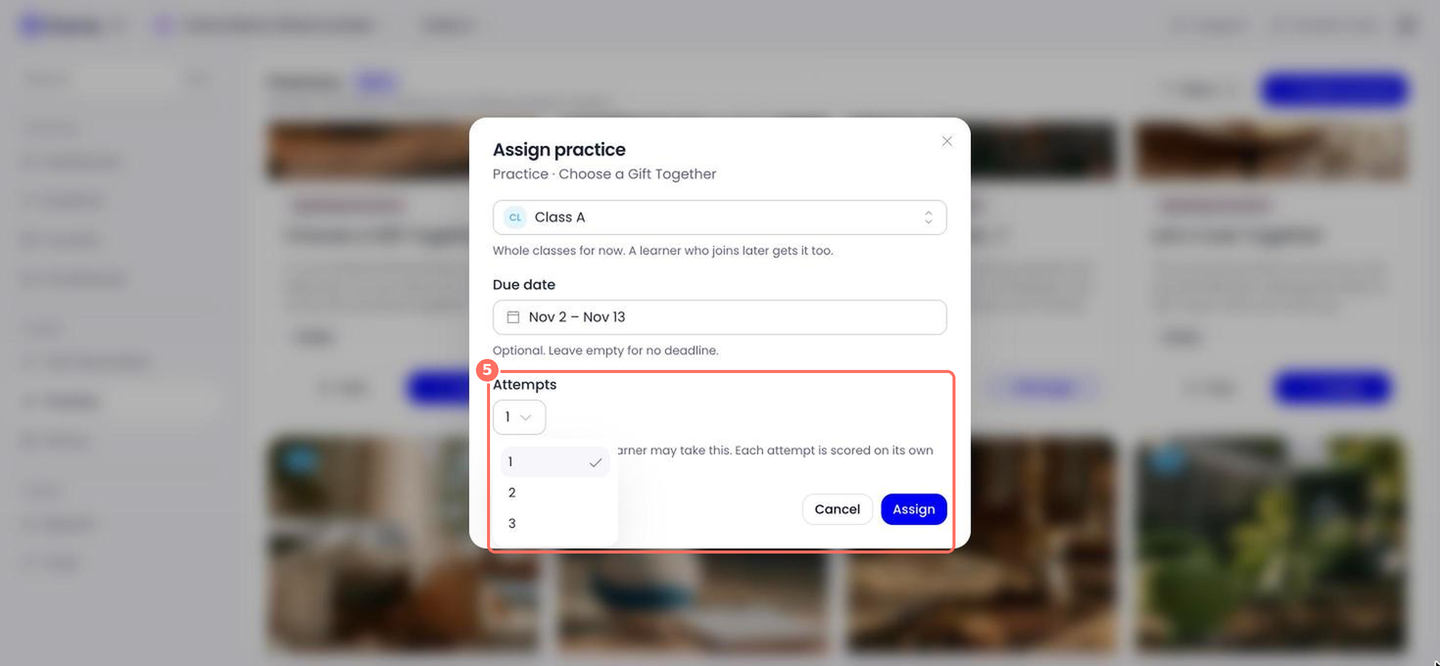
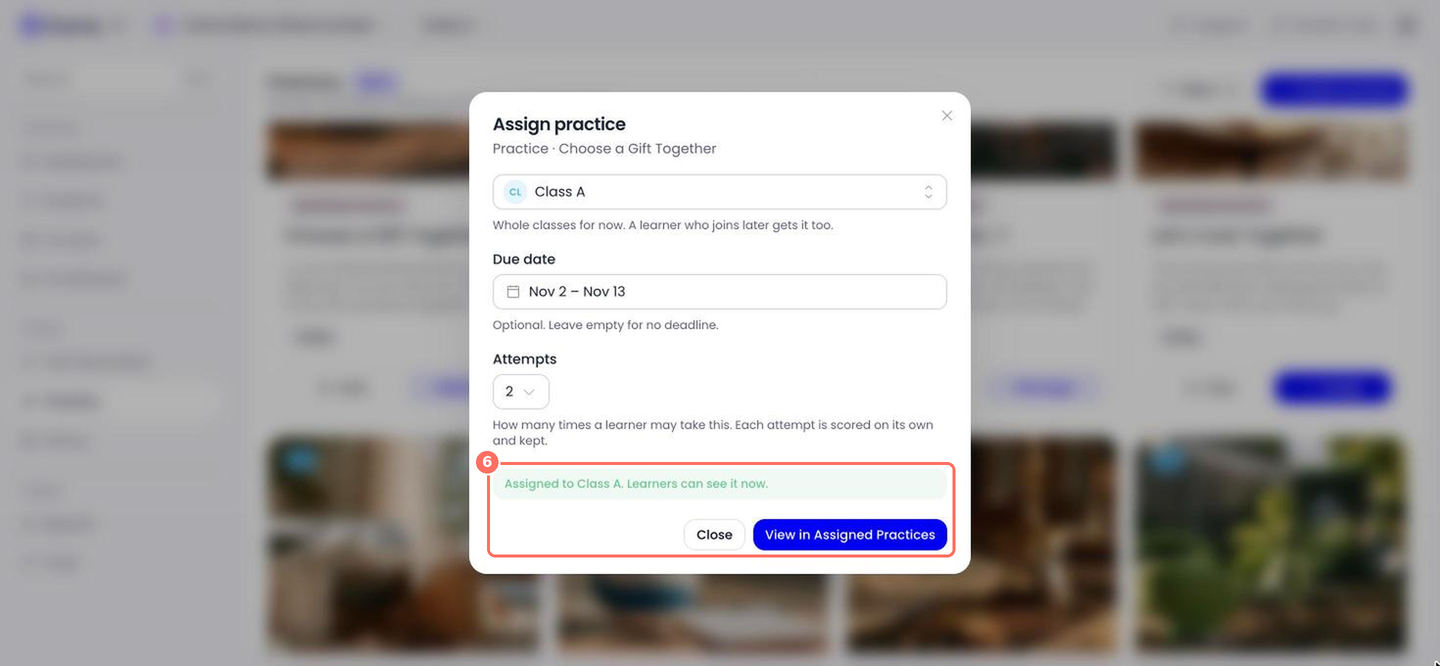
Click Assign (or Cancel to close the window without assigning). Carna confirms that the practice is assigned and that students can see it now. Click View in Assigned Practices to follow it, or Close.
Tips & Good to know #
- A practice always goes to the whole class, including students who join later. To leave a student out, assign it first, then untick them under Assigned to. See How to track and manage assigned practices.
- Unlike modules, practices have no When learners see feedback or Pages to assign settings. Students see their report when they finish.
- To change the due date, attempts or late-submission setting later, go to Practice › Assigned Practices and click Manage.
- You can assign practices from the Carna Library and the ones you made yourself under My practices.
- For speaking practices, remind students to use a device with a microphone and to allow microphone access.
Troubleshooting #
- I can't find the Assign button: the practice is already assigned to your current class. Click Manage to change it, or switch class at the top of the page.
- The window closed before I clicked Assign: open Assign on the practice again and check the settings. Nothing is assigned until you click Assign.
- A student can't see the practice: check that the start day has passed and that the student is in the class. See How to find an assignment you can't see.